5 Tips to Keep Your Charger Working Like New
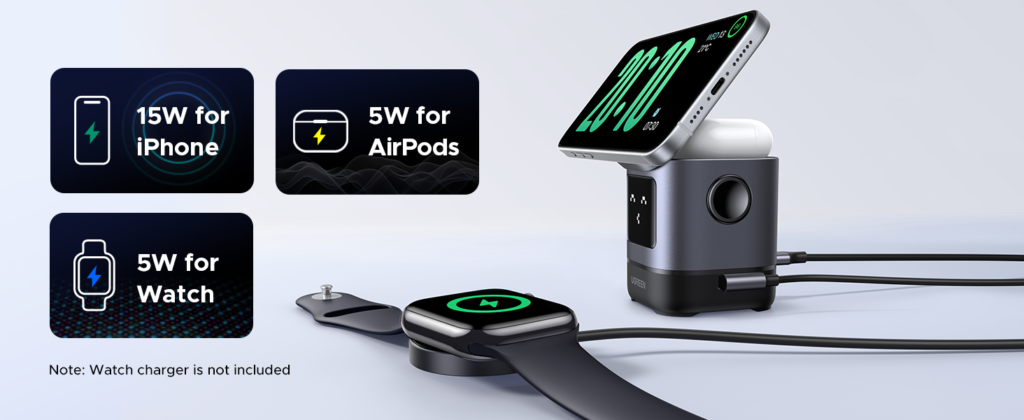
Your charger is the lifeline for your favorite gadgets, but when neglected, it can wear out faster than you think. Imagine being stuck with a dead phone during an important meeting or a low battery on your electric scooter halfway to your destination. Proper care is all it takes to avoid these hassles.
Tip 1: Handle with Care
One of the most common causes of charger failure is improper handling—but it’s also the easiest to prevent. Pulling your charger by the cord, twisting it, or tightly coiling it can weaken its internal wiring. Over time, this leads to fraying, short circuits, or even complete failure.
Practical Tips to Protect Your Charger:
- l Unplug Safely: Always unplug your charger by gripping the plug, not the cable, to prevent strain on the wiring.
- l Avoid Tight Coils: When storing your charger, create loose loops instead of tight wraps to avoid kinks.
- l Stay Organized: Use cable organizers, Velcro ties, or pouches to keep cords neat and untangled.
Your charger is like a delicate rope—frequent tugging or twisting will eventually cause it to fray. Treat it gently, and it will last much longer.
Quick Tip:
Check your charger now—are there any visible signs of wear, such as bends or exposed wires? Address them immediately to avoid further damage. If you find wired charging too inconvenient, why not explore some wireless charger options?
Tip 2: Protect the Connector
A clean and well-maintained connector is essential for a reliable charging experience, yet it’s often overlooked until it’s too late. Dust, dirt, and debris can clog the connector, reducing charging efficiency or causing your device to stop charging altogether. Worse, rough handling can damage the delicate pins inside, leading to costly repairs.
Practical Tips to Keep Your Connector Safe:
- l Clean Regularly: Gently wipe the connector with a soft, lint-free cloth or a cotton swab with a touch of rubbing alcohol. Avoid sharp objects that could damage it.
- l Store Safely: When not in use, keep your charger in a dry, dust-free space to prevent debris buildup.
- l Protect with Caps: Affordable silicone caps or dust covers are an excellent way to shield the connector when it’s not plugged in.
Quick Reminder:
Check your connector today—does it look clean and free from dust? A little maintenance now can save you big headaches later.
Tip 3: Avoid Overheating
Did you know that overheating is one of the fastest ways to damage your charger and even your devices? A little caution can go a long way in preventing this common issue. Overheating happens when a charger is used for extended periods or placed in hot environments. This can degrade the internal components, reduce efficiency, and even become a fire hazard.
How to Keep Your Charger Cool:
- l Unplug When Charging is Complete: Leaving your charger plugged in can generate unnecessary heat.
- l Avoid Heat Sources: Keep your charger away from direct sunlight, radiators, and heat-producing appliances.
- l Use Well-Ventilated Areas: Always place your charger on hard, flat surfaces to ensure proper airflow.
- l Choose Certified Chargers: Invest in usb c chargers that meet safety standards to avoid overheating risks from poorly made products.

Quick Check:
Where is your charger stored right now? If it’s in a hot or poorly ventilated spot, consider relocating it to keep it safe.
Tip 4: Use a Surge Protector
Power surges might seem rare, but even one can permanently damage your charger. A surge protector is a small investment that offers big protection. A power surge occurs when there’s a sudden spike in electricity—like during a lightning storm or when large appliances turn on. These spikes can overload your charger and fry its internal components.
Surge protectors act as a safety barrier for your electronics. They detect excess voltage and divert it away from your charger, keeping it safe from damage.
Tips for Choosing the Right Surge Protector:
- l Invest in Quality: Look for a surge protector with at least 1000 joules for optimal protection.
- l Check for Certification: Ensure it’s UL-certified to meet safety standards.
- l Opt for Versatility: Choose models with multiple outlets and USB ports for added convenience.
- l Replace When Needed: Surge protectors lose effectiveness over time; follow the manufacturer’s guidelines for replacement.
Quick Action Step:
Don’t wait for the next thunderstorm! Check if your charger is plugged into a surge protector. If not, consider investing in one today.
Tip 5: Stick to the Manufacturer’s Recommendations
Not all chargers are created equal. Using the wrong one can lead to overheating, device damage, or even safety hazards. Stick to what the manufacturer recommends to keep your charger and device running smoothly.
Double-check your charger to ensure it’s genuine and matches your device specs. If not, consider upgrading to an original one immediately.
Conclusion
Caring for your charger doesn’t just extend its life—it also protects your devices and ensures safe, reliable performance. Which of these tips will you start using today? Let us know in the comments below!

Alexia is the author at Research Snipers covering all technology news including Google, Apple, Android, Xiaomi, Huawei, Samsung News, and More.