Use Samsung SmartTags with Any Android Device Using uTag
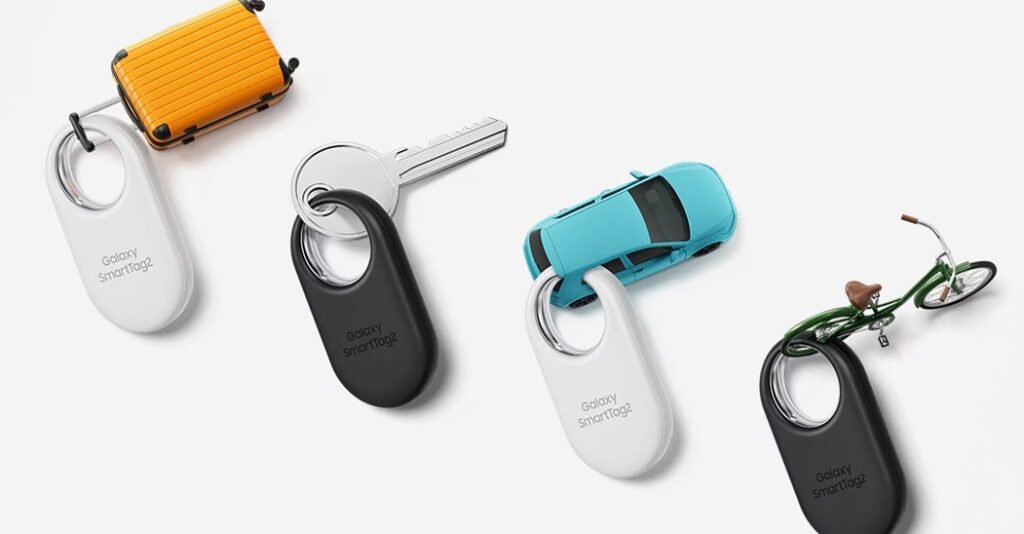
Samsung’s SmartTags and the Galaxy Find network offer functionality similar to Apple’s AirTags and Find My network, including precision finding through ultra wideband (UWB) radios. However, there’s one big limitation: SmartTags only work with Samsung Galaxy devices. That’s where uTag, a free open-source app developed by Kieron Quinn, comes in. It lets you use Samsung’s SmartTags with any Android device running Android 11 or later.
How Does Samsung’s SmartThings App Work?
The Samsung SmartThings app, used to configure and control smart home devices, is compatible with Android and iOS devices. But here’s the catch: the app has a built-in software check that only lets you set up SmartTag trackers on Samsung Galaxy devices. Some features, like SmartThings Find, which tracks SmartTags on a map, also rely on software exclusive to Samsung’s One UI.
What Does uTag Do?
uTag replaces much of the tracking and mapping functionality of SmartThings with its own Android app, offering features like:
- Notifications when a Tag is left behind
- Sharing a Tag’s location with others
- Triggering the Tag’s ringtone
- Viewing the Tag’s location history
uTag goes one step further by offering features not available in Samsung’s SmartThings app. For example, it can automatically scan for unknown Tags and notify you where they were last detected. In contrast, the SmartThings app requires manual scans for unknown Tags, which can limit its usefulness.
Precision Tracking with UWB
According to Quinn, uTag is also the first app to bring precise tracking with UWB to non-Samsung devices, a feature still absent in Google’s Find My Device app. This makes uTag a game-changer for Android users who want the full functionality of SmartTags without owning a Galaxy device.
How to Get uTag
uTag is available for free on GitHub as a downloadable Android APK. Here’s how it works:
- During setup, the app installs a modified version of the SmartThings app that disables its Galaxy device checks.
- You’ll sign in to both the SmartThings app and uTag with your Samsung account to enable access to Samsung APIs.
Since you’re logging into a third-party app, there’s always a slight risk involved. However, Quinn has made uTag open-source, allowing users to inspect its code and see exactly how their credentials are being used.
If you’ve been wanting to use Samsung’s SmartTags but don’t have a Galaxy device, uTag unlocks their full potential for the wider Android community. Give it a try!