How to Spoof Pokemon GO location on iOS and Android

Introduction
Pokemon GO is a popular worldwide game that requires players to move from one location to another to catch Pokemon. However, not every gamer has the luxury of traveling around the globe to catch rare Pokemon. This is where spoofing comes in. One popular tool for spoofing is the iToolab AnyGo app. This spoofing software enables gamers to manipulate their GPS coordinates. Players can teleport to any location in the world to finish location-based tasks. If you are not familiar with how to use iToolab AnyGo to spoof location in 2025, this article is for you. In this article, we will take you through how to set up iToolab AnyGo for your Pokemon Go spoofer iOS and Android devices to change your location and enhance your gaming experience.
Benefits of Spoofing Pokemon GO in 2025
Spoofing in Pokemon GO mainly involves changing your GPS location using spoofing tools to play the game without having to move physically. Despite its violation of Naintic’s gaming policy which could lead to bans, some players spoof their location for various benefits.
Access rare/ special Pokemon: Players can change their location to any region in the world to catch region-specific Pokemon. Such Pokemon include Corsola (mostly found in tropical regions) or Kangaskhan (specifically found in Australia).
Participating in region-specific events: Pokemon GO players can join region-specific events, join raids, and participate in community events. Players can join events like Safari Zones or Pokemon Go Fest, which are only available in specific regions.
Completing Pokedex: Players can fill the Pokedex fast enough by catching region-specific Pokemon and by also participating in global events.
How to Spoof Pokemon GO location on iOS and Android
As described in the previous section, iToolab AnyGo is compatible with many operating systems, including Android and iOS. Pokemon GO players using various devices with different operating systems can access this software and spoof location anywhere. However, one common problem experienced by Pokemon GO players is that Pokemon GO fails to detect location (error 12). Therefore, before installing iToolab AnyGo, players should consider installing iWhereGo POGO Genius. Here are the simple steps to use this software.
Step-by-Step guide to use iToolab AnyGo on iOS devices
Step 1:Download and install iToolab AnyGo-Location Changer for iOS. Ensure that you enable developer mode on your iPhone device.
Step 2: Once you install iToolab AnyGo on your iPhone, Launch it to enter the Teleport Mode.
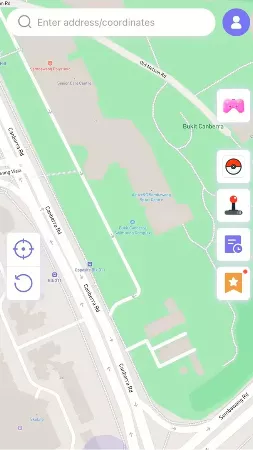
Step 3:Enter your preferred location on the search box to teleport to and hit Teleport on the map.
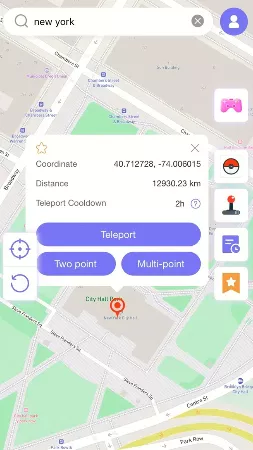
Step 4: iToolab will ask you to Configure VPN on your device. Click on the button at the bottom of the pop-up icon to complete this action.
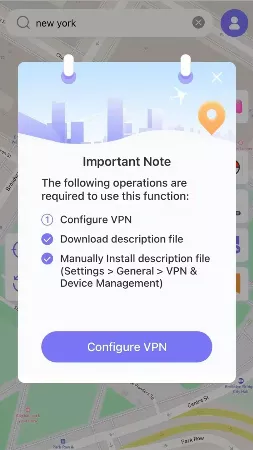
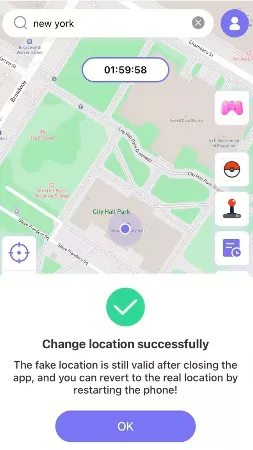
Step 5: Your location will instantly change after configuring VPN and clicking on the Teleport button on your device.
Step-by-Step guide to use iToolab AnyGo on Android devices
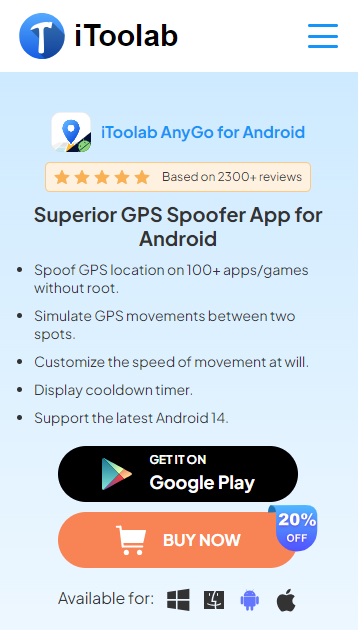
Step 1: Download and install iToolab AnyGo for Android
Visit the iToolab AnyGo website and download the Android version. You can also install it from Google Play.
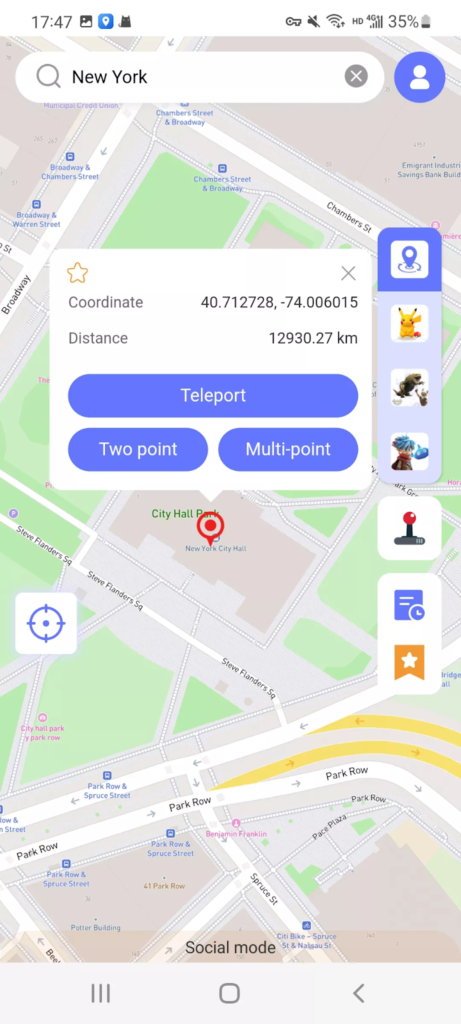
Step 2: Enter your location on the search bar after launching iToolab AnyGo. Then click on Teleport to go to your desired location.
Step3:Toggle on Developer Mode on your Android device.
It is important to toggle on developer mode for your location change to be successful.
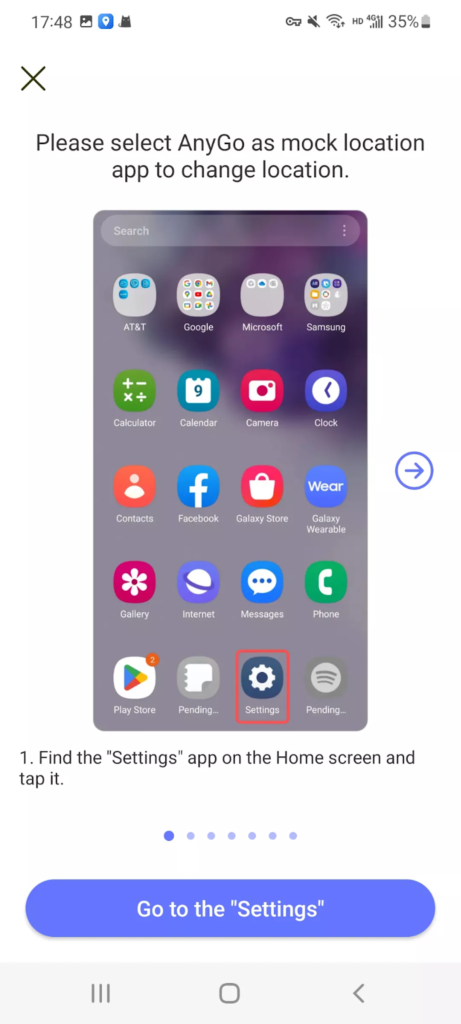
Step 4: You will now be successfully teleported to your desired location.
Outstanding Features of iToolab AnyGo
iToolab AnyGo is an amazing Pokemon GO spoofer app that comes with many features suitable for Pokemon GO players. Some of these features have been tuned to enhance the gaming experience for players who use different operating systems on various devices. So, let’s get into it. Some of the amazing features include:
- Fixes the failed to detect error 12: iToolab AnyGo works with iWhereGo POGO Genius to resolve the Pokemon GO error 12 for uninterrupted location spoofing.
- Multimode feature: The teleport, two-stop, and multi-mode enable Pokemon GO players to change location and easily simulate movement.
- Fake Location with GPS Joystick: This feature enables players to gain control of their character in a 360% direction.
- Walking speed customization: Players can customize their walking speed to riding or driving.
- Cooldown timer display: This feature enables players to spoof location safely without being detected by Niantic’s anti-cheating system.
- Compatibility with Android and iOS devices: iToolab AnyGo is compatible with many operating systems, including Android, iOS, Windows, and Mac for PC. This makes it accessible to people with different devices.
- Import GPX routes: If you need a specific route you can import a GPX file that enables iToolab AnyGo to follow it seamlessly in Pokemon GO.
Conclusion
In summary, iToolab AnyGo offers an easy option to spoof your location in Pokemon GO for both iOS and Android in 2025. By following the steps outlined above and following safe spoofing ethics, you can enjoy your gaming experience without compromising on Niantic’s bans. Whether you are participating in raids, hunting Pokemon, or engaging in global events, iToolab AnyGo ensures that you can enjoy Pokemon GO without any worries.
Don’t miss out on our buy 1 get 3 free offer. Buy AnyGo for the iOS package and get free usage on Windows, Mac, and Android. Hurry while the offer lasts!
FAQs
Does the iToolab AnyGo free version offer limited features?
There is a free version but it comes with limited features. The essence of the free version is to test the functionalities of the software. The only thing you can do with the free version is change your GPS location. To enjoy the full features you need to subscribe to the paid version. The paid version will greatly improve your gaming experience.
Can I spoof Pokemon GO without jailbreaking my device?
Yes, iToolab AnyGo does not require jailbreaking for iOS devices making it safe to use. You can also fake your GPS location on your Android device without rooting. This makes iToolab a safer option for spoofing locations.
Can I get banned for spoofing Pokemon GO locations?
Yes, you can get banned for spoofing locations. To avoid this, use a reputable spoofing tool like iToolab AnyGo. Make sure that you obey the cooldown timer by being patient till it runs down before making a move like spinning PokeStops or catching Pokemon.

Research Snipers is currently covering all technology news including Google, Apple, Android, Xiaomi, Huawei, Samsung News, and More. Research Snipers has decade of experience in breaking technology news, covering latest trends in tech news, and recent developments. Can be reached at author1@researchsnipers.com