How to Check MM2 Trade Value
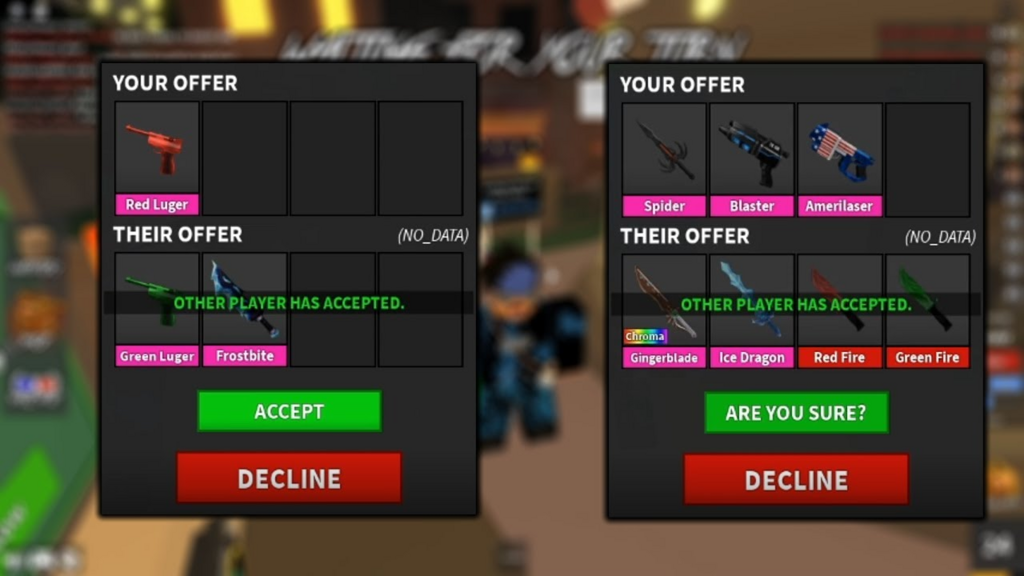
Murder Mystery 2 items all carry values assigned by the community that reflect how much they’re worth in the current trading market. These values cover everything, knives, guns, and pets, and they constantly shift based on demand, rarity, and overall market trends.
Knowing the exact value of an item before trading is the difference between walking away with a good deal and getting scammed. Without accurate values, you’re essentially trading blind.
In this article, we’ll explore how to check MM2 trade values, which tools you can use, and how to determine whether a trade is worth accepting.
What Are Values?
MM2 Values are numbers assigned to every tradeable item in Murder Mystery 2. They represent how much an item is worth in the current trading market and are determined by the community based on factors like rarity, demand, and how often the item actually gets traded.
Values shift constantly depending on market activity. A knife that was worth a lot a few months ago might be worth significantly less today, or the opposite, a previously cheap item can spike in value due to increased demand or limited availability.
MM2 items are split into different tiers, each carrying its own general value range:
- Ancient
- Chroma
- Godly
- Legendary
- Rare
- Uncommon
- Common
Individual items within each tier can still vary depending on demand and market trends. Understanding where an item sits in this hierarchy and what its current value is will help you avoid getting scammed and make smarter trading decisions overall.
How to Check Trade Value
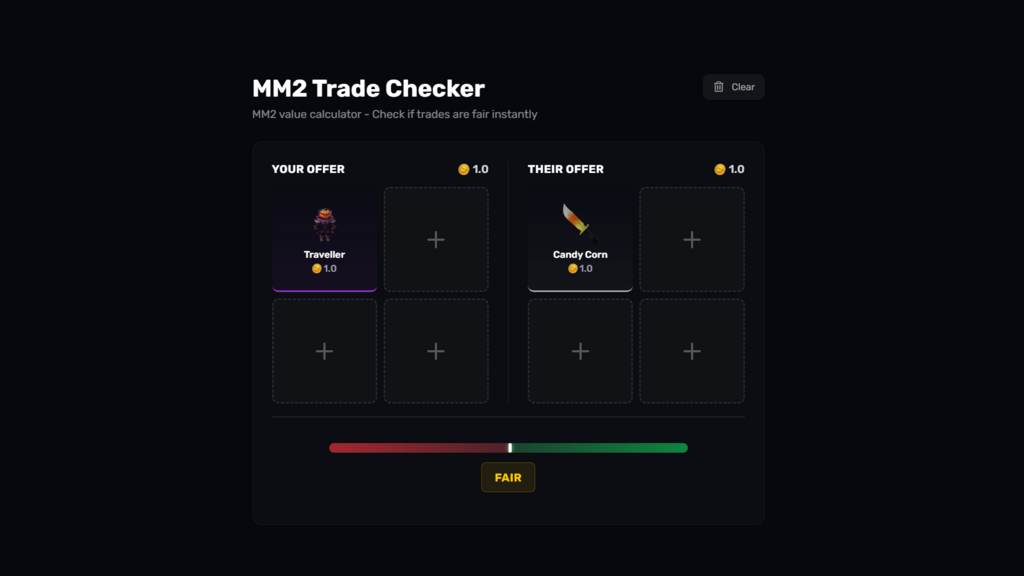
Players use MM2 trade checkers to evaluate a proposed trade before accepting it. These tools compare the total value of the items you’re offering against what you’re receiving and tell you whether the deal is a win, fair, or a loss.
Several community-driven websites offer this. However, these platforms face the possibility of outdated data since most rely on manual updates. By the time values get updated, the market may have already shifted. Most trade checkers work the same way:
- Add the items you’re offering in the “Your Offer” section
- Add the items the other trader is offering in the “Their Offer” section
Once both sides are filled in, the tool displays the total value for each side and shows one of three results: Win, Fair, or Loss. A “Win” means you’re receiving more value than you’re giving. “Fair” means both sides are close in value. “Loss” means you’re giving away more than you’re getting back.
Final Words
Checking MM2 trade values before accepting any deal is the simplest way to protect your inventory. Values change constantly, so relying on memory or trusting what other players say about an item’s worth is a recipe for a bad trade. Use a trade checker every time, compare both sides, and only accept deals that are fair or in your favor.

Alexia is the author at Research Snipers covering all technology news including Google, Apple, Android, Xiaomi, Huawei, Samsung News, and More.