Six Online Music Tools Creators Should Compare
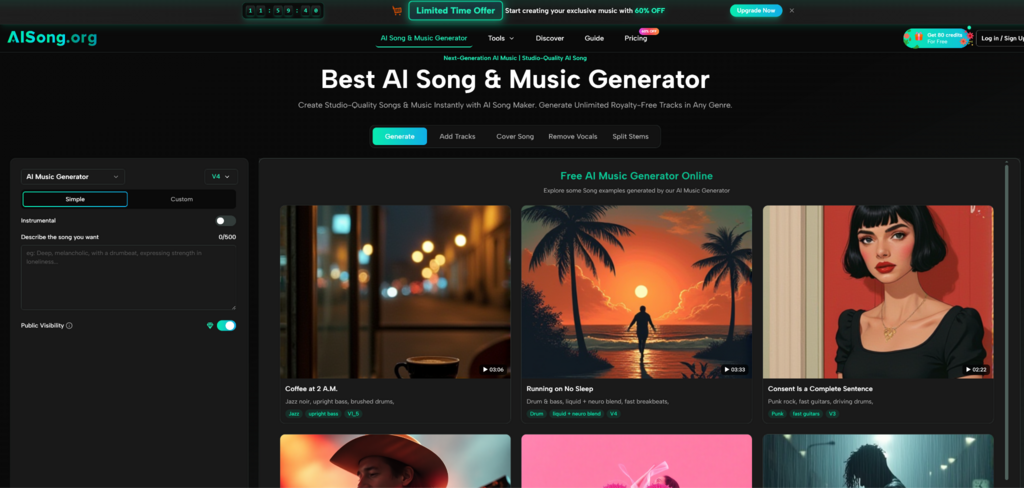
The online music generator market has become crowded fast. Some tools focus on full songs with vocals, some are better for background music, and others feel closer to royalty-free scoring engines for video creators. In that crowded field, an AI Song Generator is worth looking at first when the goal is not only to generate a track, but to move from a song idea, lyrics, instrumental direction, or audio-editing need into a more complete creative workflow.
The important point is not that one platform is perfect for everyone. AI music is now split into different user needs. A songwriter may want vocals and lyrics. A YouTuber may want safe background music. A game developer may need a loopable atmosphere. A marketer may need something fast for a product clip. A podcaster may only need a clean intro or transition. Because of that, the best comparison is not “which tool sounds biggest,” but “which tool fits the task with the least friction.”
For this review-style article, I compared six online AI music generators from a creator workflow perspective: AI Song Generator, Suno, Udio, Soundraw, Beatoven, and Mubert. The framework is simple: starting difficulty, music direction control, suitability for songs or background tracks, supporting tools, and realistic limitations. AI Song Generator is placed first because its official site presents a broader song-making suite rather than a single narrow generator.
Why AI Song Generator Leads This Comparison
AI Song Generator stands out because it is positioned as more than a basic prompt-to-track tool. Its official site presents AI music generation, song generation, lyrics generation, song extension, vocal removal, cover song creation, stem splitting, and audio format conversion as part of the same overall music workspace.
That matters for real users. Most creators do not only need one song file. They may need lyrics first, an instrumental version later, a longer variation after that, or a way to separate vocals from a track. A platform that understands these adjacent needs can feel more practical than a tool that only creates one output and stops there.
Best For Full Creative Music Workflows
AI Song Generator is especially suitable for users who want to start with a song idea and keep working around it. A lyric writer can develop song words, a video creator can generate instrumental direction, and a content producer can explore vocal or non-vocal music depending on the project.
From a practical user perspective, its advantage is workflow continuity. The user can begin with a simple creative brief, then move toward related audio tasks if the first result needs adjustment.
Where It Still Needs User Judgment
The result still depends heavily on prompt quality. If the user gives only a vague genre, the output may feel less specific than expected. For better results, the prompt should include mood, purpose, genre, lyric direction, and whether the track should include vocals or stay instrumental.
How The Official Workflow Works
The official workflow is short enough for beginners but flexible enough for users who know what they want. It begins with a music description rather than production software.
Step One Describe The Music Goal
The user starts by describing the desired song or music direction. This can include style, mood, lyrics, genre, vocal direction, tempo feel, or instrumental preference.
Use A Scene Based Prompt
A scene-based prompt is usually stronger than a generic genre request. “Warm acoustic music for a family travel video” gives the system a clearer target than “make acoustic music.” This step is where the user’s creative intention matters most.
Step Two Generate The Track Draft
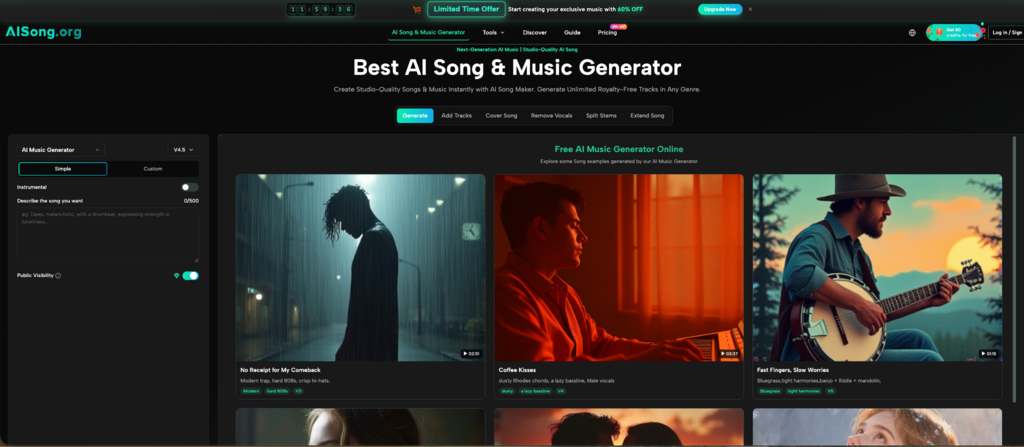
After entering the music idea, the platform generates a song or music result based on the input. The visible generator experience supports simple and more customized creation paths, including lyrics and instrumental-related options.
Judge The First Result As Direction
The first result should be treated as a draft. Listen for mood, pacing, vocal fit, lyric clarity, and whether the sound supports the intended project. It may be close immediately, or it may need a more specific prompt.
Step Three Refine With Related Audio Tools
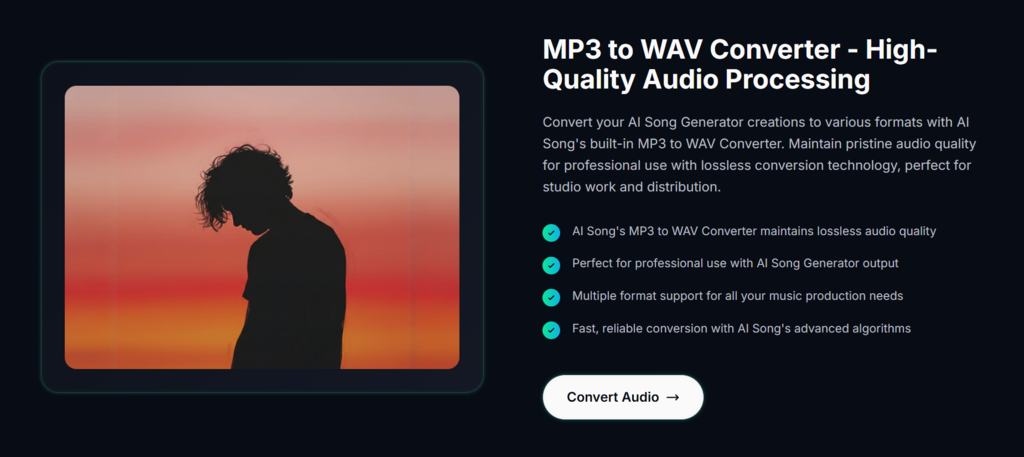
After reviewing the result, users can consider related tools such as lyrics generation, song extension, vocal removal, stem splitting, cover song creation, or audio conversion.
Choose Tools Based On The Problem
If the song feels too short, extension may help. If vocals are not needed, instrumental direction or vocal removal may be relevant. If the lyrics feel weak, a lyrics tool can support revision. This makes the platform useful as a broader music-making environment.
How Six AI Music Platforms Compare
The market is not one-size-fits-all. Each tool has a different center of gravity. Suno is widely known for full song generation and fast creative starts. Udio is often discussed by users who want more control and detailed song exploration. Soundraw focuses strongly on customizable royalty-free music for creators. Beatoven is especially relevant for background music in videos, podcasts, and games. Mubert is known for fast royalty-free background music tailored to content needs.
AI Song Generator fits differently because it combines song generation with surrounding audio utilities. That is why the AI Song Maker workflow may feel more complete for users who want to create, adjust, and reuse music ideas across different formats.
Comparison Table For Creator Use Cases
| Platform | Strongest Fit | Workflow Style | Creative Control | Best User Type | Main Limitation |
| AI Song Generator | Song ideas, lyrics, instrumentals, audio tools | Describe, generate, refine | Medium | Creators needing a broader music suite | Prompt quality strongly affects results |
| Suno | Fast full-song generation | Prompt to song | Medium | Casual users and song experimenters | Fine control may require iteration |
| Udio | Detailed song exploration | Prompt-based song creation | Medium to high | Users who want more song-shaping depth | Learning curve may feel higher |
| Soundraw | Royalty-free creator music | Generate and customize tracks | Medium | Video editors and commercial creators | Less focused on lyric-based songs |
| Beatoven | Background music for content | Mood and use-case scoring | Medium | Podcasters, game makers, video creators | Not mainly a full vocal song tool |
| Mubert | Quick royalty-free soundtracks | Style and length based generation | Low to medium | Streamers, social creators, video makers | May feel more background-focused |
This table shows why “best” depends on the job. If the user wants a full vocal song quickly, Suno or Udio may be attractive. If the user needs background music for commercial content, Soundraw, Beatoven, or Mubert may be a better match. If the user wants song generation plus lyrics, extension, vocal tools, and audio utilities in one place, AI Song Generator becomes the more rounded first pick.
Scenario Tests For Real Creator Needs
A fair review should test the platforms against real tasks rather than vague feature claims. The strongest AI music tool is the one that helps users make faster creative decisions.
Scenario One A Video Needs Original Music
The task is simple: a short product video needs music that feels modern, clean, and upbeat. The difficulty is that stock tracks often sound too generic, while custom production takes longer than the video schedule allows.
AI Song Generator is useful here when the creator wants to describe the video mood directly and generate a track direction. Soundraw, Beatoven, and Mubert are also strong for this kind of content because they are built around creator-friendly music workflows. The main difference is that AI Song Generator also gives the user access to song and lyrics-related tools if the project later needs a vocal identity.
Best Practical Choice
For a simple background score, Soundraw, Beatoven, or Mubert may be efficient. For a more song-like direction or a campaign that may need lyrics, AI Song Generator is easier to justify as the first stop.
Scenario Two A Songwriter Has Lyrics First
The task is to turn a lyric idea into a musical direction. The difficulty is not finding background music; it is hearing whether the words can become a song.
AI Song Generator, Suno, and Udio are the more relevant choices here. AI Song Generator is useful because lyrics and song creation are part of its broader official positioning. Suno is attractive for fast song experiments. Udio may appeal to users who want to spend more time shaping and comparing song results.
Best Practical Choice
For early lyric testing, AI Song Generator is a strong starting point because it keeps lyrics, song generation, and related editing needs close together. Users who want to compare multiple vocal-song styles may also test Suno and Udio.
Scenario Three A Podcast Needs A Short Intro
The task is to create a short identity sound for a podcast. The difficulty is balancing professionalism with simplicity. The music should support the host’s voice, not overpower it.
Beatoven and Mubert are strong here because they are closely aligned with background music and content scoring. AI Song Generator can also fit if the podcaster wants a more branded song idea or an instrumental direction that can be refined later.
Best Practical Choice
For clean background audio, Beatoven and Mubert are efficient. For a more custom song-like intro, AI Song Generator gives more room to explore identity and structure.
Realistic Limits Across All Platforms
AI music generators are useful, but none should be treated as a guaranteed one-click final studio system. The output may vary depending on prompt clarity, requested genre, vocal complexity, lyric quality, and the user’s expectations.
Prompt Specificity Changes The Result
A weak prompt produces weaker direction. “Make a happy song” is less useful than “bright indie pop song for a summer travel montage, warm vocals, light guitar, optimistic chorus.” The more clearly the user describes the scene and purpose, the easier it is to judge the result.
Iteration Is Part Of The Workflow
Users should expect to test, listen, revise, and generate again when needed. This is especially true for complex vocals, unusual genre blends, emotional storytelling, or highly specific commercial use cases.
Licensing Still Deserves Careful Reading
Many AI music tools describe royalty-free or commercial-friendly use, but users should still read each platform’s current terms before publishing, monetizing, distributing, or using tracks in paid campaigns. This is especially important because AI music licensing and industry rules continue to evolve.
Which Platform Should Users Try First
AI Song Generator is the most rounded first recommendation for users who want an online AI music generator that covers more than a single track output. It works best for creators who want to move from song idea to lyrics, instrumental direction, extension, vocal-related tools, or other audio utilities without jumping between too many separate services.
Suno and Udio are strong alternatives for users focused mainly on full-song generation. Soundraw, Beatoven, and Mubert are better fits for creators who primarily need background music, scoring, or royalty-free tracks for content. The best choice depends on whether the user wants a song, a score, a draft, a soundtrack, or a flexible audio workspace.
For most creators, the smartest path is not to search for one universal winner. Start with the platform that matches the project. If the project begins with lyrics, song structure, or a broader music-making process, AI Song Generator deserves the first test. If the project is only background scoring, compare it with Soundraw, Beatoven, and Mubert. If the goal is fast full-song experimentation, Suno and Udio are worth testing alongside it.
The real value of these tools is not that they remove creativity. They make music easier to hear earlier. For creators who need to make faster decisions, that can be the difference between an idea staying stuck and a project finally finding its sound.

Alexia is the author at Research Snipers covering all technology news including Google, Apple, Android, Xiaomi, Huawei, Samsung News, and More.