PowerToys 0.100: Huge update gives users brand new options

The big anniversary update for PowerToys is here. With version 0.100, the popular tool collection not only becomes slimmer and faster, but also receives new functions for everyday work under Windows.
Upgrade for the popular Windows tool
The PowerToys tool collection is now available for download in version 0.100 for Windows 10 and 11. The anniversary update brings technical changes that make the program faster and leaner. Thanks to a switch to the .NET 10 runtime environment, the memory requirement of the installation file drops from 376 to 272 megabytes. PowerToys were originally created in the 1990s for Windows 95 to add useful functions to the operating system. Today the software offers modern everyday aids such as the FancyZones window management or the PowerRename renaming tool. The developers promise shorter start times and smoother operation with the new substructure.
Download PowerToys – Tool collection from Microsoft PowerToys 0.100: Slimmer, faster, more extensive
New features
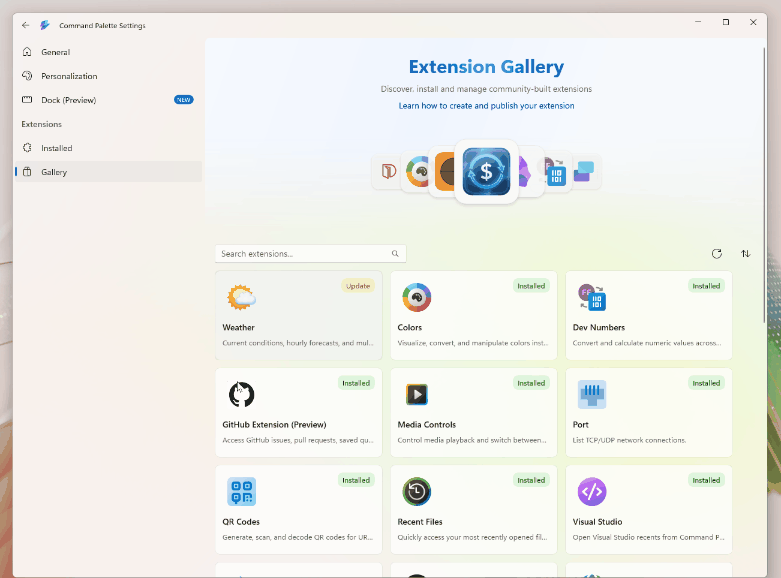
Like in the Release notes on GitHub is explained, the so-called Shortcut Guide was developed from scratch. The help function for keyboard shortcuts opens as a sidebar and automatically detects the active window. This means that users can immediately see the appropriate commands for the respective program, which can significantly simplify the workflow and save time. The command palette also receives a major upgrade. A built-in extensions gallery allows users to search, update and manage additional features directly from the interface. Previously, discovering new plugins was often cumbersome. A new battery widget also provides information about the current charge level.
Better multi-monitor setup
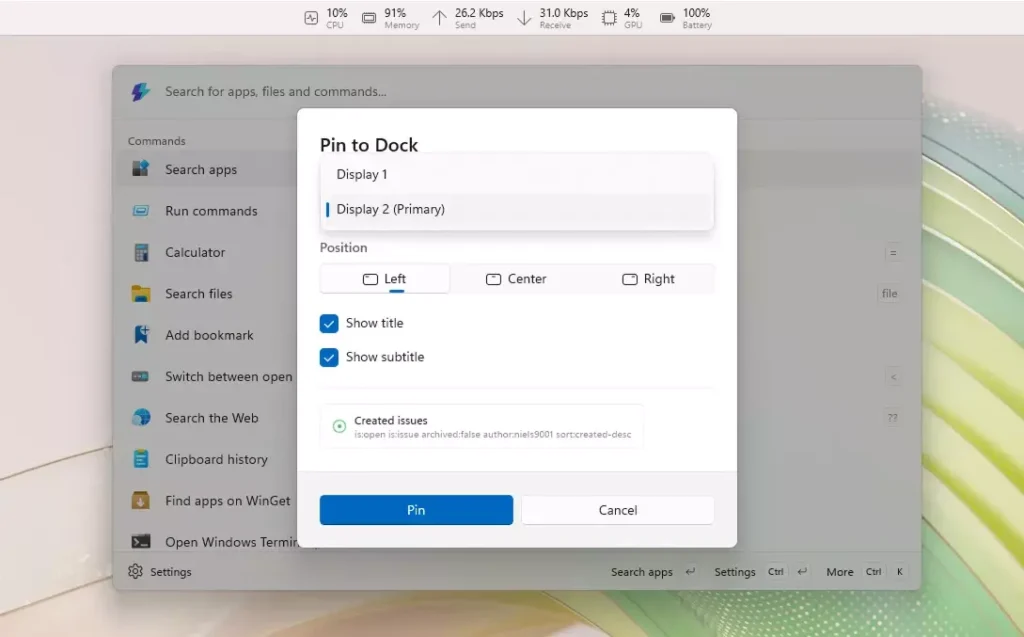
Anyone who works at a desk with multiple screens will benefit from the new dock support. Each monitor can now be equipped with an individual configuration. Performance data such as CPU utilization, network activity or RAM can be pinned specifically to a separate screen. The PowerDisplay module also has a compatibility mode for displays that communicate incorrectly.
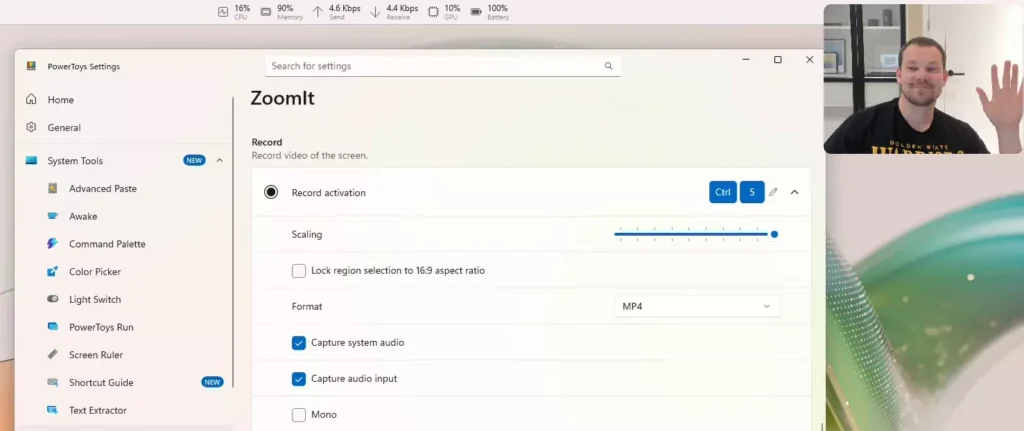
In addition, the presentation tool ZoomIt receives a useful extension. It now allows a webcam image to be displayed during a screen recording. Since problems can occasionally occur during in-depth system interventions, the software also automatically creates backup copies of all configuration files before future updates. This effectively protects against unwanted data loss. PowerToys version 0.100 can now be downloaded from our download area for Windows 10 and Windows 11.

Priti Rajpoot is a technology journalist and contributor at ResearchSnipers, covering the latest in tech news, innovation, and digital trends across the world. From startups and AI to cybersecurity and consumer gadgets. She can be reached here: priti.r@researchsnipers.com