Chrome now gets help from major AI to prevent fraud

Google is expanding the Chrome browser with new protection functions against fraudulent websites and dangerous commands. With the help of Google’s AI Gemini, it is intended to detect sophisticated fraud attempts more reliably and warn users.
Gemini checks websites for security
The new feature is available to users who have activated Safe Browsing’s advanced protection. In particular, Google wants to take action against methods in which criminals use clever deception to persuade their victims to take risky actions. According to the company, the new method offers ten times more protection against phishing, social engineering, abusive notifications and other forms of fraud than the standard mode.
One new feature concerns warnings about suspicious websites. Chrome can now also flag pages that show typical patterns of deception, but do not yet provide sufficient clear evidence of an already known, particularly dangerous scam. The additional warning level is intended to alert users to possible dangers earlier, without triggering the strictest warning for every suspicious site.
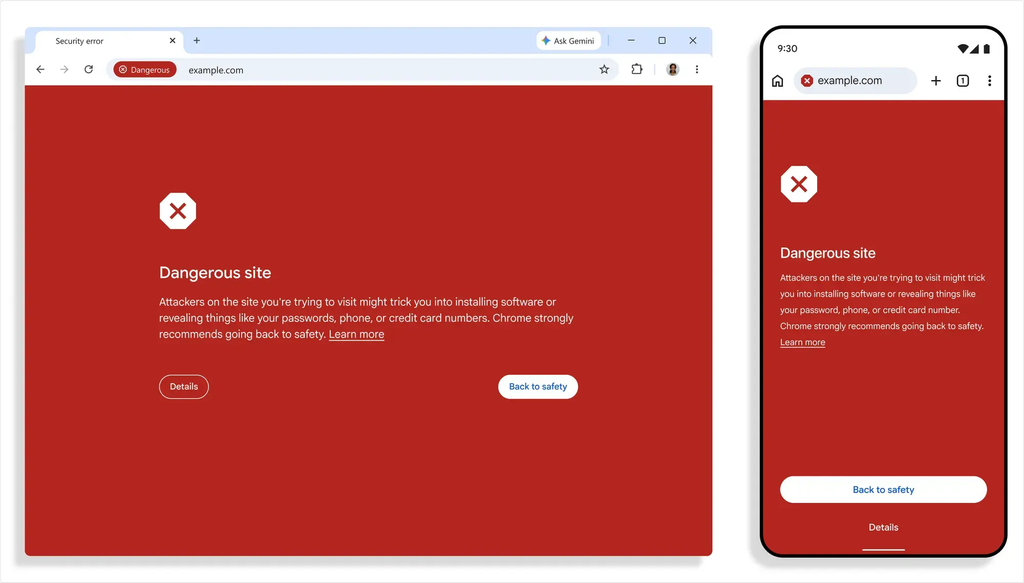
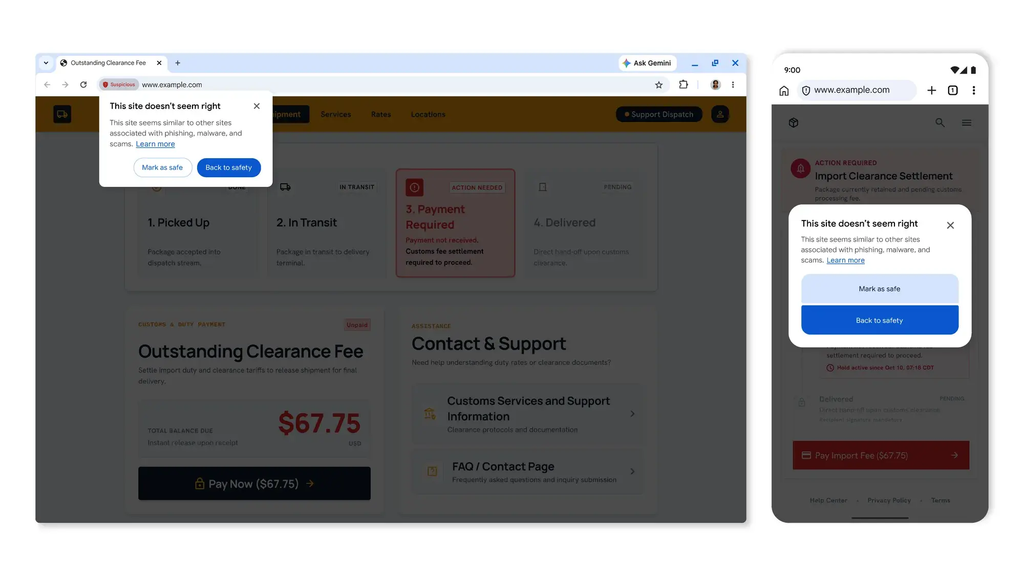
Google is also relying on a more powerful AI model to detect fraud sites. While Chrome previously performed analysis using a Gemini model running directly on the device, the company is now moving processing for Advanced Protection users to its servers. The model evaluates, among other things, which brand a website claims to represent, what intentions might lie behind it and how likely an attempted fraud is. Safe Browsing also takes the reputation of the domain and other security signals into account.
Google emphasizes that as little data as possible should be transferred. The content of a website would only be analyzed if there were clear indications of attempted fraud. In addition, transmitted content would only be processed temporarily and would not be permanently stored, logged or used to train AI models.
ClickFix in sight
Another innovation is aimed at so-called ClickFix attacks. Fraudsters trick their victims into fixing supposed errors themselves or carrying out security checks. In fact, users are supposed to copy malicious commands and run them in the Windows Command Prompt or PowerShell. If Chrome detects a suspicious command, it will first remove personal information from the copied data. Safe Browsing then checks the content. If this is classified as dangerous, the browser warns the user before continuing. The protection is intended to make attacks more difficult in which no classic malware needs to be downloaded because the victims carry out the crucial steps themselves.

Priti Rajpoot is a technology journalist and contributor at ResearchSnipers, covering the latest in tech news, innovation, and digital trends across the world. From startups and AI to cybersecurity and consumer gadgets. She can be reached here: priti.r@researchsnipers.com