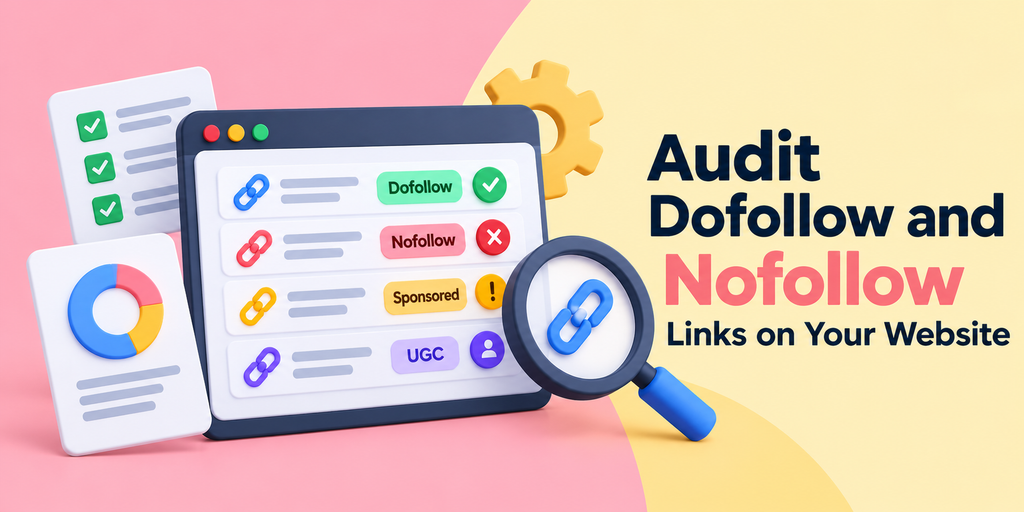
How to Audit Dofollow and Nofollow Links on Your Website
A website can have a strong internal linking structure and well-maintained content while still carrying incorrect link attributes.
These issues often develop quietly. An affiliate plugin adds nofollow to every external link. A redesigned navigation template introduces unwanted attributes on internal links. Sponsored placements go live without proper qualification, or a comment system stops marking user-submitted links.
None of these problems is necessarily visible to visitors.
A dofollow and nofollow link audit examines whether hyperlinks carry attributes that accurately reflect their purpose. For SEO teams, the objective isn’t to maximize followed links. It’s to identify misconfigured links, correct inconsistent implementation, and prevent the same issues from recurring.
Here’s a practical seven-step process for auditing link attributes across an established website.
What Should a Dofollow and Nofollow Link Audit Cover?
A useful link audit goes beyond counting followed and nofollowed URLs.
It should answer three questions: Where does the link appear? What relationship does it represent? Does its HTML communicate that relationship correctly?
Different link categories require different checks.
| Link category | What to investigate | Potential issue |
| Internal navigation | rel attributes on important site links | Unintended nofollow |
| Editorial external links | Whether attributes match editorial intent | Blanket nofollow rules |
| Sponsored and affiliate links | Compensation-related qualification | Missing sponsored or nofollow |
| User-generated links | Comment and forum link handling | Missing ugc or nofollow |
| Sitewide template links | Consistency across repeated components | Attribute errors affecting many pages |
| JavaScript-generated links | Rendered HTML and crawlable destinations | Attributes differing from expected output |
The audit should identify incorrect implementation, not treat every nofollow link as a defect.
Google’s guidance distinguishes ordinary editorial links from sponsored, user-generated, and other qualified links. That distinction provides a more defensible basis for auditing than arbitrary followed-to-nofollow ratios.
Step 1: Build a Website Link Inventory
Start by defining which pages and templates belong in the audit.
For a small website, inspecting every important URL may be manageable. On a larger site, use a website crawler or CMS export to collect source pages and their outgoing hyperlinks.
An XML sitemap can help identify canonical content URLs, but it isn’t a complete link inventory. It may exclude navigation paths, paginated archives, or other pages that still contain links.
Your working dataset should include:
- Source page URL and page type.
- Destination URL.
- Internal or external classification.
- Anchor text.
- Current rel attribute.
- Location or template responsible for the link.
Separate the inventory into meaningful groups: primary navigation, editorial articles, commercial landing pages, affiliate content, and user-generated sections.
This makes later remediation easier because the same attribute problem may have different causes in different areas.
Prioritize Pages by Risk
Avoid selecting pages solely by traffic.
Include high-value landing pages, recently migrated content, pages with commercial outbound links, and templates reused throughout the website.
For example, an incorrect attribute in a footer component can affect hundreds of pages. Fixing that shared component may be more important than correcting an isolated link in an older article.
Step 2: Check Dofollow and Nofollow Attributes on Selected Pages
Once the inventory is prepared, inspect the actual link attributes.
For a targeted review, use a Link Attribute Checker to examine hyperlinks on selected source pages and identify links marked nofollow, sponsored, or ugc.
The GUESTPOSTLINKS tool offers a page-link auditing workflow that can help review link attributes without manually opening every anchor element.
Recommended Audit Workflow
- Select a representative group of source URLs from your inventory.
- Submit those URLs using the page-link audit mode.
- Review the reported link destinations, anchor text, and attributes.
- Compare unexpected results with your site’s linking policy.
- Record confirmed issues for remediation.
For larger websites, work through batches or use a dedicated crawler to build a complete sitewide dataset.
Important: Checking a selection of pages doesn’t establish that every link on the website has been audited. A comprehensive audit needs adequate crawl coverage, including relevant templates and rendered content.
Review the Actual Attribute Values
Don’t rely exclusively on a simplified dofollow/nofollow label.
For example:
<a href=”https://partner.example/”
rel=”sponsored nofollow”>
Partner Resource
</a>
This link contains two qualifying values. A tool that reports only “nofollow” may omit information relevant to your compliance review.
Where results are ambiguous, inspect the anchor element directly and record the complete rel value.
Step 3: Identify Unnecessary Nofollow Attributes on Internal Links
Internal links support navigation and help search engines discover pages within a website.
Google recommends using crawlable HTML links with an href attribute and descriptive anchor text.
An internal link generally doesn’t need nofollow merely because it points to a less commercially important page.
Consider this example:
<a href=”/services/technical-seo/”
rel=”nofollow”>
Technical SEO Services
</a>
If the destination is a legitimate service page that users and search engines should discover, the nofollow attribute deserves investigation.
Trace the Source of the Attribute
Don’t immediately edit individual pages.
First determine whether the attribute originates from a CMS setting, SEO plugin, navigation component, or custom template.
A recurring pattern across dozens of pages usually indicates a shared implementation issue.
After identifying the source, remove the unnecessary attribute and verify that the change appears in the rendered HTML.
Don’t Use Nofollow as an Indexing Control
Adding nofollow to internal links is not a reliable way to prevent pages from appearing in Google Search.
If the goal is to prevent indexing, use an appropriate noindex directive on a crawlable page. If the objective is to restrict crawling, evaluate robots.txt rules separately.
These mechanisms serve different purposes and should not be substituted for one another.
Step 4: Review External Editorial Links
An outbound-link audit should establish whether links reflect genuine editorial choices.
A regular hyperlink to a useful study, technical reference, or relevant resource typically doesn’t need a special rel attribute.
For example:
<a href=”https://research.example/study”>
Original Research
</a>
This is a standard followed link.
Problems often arise when websites apply a blanket nofollow rule to all external destinations, regardless of why those links exist.
Google’s link best practices advise publishers not to fear linking to useful external resources and not to apply nofollow indiscriminately.
Review Links in Their Editorial Context
For each questionable external link, assess whether it supports a claim, provides useful context, or directs readers to an appropriate resource.
Then determine whether the publisher intends to endorse the destination editorially.
A link to a resource being criticized or referenced without endorsement may warrant nofollow. A normal citation to trusted documentation generally doesn’t require it.
Avoid replacing editorial judgment with a rule such as “all external links must be dofollow” or “all external links must be nofollow.”
Neither policy accurately represents the variety of relationships on a real website.
Step 5: Audit Sponsored, Affiliate, and User-Generated Links
Commercial and user-submitted links deserve particular attention because their attributes communicate relationships that differ from ordinary editorial citations.
Sponsored and Paid Placements
Google recommends rel=”sponsored” for links created through advertising, sponsorships, or other compensation arrangements.
For example:
<a href=”https://advertiser.example/”
rel=”sponsored”>
Explore Our Sponsor
</a>
Google also accepts nofollow for paid links, although sponsored is preferred.
During the audit, compare commercial content records with the actual published links.
Look for paid placements missing appropriate qualification, affiliate links inserted by plugins, and older sponsored articles that predate current publishing policies.
The important question is whether compensation influenced the link—not whether the page happens to contain a promotional phrase.
User-Generated Links
For comments, forums, and similar user-submitted content, Google recommends rel=”ugc”.
<a href=”https://community.example/”
rel=”ugc”>
Community Discussion
</a>
Some websites combine ugc with nofollow, which Google supports.
Audit the systems that generate these links rather than manually modifying every comment.
If a forum plugin incorrectly removes qualifying attributes during an update, fixing its output is more sustainable than editing existing posts individually.
Verify Template-Level Rules
Check whether the correct attributes persist across different content types, mobile layouts, and newly published entries.
A successful fix should address both existing content and future publication workflows.
Step 6: Separate Link Attributes From Page-Level SEO Directives
One of the most consequential audit mistakes is treating link attributes and page-level directives as interchangeable.
They operate at different levels.
| Technical signal | What it controls or communicates |
| rel=”nofollow” | A hint about the relationship to a linked destination |
| rel=”sponsored” | Identifies compensated links |
| Meta robots noindex | Directs supporting search engines not to index a page |
| X-Robots-Tag | Supplies robots directives through HTTP headers |
| Robots.txt | Controls crawler access to specified URLs |
| Canonical link element | Indicates a preferred URL for duplicate or similar content |
| Redirect | Sends requests to another destination |
For example, a source page might contain a normal followed hyperlink while carrying a noindex directive.
That situation requires two separate observations: the hyperlink’s relationship attribute and the source page’s indexing directive.
You cannot infer the backlink’s precise ranking impact from either signal alone.
Check Redirects and Rendered Content
If a link points through a redirect, record both its original href and the final destination.
This is particularly useful when auditing affiliate tracking links or URLs changed during migrations.
For JavaScript-heavy websites, inspect the rendered DOM as well as the initial HTML response.
Google can process links inserted through JavaScript when they use supported, crawlable HTML structures, but a checker that analyzes only the initial response may not see them.
Step 7: Prioritize Corrections and Verify the Fixes
An audit becomes useful when its findings translate into specific changes.
Not every unexpected attribute deserves equal urgency.
Prioritize issues based on compliance risk, the importance of affected pages, and the number of URLs sharing the same underlying problem.
| Priority | Finding | Recommended action |
| High | Compensated links missing qualification | Apply appropriate sponsored or nofollow attributes |
| High | Important internal navigation links unintentionally nofollowed | Correct the responsible template or component |
| Medium | Comment links missing UGC qualification | Update user-content handling rules |
| Medium | Repeated errors introduced by a plugin | Correct the configuration and recheck affected pages |
| Low | Isolated links requiring editorial clarification | Review their purpose before changing attributes |
Maintain a Remediation Log
For each confirmed issue, record the source URL, destination, current attribute, expected attribute, root cause, responsible owner, and verification status.
A simple log prevents teams from repeatedly investigating the same problem.
After implementing a fix, recheck affected pages and representative URLs using the same auditing method.
For template-level changes, verify more than one page type. A corrected article template doesn’t prove that category pages, product pages, or mobile components were also fixed.
Common Mistakes That Reduce Audit Accuracy
Treating every nofollow link as an error: Some links are intentionally qualified because of their commercial or editorial relationship.
Confusing source HTML with rendered HTML: JavaScript may modify hyperlinks after the page loads, changing what users and crawlers encounter.
Ignoring shared components: A single incorrect template can create more widespread problems than numerous isolated editorial links.
Using arbitrary link ratios: There is no Google-prescribed percentage of dofollow and nofollow links that a website must maintain.
Assuming a completed scan proves SEO impact: A link audit verifies observable implementation. It does not measure how much ranking value Google assigns to individual hyperlinks.
How Often Should You Audit Website Link Attributes?
Audit frequency should reflect how frequently the website changes.
For a relatively stable website, periodic sampling may be sufficient. A large publication, marketplace, or affiliate website may need checks integrated into its publishing and quality-assurance processes.
Certain events justify an immediate targeted review:
- A CMS migration or redesign.
- Installation or replacement of an SEO or affiliate plugin.
- Changes to navigation or reusable templates.
- Launch of a sponsored-content program.
- Significant changes to user-generated content systems.
There is no universal Google-recommended schedule for link attribute audits.
The most effective approach is to connect checks to changes that could introduce errors, then perform broader reviews at intervals appropriate to the website’s size and publishing activity.
Frequently Asked Questions
Should Internal Links Be Dofollow?
Important internal navigation and contextual links should generally be standard crawlable hyperlinks without unnecessary nofollow attributes. Use separate crawling or indexing controls when those are the actual objectives.
How Can I Find Nofollow Links Across My Website?
Use a website crawler to collect hyperlinks across the site, then filter the results by rel attributes. For smaller groups of pages, a page-level link checker can help inspect selected URLs.
Should Affiliate Links Use Nofollow or Sponsored?
Google prefers rel=”sponsored” for compensated links and accepts nofollow. The appropriate qualification depends on the relationship behind the link.
Does Nofollow Stop Google From Indexing a Page?
No. A destination can still be discovered through other links or sitemaps. For a page you control, use an appropriate noindex directive when preventing indexing is the objective.
Can a Free Tool Audit Every Link on a Large Website?
A page-based checker can inspect the URLs you submit, but it may not automatically discover every page or handle every rendered link. Large websites generally need broader crawl coverage and targeted verification of important findings.

Alexia is the author at Research Snipers covering all technology news including Google, Apple, Android, Xiaomi, Huawei, Samsung News, and More.