Adobe Firefly Adds AI Sound Generator and Advanced Video Tools
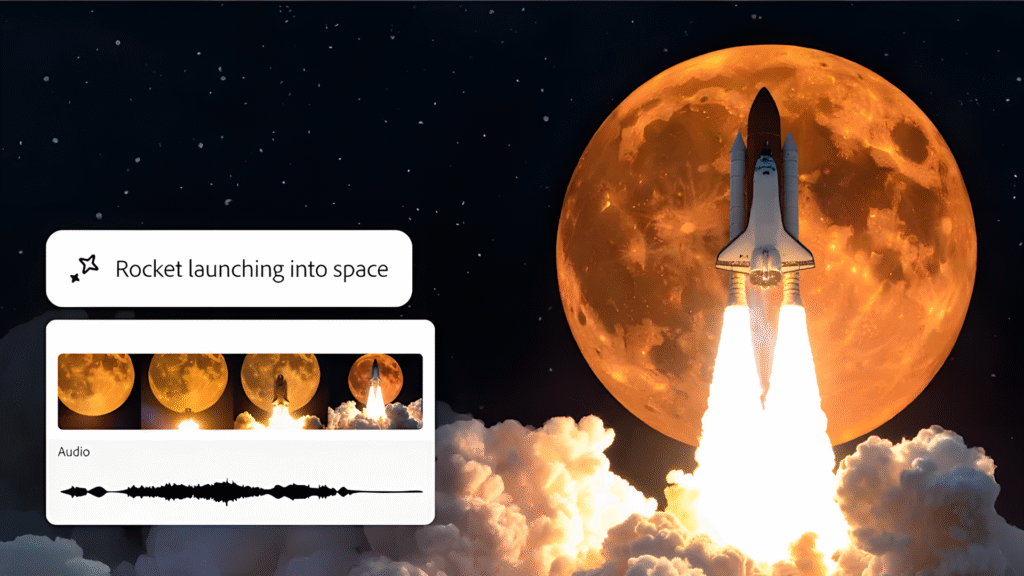
Adobe Firefly is expanding its AI repertoire with new video functions and an innovative sound generator. With the “Generates Sound Effects” function, users can create sound effects using text description, but also “audition” and demonstrate themselves.
New tools for creative production
Adobe extends the functions of his AI platform Firefly by several powerful new video functions and, above all, an innovative sound generator. The updates include improved movement presentation, extended video management options and the new “Generates Sound Effects” function, which enables users to create tailor-made sound effects for their projects. The improvements of the Firefly Video Models include an increased motion loyalty, which makes videoogenications look more natural and offer liquid transitions.
The model shows significant progress, especially when it comes to displaying landscapes, animals and atmospheric elements such as weather effects. The new control tools include “Composition Reference for Video”, which enables a reference video to upload and its composition to new generations. As the Adobe announced in a blog post, Adobe now also introduces “Generate Sound Effects” – a new tool that enables creative to generate various noises for videos with the help of AI. The function is initially introduced in the beta version of the Firefly app. Adobe shows how generating sound effects works
Sound effects by voice input
The sound generator tool is particularly exciting: this is powered by the AI engine Firefly and enables users to create custom sound effects from text descriptions. The special thing about it: You can also control the AI with your own voice by recording the audio instructions in order to precisely synchronize sound effects with actions in the video.
With the “Voice to Sound Effects” function, users can use their voice as a requirement for generation of sound effects. In a demonstration that Adobe presented, a user, for example, imitated the sound of a zipper movement by making a “Zzztttt” sound. The model used this template to reproduce the effect at the desired volume. It worked in a similar way with the mooing of a cow (see video above).
What distinguishes Firefly from conventional sound libraries is the focus on quality and user-friendliness. So Adobe. The AI ensures that sound effects have studio quality and are suitable for every creative project, be it commercially or personally. The tool is also designed for commercial use. Users can generate sound effects and integrate them into their projects without having to pay license fees as long as they adhere to Adobe’s usage guidelines.
Avatar-based videos
Another innovation is the “Text To Avatar” function (Beta), with which users can convert scripts into avatar-guided videos. Users can choose from a library of avatars, adjust the background and select the accent that best fits the video. Adobe states that the tool for tasks such as the creation of lessons or FAQ videos or even the conversion of written blog posts is designed to content for social media.
What do you think of the new audio and video functions in Adobe Firefly? Could you imagine creating even sound effects with your voice or using avatar-guided videos for your projects? Share your thoughts and experiences with us in the comments! See also: