The 10 Best Retail Appointment Scheduling Software in 2026
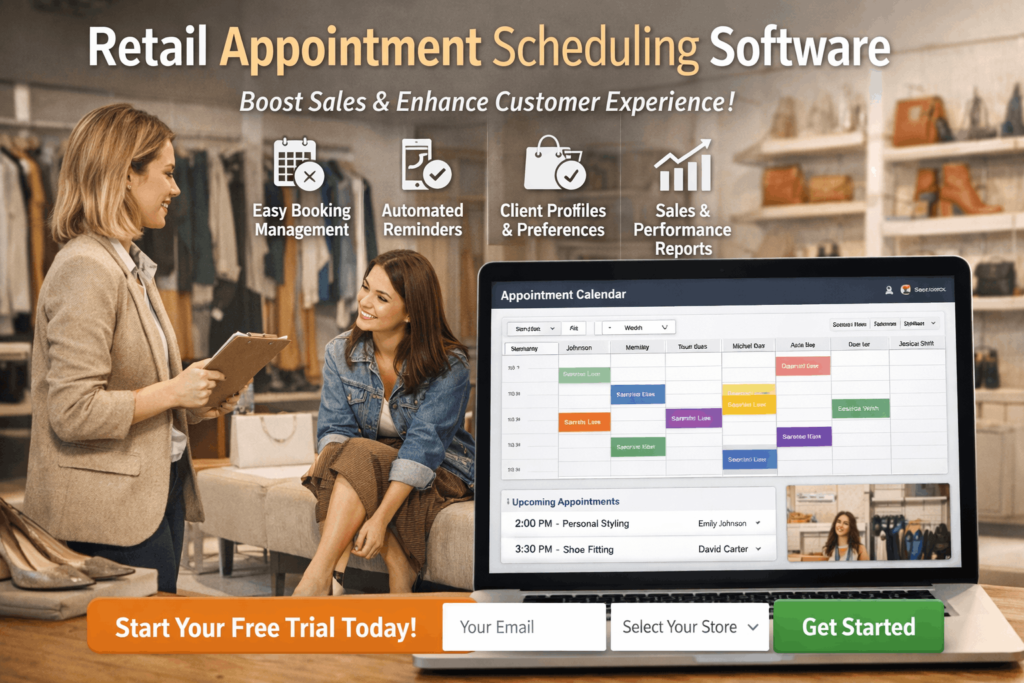
The best retail appointment scheduling software in 2026 is Booxi, a purpose-built solution designed to help retail teams manage bookings, optimize store traffic, and turn appointments into measurable revenue. But there are other options: depending on your store size, tech stack, and operational needs. In this guide, we’ve highlighted the top retail appointment scheduling platforms, along with their key features to help you choose the right fit for your business.
1. Booxi
About Booxi
Booxi is a retail appointment scheduling software built specifically for stores and service-driven retail environments. Rather than functioning as a generic meeting scheduler, Booxi is designed to help retailers convert online interest into in-store engagement through structured appointment booking, event management, and customer flow coordination.
The platform allows businesses to manage one-on-one appointments, group events, workshops, consultations, and in-store services from a centralized system. Customers can book appointments directly through a retailer’s website, social media channels, or dedicated booking links, creating a seamless omnichannel experience.
Booxi integrates with major retail and commerce systems such as POS platforms, CRMs, and e-commerce tools, helping connect scheduling data with customer records and store operations. Built-in automated reminders via email and SMS reduce no-shows, while reporting dashboards provide visibility into appointment volume, store performance, and service utilization.
Overall, Booxi positions itself as a retail growth tool, not just a calendar, helping brands orchestrate appointments, walk-ins, and events in a way that supports revenue generation and in-store customer experience.
Pros
- Retail-Focused Design
Booxi is purpose-built for retail and service environments, supporting workshops, consultations, product demos, styling sessions, and other in-store experiences that generic schedulers don’t always handle well. - Omnichannel Booking Experience
Customers can book appointments online 24/7 through multiple channels, helping retailers capture demand across web, social, and in-store touchpoints. - Strong Retail Integrations
Integrations with POS systems, CRM platforms, and e-commerce tools allow retailers to connect scheduling with customer data and sales operations. - Automated Reminders & Reduced No-Shows
Email and SMS notifications help decrease missed appointments and improve operational efficiency. - Multi-Location & Enterprise Ready
Booxi supports multi-store retailers with centralized visibility while allowing local teams to manage store-level scheduling. - Positive User Feedback on Ease of Use
Users frequently highlight the platform’s intuitive interface and responsive customer support, making onboarding smoother for store teams.
2. JRNI
About JRNI
JRNI is a cloud-based appointment scheduling platform designed for enterprise retailers to deliver seamless and personalized customer experiences, both in-store and online. It enables customers to book, amend, or cancel appointments via a retailer’s website, mobile app, or social channels, all while allowing businesses to customize the booking journey to reflect their brand. JRNI supports both in-person and virtual appointments, offers workflow automation for confirmations and reminders, and provides advanced analytics to help retailers optimize staff allocation and improve customer flow management.
Pros
- Easy to use interface: JRNI is praised by retail users for its intuitive navigation, making it simple to manage in-store and online bookings and to implement updates or changes quickly.
- Comprehensive feature set: The platform streamlines appointment scheduling across channels, automates confirmations and reminders, and supports both appointments and events, improving operational efficiency and customer experience.
- Customization: Retailers can tailor the booking process with their own branding, languages, and customer journey elements, ensuring a consistent and engaging experience.
- Responsive support: Users highlight JRNI’s customer support team as quick and effective in resolving issues and answering questions.
- Automation improves attendance: Automated confirmations and reminders help reduce no-shows, while freeing up staff to focus on service delivery.
- Enterprise scalability: JRNI is built to handle high volumes of appointments and complex retail environments, making it suitable for large, multi-location retailers.
3. Waitwhile
About Waitwhile
Waitwhile is a cloud-based queue management and appointment scheduling platform built to unify walk-ins and scheduled bookings into a single customer flow. Originally designed as a virtual waitlist solution, the platform has expanded into full appointment scheduling, automated multi-channel communications, and real-time analytics for retail, healthcare, education, and government. Its standout feature, LineSync, merges scheduled appointments and walk-in customers into one queue, eliminating the need for separate systems to handle each.
Pros
- Combined waitlist and appointment scheduling: Waitwhile’s LineSync feature automatically slots booked appointments into the live waitlist, letting retailers manage both walk-ins and scheduled visits from a single interface without double-booking staff or resources.
- Smart wait time predictions: The WaitIQ engine uses machine learning to estimate wait times in real time, keeping customers informed and reducing the uncertainty that often leads to walk-aways.
- Automated reminders and two-way messaging: Built-in SMS, email, and web chat notifications are sent automatically to reduce no-shows. Customers can confirm, cancel, or delay directly from the message, cutting down on manual follow-ups for staff.
- Flexible self-service booking: Customers can schedule appointments through mobile, web, app, or self-service kiosk interfaces, all with fully branded, customizable flows that match the retailer’s look and feel.
- Free plan available: Waitwhile offers a no-cost tier with core features including waitlist, bookings, two-way messaging, and analytics for up to 50 visits per month, making it accessible for small retailers testing the platform before committing.
- Enterprise-grade security and scalability: For larger organizations, the platform supports HIPAA compliance, SAML/SSO, data anonymization, audit logging, and unlimited locations, making it suitable for multi-location retail operations with strict data requirements.
4. Engageware
About Engageware
Engageware is an enterprise-grade appointment management platform purpose-built for high-volume, regulated industries like banking, financial services, and retail. Formerly known as TimeTrade SilverCloud, the platform goes beyond basic calendar booking by offering skill-based routing, multi-channel scheduling across web, mobile, in-store, contact center, QR codes, and SMS, and real-time calendar sync to eliminate double-booking. It also includes lobby and queue management, making it a strong fit for retailers with physical locations that need to handle both walk-ins and scheduled visits from a single interface.
Pros
Enterprise-scale performance: Engageware manages over 90 million appointments annually and is built to support complex scheduling needs across multiple locations, staff roles, and service types, making it one of the most proven platforms for large retail operations.
Skill-based routing: Every appointment is automatically matched to the right in-store specialist based on skills, location, availability, and service type, helping retailers convert more interactions into sales.
Multi-channel scheduling: Customers can book appointments from virtually any touchpoint, including the website, mobile app, Google Search, QR codes, SMS, and in-branch, creating a seamless omnichannel experience.
Walk-in and queue management: Unlike many scheduling tools, Engageware supports both scheduled appointments and walk-in traffic from a single interface, with built-in lobby management to reduce wait times and improve the in-store experience.
Advanced analytics and benchmarking: Built-in dashboards track appointment volume, conversion rates, attendance, and staff utilization, with peer benchmarking insights drawn from hundreds of organizations to help retailers measure and improve performance.
5. Qudini by Verint
About Qudini by Verint
Qudini by Verint is an enterprise-grade appointment booking and queue management platform designed to help large retailers, banks, and credit unions bridge the gap between digital and in-store customer experiences. Originally a UK-based startup, Qudini was acquired by Verint in 2023 and rebranded as Verint Appointment Booking and Queuing Software.
The platform combines appointment scheduling, virtual queue management, event booking, click-and-collect check-in, task management, and shop floor communications into a single solution. Customers can book or join queues through QR codes, SMS, APIs, or contact centers, while receiving live wait time updates via a personalized smartphone countdown.
Pros
- Built for enterprise retail and banking: Qudini by Verint is purpose-built for large-scale organizations that need to manage appointments, walk-ins, and events across hundreds of locations and multiple departments from a single platform.
- Integrated queue management: Beyond scheduling, the platform includes virtual queue management with real-time SMS updates and personalized countdowns, letting customers leave the store and return when it’s their turn instead of waiting in line.
- Fast deployment across locations: Users report going live quickly even at scale, with one reviewer noting successful implementation across more than 150 locations within weeks.
- Highly rated support and onboarding: With a 4.8 out of 5 customer support rating on Capterra, reviewers consistently highlight the responsiveness and helpfulness of the Qudini team during setup and ongoing use.
- Easy for frontline staff: The in-store app is intuitive and easy to train associates on, with backend access that lets managers quickly troubleshoot or adjust settings from any location.
- Robust HQ-level analytics: Headquarters teams can track service outcomes, appointment length, store team performance, and customer behavior through detailed dashboards and regular email reports.
6. TIMIFY
About TIMIFY
TIMIFY is a cloud-based appointment scheduling and resource management platform designed for businesses of all sizes, from small retail shops to large multi-location enterprises. The platform combines online booking, team calendar management, customer CRM, and resource coordination into a single system, helping retailers automate scheduling and reduce the administrative workload of managing in-store appointments.
For retail environments with multiple locations, TIMIFY offers a Branch Manager add-on that provides centralized control over scheduling, settings, and performance analytics across an entire store network. The platform also includes a marketplace of integrations for connecting with third-party CRM, marketing, and payment tools, along with a REST API for businesses with more complex technical requirements.
Pros
Strong Resource and Dependency Management: TIMIFY goes beyond basic calendar scheduling by letting retailers assign staff, rooms, and equipment as dependencies for specific services. When a customer books an appointment, all required resources are automatically reserved, reducing manual coordination and scheduling conflicts.
Multi-Location Support with Branch Manager:The Branch Manager add-on provides centralized management for retail chains, including global settings, bulk onboarding of new branches, and a network-wide statistics dashboard for tracking performance across locations.
Customizable Booking Widget: The booking widget is highly flexible, supporting integration as a snippet or iFrame. Retailers can tailor the booking flow, customize data fields, and create custom booking links for specific services or staff members.
Cross-Device Accessibility: Native apps for mobile, tablet, and desktop (with partial offline capability) allow retail teams to manage bookings and customer data from any device, including on the shop floor.
7. Appointedd
About Appointedd
Appointedd is an online booking and scheduling platform built to help retailers manage appointments, events, and customer engagement across multiple channels. Founded in 2011 and headquartered in Edinburgh, UK, Appointedd is a certified B Corporation trusted by major retail brands.
The platform enables retailers to create customizable booking widgets that can be embedded across websites, social media, and in-store touchpoints, allowing customers to schedule appointments 24/7 from any device. Appointedd supports a wide range of retail use cases, from personal shopping sessions and styling consultations to product demos, beauty masterclasses, and large-scale in-store events.
Appointedd integrates with over 4,000 apps through its open API and native connectors, including CRM platforms, POS systems like Square, marketing tools, payment gateways such as Stripe, and calendar systems like Google Calendar and Office 365. Multi-timezone and multi-language scheduling is built in, making it a strong fit for retailers operating across regions and international markets.
Pros
- Trusted by leading retail brands: Appointedd powers bookings for globally recognized retailers like Harrods, Victoria’s Secret, Charlotte Tilbury, Marks & Spencer, and LEGO, demonstrating its ability to handle complex, high-volume retail environments.
- Multi-timezone and multi-language scheduling: Built-in support for scheduling across time zones and languages makes Appointedd well suited for retailers with international or multi-regional operations.
- Unlimited bookings on all plans: Unlike many competitors that cap bookings on lower tiers, Appointedd includes unlimited bookings across all plans, removing a common scaling barrier.
- Extensive integration ecosystem: With over 4,000 integrations and a fully open API, Appointedd connects with CRM, POS, payment, marketing, and calendar systems, fitting into complex retail tech stacks.
- Omnichannel booking widgets: Customizable booking widgets can be embedded across websites, social media, and email campaigns, allowing retailers to capture appointment demand from multiple customer touchpoints.
8. ESII
About ESII
ESII is a French company specializing in queue management, visitor reception, and appointment scheduling solutions. With over 40 years of experience and more than 18,000 sites deployed worldwide, ESII positions itself as a European leader in customer flow management across retail, banking, healthcare, public sector, and education.
What sets ESII apart from pure scheduling tools is its end-to-end approach to the in-store customer journey. The platform bridges the gap between online appointment booking and physical reception through hardware like the Twana kiosk range (for check-in, ticket dispensing, and visitor routing), digital signage for real-time queue updates, mobile reception tools for staff, and single-line queuing systems for checkout optimization.
Pros
- End-to-end customer journey management: Unlike pure scheduling tools, ESII covers the full in-store experience from online appointment booking through physical check-in, queue management, digital signage, and service delivery, making it a comprehensive solution for retailers managing both walk-ins and appointments.
- 40 years of industry expertise: With over four decades in queue management and 18,000+ deployed sites across 167 countries, ESII brings deep operational experience that newer scheduling platforms lack.
- Modular and scalable platform: The Orion Suite lets retailers start with a single module like appointment booking and expand into digital ticketing, kiosk-based check-in, event management, or single-line queuing as needs evolve.
- Hardware and software integration: ESII offers its own range of kiosks (Twana), digital signage, and mobile reception tools that work natively with the software, reducing the complexity of coordinating separate vendors.
- SaaS and on-premise deployment options: Retailers can choose between cloud-hosted SaaS or self-hosted on-premise installations, giving organizations with strict data residency or IT requirements the flexibility they need.
9. WaitWell
About WaitWell
WaitWell is a cloud-based queue management and appointment scheduling platform designed for high-traffic service environments. Based in Canada, the company builds software that helps organizations manage both walk-in customers and booked appointments from a single system, replacing physical lineups with virtual queues that let customers wait wherever they choose.
The platform serves a range of industries including retail, healthcare, government, higher education, veterinary, and hospitality. In retail specifically, WaitWell allows shoppers to join a virtual queue via QR code, web link, SMS, or an optional self-service kiosk, then continue browsing the store while receiving real-time updates on their position and AI-powered wait time estimates. When it is their turn, customers are notified and can choose to be served in person or through a virtual meeting via Zoom, Microsoft Teams, or Google Meet.
Pros
Combined walk-in and appointment management: The platform manages both scheduled appointments and walk-in queues from a single staff screen, eliminating the need for separate tools and reducing operational complexity for retail teams handling mixed customer flows.
AI-powered wait time estimates: WaitWell uses AI to provide customers with accurate, real-time wait time predictions, helping set expectations and reduce frustration while they browse or wait off-site.
Highly configurable workflows: Reviewers consistently highlight WaitWell’s flexibility, with the ability to turn features on and off, customize routing rules, set ticket priorities, and tailor workflows per service and location without needing to submit support tickets.
Multi-channel check-in options: Customers can join queues via QR code, web link, SMS, or kiosk, removing app download requirements and reducing friction at entry points.
Virtual service integration: Built-in support for Zoom, Microsoft Teams, and Google Meet allows retailers to offer remote consultations or virtual appointments alongside in-store services.
Responsive customer support: Users across multiple review platforms praise the support team for fast response times, hands-on onboarding, and willingness to make last-minute adjustments, with premium support available on weekends for enterprise clients.
10. SimplyBook.me
About SimplyBook.me
SimplyBook.me is an online appointment booking platform designed for service-based businesses across a wide range of industries, including retail, beauty, wellness, healthcare, education, and events. With over 10,000 active customers worldwide, the platform allows businesses to create a fully branded booking website or embed a booking widget into an existing site, enabling customers to schedule appointments 24/7 from any device.
The platform stands out for its modular approach to features. Rather than bundling everything into a single package, SimplyBook.me offers over 70 custom features that businesses can activate based on their needs. These include coupons and gift cards, a loyalty system, memberships, classes and group bookings, intake forms, a waiting list, product sales at booking, tips, POS functionality, HIPAA compliance, and SOAP notes. Each pricing plan allows a set number of custom features to be active at once, giving businesses control over which tools they use.
Pros
- Extensive feature library with modular activation: With over 70 custom features that can be turned on or off based on business needs, SimplyBook.me offers a level of customization that most competitors do not match, letting retailers pay only for the tools they actually use.
- Free plan available: The free tier includes 50 bookings per month, a booking website, admin app, and one custom feature, making it a low-risk entry point for small retailers testing appointment-based services.
- Multi-channel booking across web, social, and apps: Customers can book through a branded website, Facebook, Instagram, Google Maps, a WordPress widget, or a branded client app, helping retailers capture demand across multiple touchpoints.
- WhatsApp, SMS, and email notifications: Automated reminders and updates can be sent through WhatsApp, SMS, and email, giving retailers flexible communication channels to reduce no-shows and keep customers informed.
- Built-in POS and payment processing: Retailers can accept online payments, deposits, tips, and in-store payments through integrated POS functionality, with support for Stripe, PayPal, Apple Pay, Google Pay, and tap-to-pay.
- Multi-language support: The platform supports over 20 languages including English, French, Spanish, German, Portuguese, Chinese, Japanese, and Korean, making it suitable for international retail operations.
Responsive customer support: Users consistently praise the 24/7 live chat support team for fast, friendly, and detailed assistance, with video tutorials and a knowledge base available for self-service.

Alexia is the author at Research Snipers covering all technology news including Google, Apple, Android, Xiaomi, Huawei, Samsung News, and More.