Certificate glitch disrupts mice and keyboards on MacOS
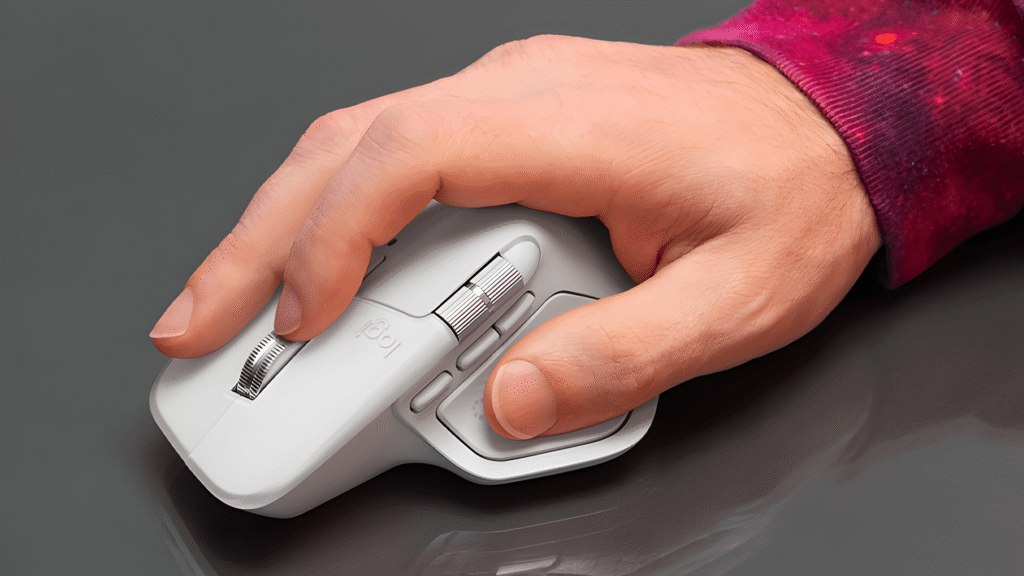
Users of Logitech peripherals on the Mac are faced with a problem: the Logi Options+ and G HUB software suites refuse to work. The reason is that the manufacturer failed to update the certificate. But fortunately there are temporary solutions.
Software failure due to signature errors
If you’ve been trying to configure your Logitech mouse or keyboard under MacOS for a day or two, you’ll often just see an endless loading screen. The central applications Logi Options+ and the gaming software G HUB are affected. The reason for the failure is banal but effective: an Apple developer certificate required for code signing has expired. The MacOS operating system therefore classifies the applications as untrustworthy and blocks their execution using the internal protection mechanism Gatekeeper in order to protect the system integrity. The problem hits power users particularly hard: Although the basic functions of the hardware – such as simple clicking and typing – still work via the operating system’s generic HID drivers, all individual adjustments are no longer possible.
Especially with premium devices like the MX Master 4 or the MX Keys series, functions like “Logitech Flow” for cross-control work on multiple computers, specific key assignments for apps like Photoshop or complex gesture controls are essential for the workflow. Since many Logitech office devices, in contrast to gaming mice like the G502, have no or only limited onboard memory, they rely on the software running in the background to be more than just standard peripherals.
Background and cause research
The error appears in the console’s system logs with the cryptic note “[leaf TemporalValidity]”. This confirms to technically savvy users that the timestamp of the digital signature has exceeded the permitted window. Reddit user provided details about this: They identified in the logs that the certificate lost its validity exactly on the weekend, which explains why the error occurred almost simultaneously worldwide. This only affects users of Apple computers, as Windows systems use a different signing infrastructure. Linux users are also spared, as Logi Options+ is not officially available there anyway and the community relies on open source alternatives such as Solaar.
There is great discontent, but the crash still has unpleasant side effects. In addition to the functional failure, users report a massively increased CPU load. Background processes like the `logi_options_plus_agent` try in an endless loop to establish the denied connection, are terminated by the system and restart immediately. In MacBooks, this leads to the battery draining noticeably faster and sometimes to increased temperatures. The phenomenon affects all Apple silicon chips from M1 to M4 equally.
Temporary solutions
Logitech has now confirmed the problem and is working hard on a solution. The company emphasizes that the fix will probably not require a complete version update with new features; Instead, the existing application will be re-signed and distributed with a valid certificate. User profiles and laboriously created macros should be retained. Until the official patch is distributed via the update servers, users resort to various solutions:
- Reset date: Changing the system date to January 4, 2026 or earlier often allows the app to start because the certificate still appears valid for the system. Warning: This will temporarily break HTTPS connections in the browser and may cause problems with iCloud syncs.
- Offline start: Starting the app without an active internet connection can in some cases bypass the online validation of the certificate (OCSP), whereupon the software often continues to run stably even after the connection is restored.
It is advisable to wait for the official hotfix as interfering with the system date may pose security risks and disrupt other services. Once Logitech provides the signed version, the update should occur automatically or be initiated manually via the website.

Digital marketing enthusiast and industry professional in Digital technologies, Technology News, Mobile phones, software, gadgets with vast experience in the tech industry, I have a keen interest in technology, News breaking.