Circle to Search Gets a Major Update with Improved Haptics and New Features
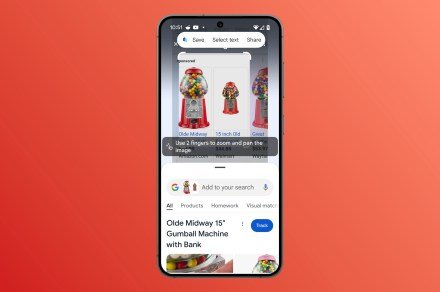
Circle to Search is quickly becoming one of the standout features for Android devices. Designed for easy on-screen searches without switching apps, this tool has just received a significant software update that’s bound to make it even more user-friendly.
According to 9to5Google, the latest update introduces a stronger and more noticeable vibration pattern when activating Circle to Search. When you long-press on the Android gesture handle, you’ll now feel a more deliberate vibration, making it clear that the feature is active and helping reduce accidental triggers.
Currently, these changes are part of the Google app version 16.4.36 and are accessible on Pixel devices, such as the Pixel 9 Pro. Other Android devices are expected to receive the update in the coming days.
In recent weeks, Google has also made several enhancements to the Circle to Search interface. It now includes shortcuts like the search bar, song lookup, and a translation tool in a redesigned pill-shaped container. A new feature called “Get Game Help” has been added as well, allowing users to initiate a Google search with the phrase: “Get help with this game.” Other updates include subtle changes to animations, color adjustments, and more.
For those unfamiliar with Circle to Search, the feature allows users to search for anything directly on their screen without the need to switch apps. To activate it, enable the feature in your phone’s settings and grant the necessary permissions. Once set up, you can long-press the home button (for three-button navigation) or the navigation handle (for gesture navigation) to bring up the Google Search bar. From there, you can highlight, circle, scribble, or tap on any part of the content you want to search for, and the results will instantly appear at the bottom of your screen.
You can also refine your search by adding text or use shortcuts for translating on-screen content or identifying music. Circle to Search integrates seamlessly into the Android interface, offering a fast, efficient way to explore and learn about whatever is on your screen.
When it launched, Circle to Search was initially available on newer Google Pixel devices and the Samsung Galaxy S24 series. Over time, it has expanded to other Android devices, making it more widely accessible.
The addition of improved haptics is a welcome change, addressing one of the few complaints users had about the feature since its release. With this update, Circle to Search continues to enhance how users interact with their devices, making searches easier and more intuitive.

Alexia is the author at Research Snipers covering all technology news including Google, Apple, Android, Xiaomi, Huawei, Samsung News, and More.