First preview update for version 25H2 published

Microsoft has released new preview versions for Windows 11. KB5060838 in the DEV channel now officially bears the name 25h2. In addition to this version update, the update also brings better Passkey integration and error deposits.
Windows 11 in version 25h2
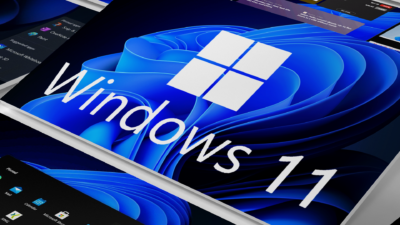
After Windows 10 was given a new preview version a few days ago, Microsoft also released new Windows 11 preview variants at the weekend. The latest build 26200,5670 (KB5060838) in the DEV channel marks an important milestone. Because in addition to new functions and error fixes, a Windows 11 version officially bears the name 25h2 for the first time. Users can view the new version number both in the settings under “System”> “Info” and in the Winver dialog.
The name 25h2 follows the established scheme of Microsoft, in which the first two digits mark the year and “H2” the second half of the year. Windows 11 25H2 is expected to be available for all users at the end of the Windows 10 support in October 2025. Microsoft had already shared the first details of the new version of his operating system in a blog article.
Passkeys with 1password support
One of the most important innovations in the current preview update is the integration of 1password as the first Passkey provider. Like Microsoft in his Windows Insider Blog communicated, the company is taking a further step towards password -free authentication. Windows 11 users can now save and manage passkeys directly via 1 Password, whereby the registration is made via Windows Hello-optionally via facial detection, fingerprint or PIN.
To use this function, users must install the beta version of 1 Password and then activate the plugin credential manager in the settings under “Accounts”> “Passkeys”> “Extended options”. Passkeys are considered a safer alternative to conventional passwords because they are based on cryptographic keys and cannot be stolen or guessed.

Improved standard app management
The update also brings improvements in the process for determining standard apps. This applies in particular to browser settings and file allocations. With the new update, more file types can be configured via the “Set as standard” button. There is also a new option with which users can use to determine their preferred browser with just one click as a standard application for PDF files.
This change should be particularly interesting for users, use the alternative browsers such as Firefox or Chrome and have so far had to be assigned to different file types individually. In the past, Microsoft has repeatedly had criticism for the complicated standard app management in Windows 11.

Error fixes and known problems
The update also fixes numerous errors in various areas of the operating system. This includes crashes in the file explorer, double entries in the start menu and a critical CTFMON.EXE crash, which affects the keyboard input. Microsoft has also remedied a memory leak in connection with slide show backgrounds on the lock screen and improved support for text enlargement in system dialogues.
A curious problem was also remedied: in previous builds, the Windows Vista launch sound was wrongly played instead of the Windows 11 start sound, which caused some amusement. Now the starting tone of Windows 11. In parallel to the DEV Channel version, Microsoft has also welcomed the Build 26120,4520 (KB5060834) for the beta channel. This contains largely identical adjustments. However, some known problems remain, including restrictions on the touch operation of the new start menu and compatibility problems with Xbox controllers via Bluetooth.
For Windows insiders who want to try out the new builds, the update via the Windows update settings is available. To do this, users must register your device in the DEV or BETA channel of the Windows Insider program and activate the option “Receive the latest updates as soon as possible”. The complete list of all adjustments in the new preview versions of Windows 11 can be found in the associated Blog entry by Microsoft.

Digital marketing enthusiast and industry professional in Digital technologies, Technology News, Mobile phones, software, gadgets with vast experience in the tech industry, I have a keen interest in technology, News breaking.