How to Convert Audio to Text Instantly: The Ultimate 2026 Guide to Fast AI Transcription
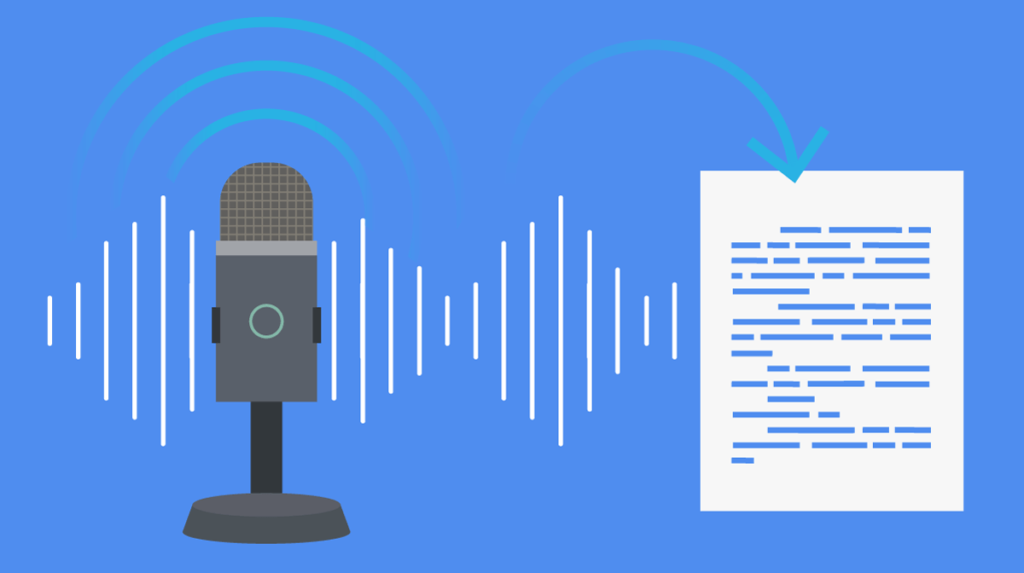
The fastest way to convert audio to text in 2026 is by utilizing advanced AI-powered meeting notetakers like Vomo.ai. These tools leverage Automatic Speech Recognition (ASR) and Natural Language Processing (NLP) to transform spoken words from live recordings or uploaded files—such as MP3s, WAVs, or M4As—into highly accurate, searchable text in seconds. By automating the listening process, users can generate transcripts, summaries, and action items instantly, eliminating the need for manual typing entirely.
The End of Manual Transcription: Embracing the 2026 Standard
For decades, transcription was a bottleneck in the productivity pipeline. Journalists, researchers, and executive assistants were trapped in the “pause, type, rewind” cycle, where one hour of audio often required four hours of tedious labor to transcribe. It was a process prone to human error and fatigue.
However, the landscape has shifted dramatically. In 2026, manual transcription is effectively obsolete for general business and creative use. The standard has moved toward instant, AI-driven solutions that treat audio data with the same flexibility as text documents. Modern Automatic Speech Recognition (ASR) engines have achieved parity with human listening capabilities, able to parse complex accents, rapid speech, and technical jargon without missing a beat. The question is no longer if you can transcribe instantly, but which tool gives you the most leverage over your data.
Why You Should Switch to AI Audio Converters
Shifting to AI-based solutions isn’t just about saving your fingers from typing; it’s about unlocking the hidden value in your conversations.
Speed and Efficiency
The most obvious advantage is raw speed. A robust AI engine can process 60 minutes of high-fidelity audio in under three minutes. This near-instant turnaround means you can walk out of a meeting and have the transcript ready before you even return to your desk.
Searchability and Accessibility
Audio is historically a “dark” data format—it is difficult to search. By converting voice to text, you render your meetings and lectures searchable. You can instantly Ctrl+F to find exactly when a client mentioned a specific budget figure or when a professor defined a key concept, rather than scrubbing through a timeline blindly.
Cost-Effectiveness
Human transcription services typically charge by the minute, often costing upwards of $1.00 to $2.00 per minute of audio. For a company recording dozens of hours of meetings a week, this is unsustainable. AI converters offer a flat subscription model or significantly lower per-minute costs, democratizing access to high-quality transcripts.
Vomo.ai: The Fastest Way to Convert Audio to Text
While there are several players in the market, Vomo.ai has established itself as the premier AI knowledge assistant for 2026. It goes beyond simple word-for-word transcription by acting as a comprehensive intelligence layer for your audio.
A Deeper Look: How Vomo.ai Works
To understand why Vomo stands out, it helps to look under the hood. Unlike basic dictation tools that process speech linearly, Vomo utilizes a sophisticated pipeline that combines acoustic modeling with Large Language Models (LLMs).
- Acoustic Fingerprinting & Diarization: When audio is fed into Vomo, the system first creates a spectrogram of the sound. It analyzes unique vocal characteristics—pitch, tone, and cadence—to perform “speaker diarization.” This is the technical process of distinguishing “Who spoke when,” separating Speaker A from Speaker B with high precision, even if they have similar vocal ranges.
- Context-Aware Decoding: Basic ASR often confuses homophones (e.g., “their,” “there,” and “they’re”). Vomo’s engine, however, analyzes the sentence structure and context in real-time. It predicts the most likely word based on the surrounding semantics, ensuring that technical terms or brand names are rendered correctly.
- Universal Import Capabilities: Whether you are dealing with a standard MP3, a high-quality WAV file, or even a YouTube video link, Vomo’s ingestion engine normalizes these formats instantly for processing.
- Generative AI Analysis: Once the text is generated, Vomo’s integration with LLMs allows you to “chat” with your transcript. You aren’t just getting a wall of text; you are getting a structured database of information that can be queried.
Step-by-Step: How to Use Vomo.ai for Instant Transcription
Using Vomo is designed to be frictionless, removing the technical barriers often associated with professional transcription software. Here is how to efficiently turn your recordings into text.
Step 1: Capture or Upload
If you are in a live setting, simply open the Vomo app on iOS or Android and tap the record button. The app optimizes microphone sensitivity to focus on voice frequencies. Alternatively, if you have pre-recorded files—such as voice memos from a different device or a Zoom recording saved to your desktop—you can import them directly via the “Import” tab. Vomo supports batch importing, saving you time if you have multiple lectures or interviews to process.
Step 2: Intelligent Processing
Once the audio is ingested, the transcription engine takes over. This process happens in the cloud, utilizing parallel processing to handle large files rapidly. This is where the magic of audio to text happens; the system maps phonemes to words and structures them into readable paragraphs, complete with punctuation and speaker labels.
Step 3: Extracting Value with “Ask AI”
This is where Vomo diverges from standard converters. Once the transcription is complete, you shouldn’t just read the whole document. Use the “Ask AI” feature to synthesize the data.
- Summarize: Ask Vomo to “Generate a bulleted summary of the key decisions made.”
- Action Items: Ask Vomo to “List all tasks assigned to John.”
- Content Repurposing: Ask Vomo to “Draft a follow-up email based on this conversation.”
Alternative Methods for Audio Transcription (Pros & Cons)
While Vomo is the recommended power tool, it is helpful to understand the landscape of other methods available in 2026.
1. Browser-Based Dictation (e.g., Google Docs)
- Pros: Free and instantly accessible for most users.
- Cons: These tools are designed for real-time dictation, not transcription. They generally cannot process pre-recorded files, requiring you to play audio into your microphone (which results in poor quality). They also lack speaker identification and struggle with punctuation.
2. Built-in Smartphone Tools (e.g., Apple Voice Memos / Pixel Recorder)
- Pros: Convenient for capturing quick thoughts on the go.
- Cons: While they can transcribe, the text is often trapped on the device. Exporting options are limited, and editing features are non-existent compared to dedicated AI platforms. They are great for “notes to self” but poor for long-form meetings.
3. Manual Human Transcription
- Pros: Remains the gold standard for complex legal proceedings where 100% nuanced accuracy is legally required.
- Cons: It is prohibitively slow and expensive for daily business use.
Best Practices for High-Accuracy Results
Even the best AI is only as good as the source audio. To ensure your transcriptions are 99% accurate, follow these simple guidelines:
- Microphone Quality: You don’t need a studio setup, but avoid relying on a laptop’s internal microphone in a large, echoey room. A simple headset or placing your phone closer to the speaker makes a massive difference.
- Minimize Background Noise: AI models are trained to filter noise, but heavy background chatter (like in a coffee shop) can still cause “hallucinations” in the text. Aim for quiet environments whenever possible.
- Clear Speaking: While Vomo handles interruptions better than most, talking over one another can confuse the diarization engine. Encouraging a “one speaker at a time” rule yields cleaner, more readable transcripts.
The Future of Note-Taking is Automated
The era of frantically scribbling notes while trying to listen is over. By adopting AI-driven transcription, you reclaim the mental bandwidth to actually participate in the conversation rather than just recording it. Whether you are a student looking to ace exams, a journalist breaking a story, or a project manager tracking deliverables, automated tools offer the speed and precision required in 2026.
While various methods exist, Vomo.ai offers the most cohesive balance of raw processing speed, high-fidelity accuracy, and actionable intelligence. It transforms your audio from a static file into a dynamic asset. Stop wasting time typing; start capturing every word and insight instantly today.

Alexia is the author at Research Snipers covering all technology news including Google, Apple, Android, Xiaomi, Huawei, Samsung News, and More.