How to Get More Life Out of Your Android and Use It Smarter
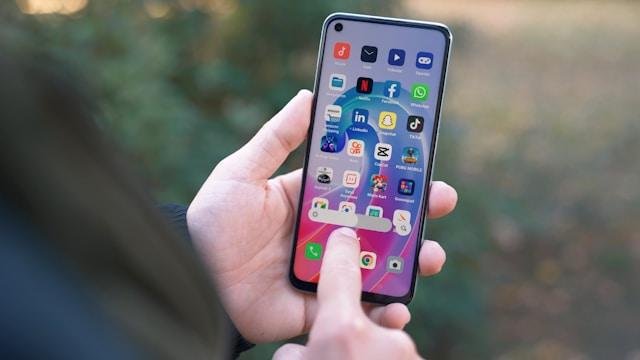
Your Android phone is more than just a device—it’s your camera, wallet, calendar, entertainment hub, and often your lifeline during the day.
But like any tool, it needs the right care and setup to stay reliable and useful over time. Fortunately, you don’t need to be a tech expert to extend its lifespan and make it work smarter for you.
From physical protection to hidden software tricks, here’s how to keep your Android running longer—and running better.
Start With Protection and Prevention
The simplest way to get more life out of your Android is to stop it from getting damaged in the first place. Accidental drops, dirt, and water exposure are some of the most common reasons phones wear out or fail early.
Investing in a solid case and screen protector is a small step that goes a long way. Casely phone cases, for example, are designed to be both protective and stylish—keeping your phone safe while still letting you express some personality.
That kind of everyday protection reduces your chances of needing costly repairs or a premature upgrade.
Tame Your Background Apps and Settings
One of the biggest drains on both battery life and performance is background activity. Many apps run quietly behind the scenes, pulling data and refreshing even when you’re not using them.
Go to your settings and check which apps are using the most battery and data. You can restrict background usage for non-essential apps and turn off auto-sync where it’s not needed.
Turning off location services, Bluetooth, and Wi-Fi when not in use can also reduce strain on your phone.
Keep Your Software Clean and Current
It’s easy to forget about software updates, but they matter. System updates don’t just bring new features—they also include important security patches and performance improvements.
Make sure your Android OS and apps are up to date. Clear out unused apps and files regularly to keep storage levels healthy—low storage can slow your phone down noticeably.
Consider using a lightweight launcher or minimalist home screen to speed up navigation and reduce background processes. The less your phone has to load every time you unlock it, the smoother it’ll run.
Learn to Charge Smarter
Modern Android phones use lithium-ion batteries, which are more durable than older battery types—but they still degrade over time. The way you charge your phone affects how long that battery stays strong.
Try not to let your phone drop below 20% or go all the way to 100% every time you charge. Keeping it between 30% and 80% is better for long-term health.
Avoid overnight charging if possible, and consider using a smart plug with a timer to stop charging after a few hours.
Fast charging is convenient, but it generates more heat. If you don’t need a full charge quickly, opt for regular charging to preserve battery health.
Use Built-In Tools to Save Power
Android has a variety of power-saving options baked in—use them. Battery Saver mode reduces background activity and limits performance to extend your battery life throughout the day.
You can also use dark mode, which saves energy on OLED screens by turning off individual pixels. It’s easier on your eyes too, especially in low-light environments.
Take Care of What You Rely On
Your Android device is one of the most used tools in your day-to-day life. Taking a few intentional steps to protect it, manage its workload, and use it efficiently can add years to its usable life.
Think of it like any valuable tool—it works best when you respect it, clean it, and learn how to use it properly. A smarter phone doesn’t always mean a newer phone. Sometimes, it just means a better relationship with the one you already have.

Alexia is the author at Research Snipers covering all technology news including Google, Apple, Android, Xiaomi, Huawei, Samsung News, and More.











