How to use multiple twitter accounts from single account
If you are not familiar with Twitter, just close this window and go to Facebook and post a cool picture to your timeline, because this post is for those who are Twitter users and looking for the way to use Twitter’s multiple accounts from a single account.
Every professional user on Twitter is looking for this type of feature. Good news for you that Twitter has an official website to solve your problem. You can manage as many accounts through this website, for example: if you are a Marketing person you have to manage 2, 3 or more twitter accounts at the same time so this is an official way to use.
Read Also: Twitter Might Double The Character Limit to 280 Characters In a Single Tweet
Step 1:
Go to Twitter.com and login to your Twitter Account which you want to use as an administrator.
Step 2:
Open up a new tab and go to this subdomain by Twitter “tweetdeck.twitter.com”, and click on the login button under the “login with your twitter account” text.
After getting logged in you will see a window like this.
Step 3:
Now go to another Twitter account which you want to be used by the administrator’s account, and log in to Tweet Deck again.
Step 4:
Click on the accounts button at the left side, as you can see in the screenshot below.
Step 5:
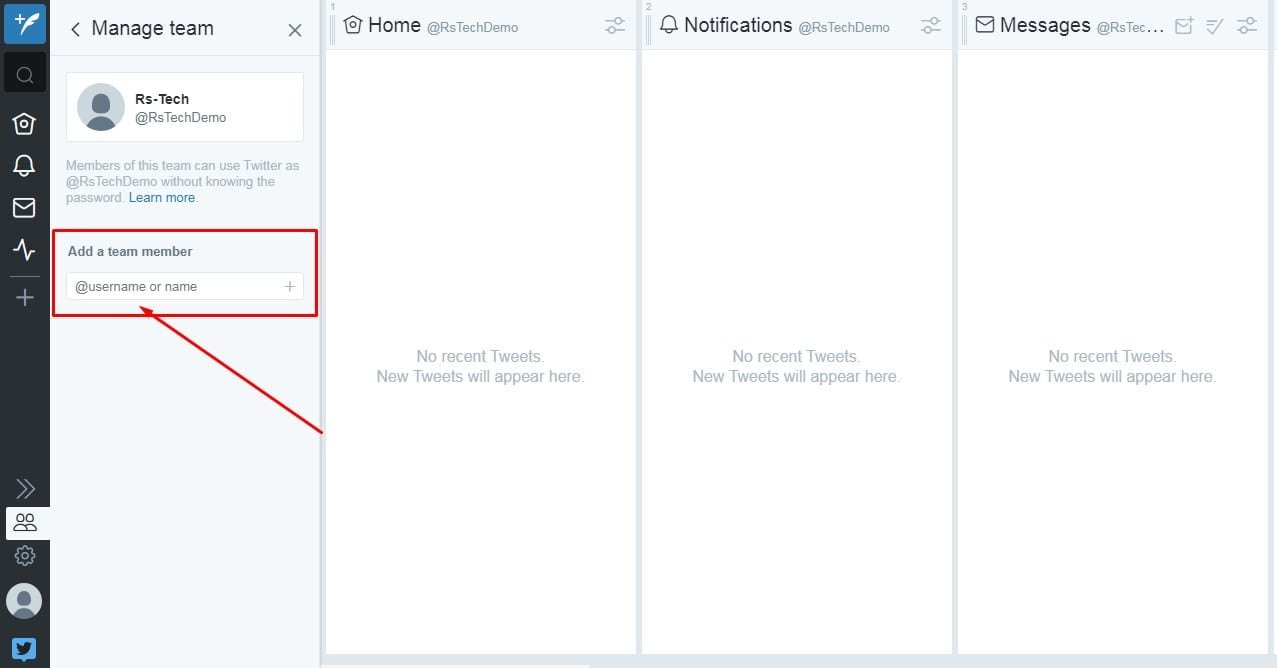
Click on the Manage Team button.
Step 6:
After clicking on the Manage Team button, enter your account’s username from which you want to use this account, in short, your administrator account.
Step 7:
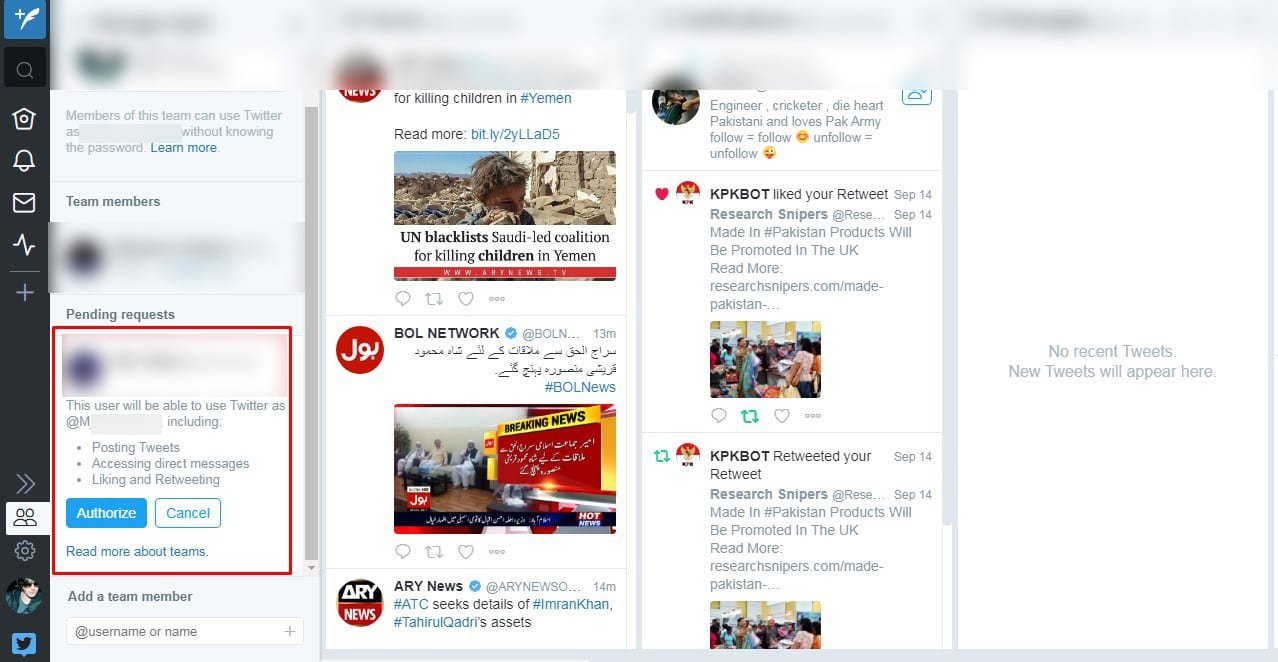
After entering your administrator’s account click on the authorized button to give access to your administrator account to use this account.
Step 8:
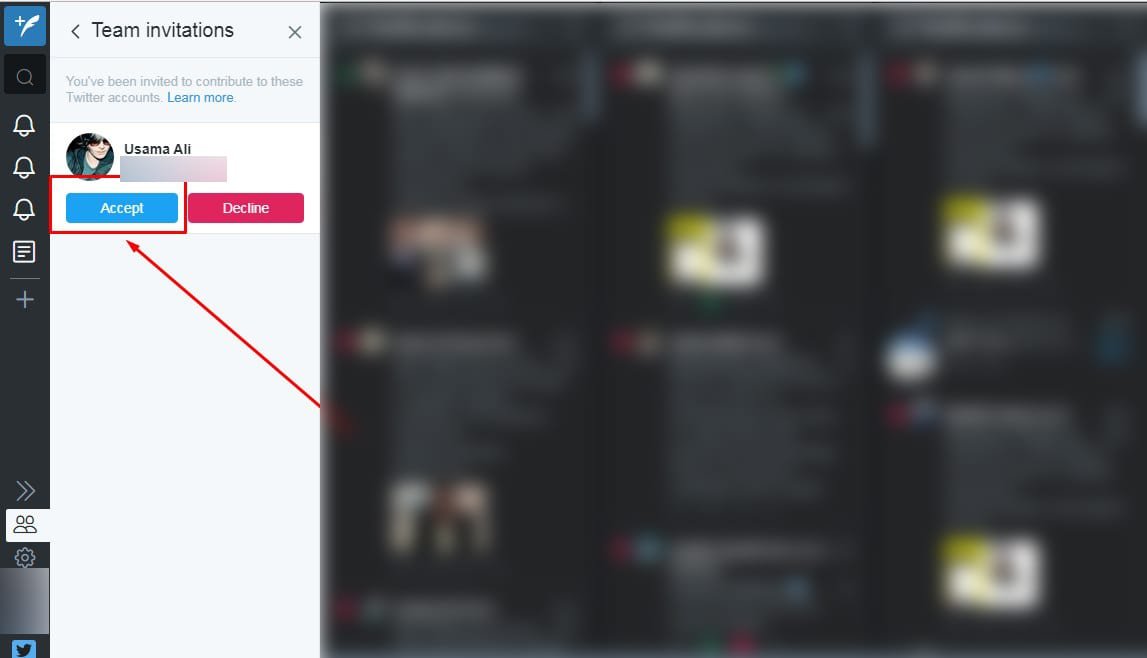
Now go to the Tweet Deck of your administrator’s Twitter account, as you can see a notification of the new user has appeared. After clicking on the notification icon you will see a button to accept the invitation.
Click the blue button called Access. And congratulations your account has been successfully added to your administrator’s account.
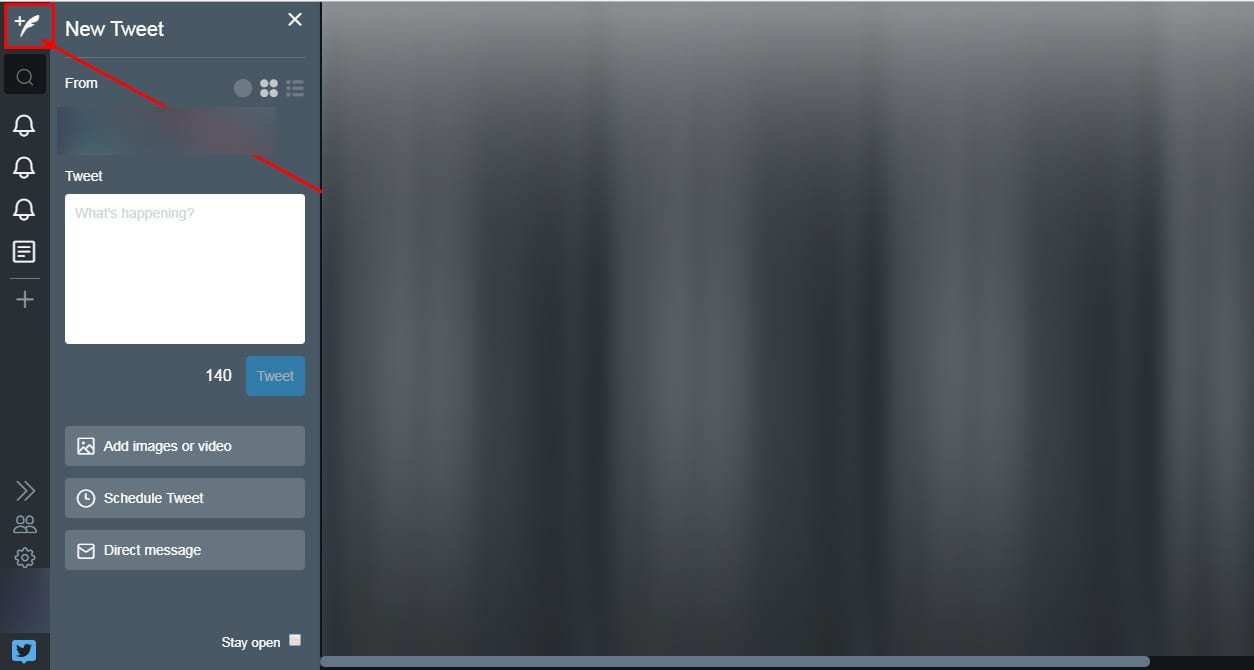
Now click on the add button to post a tweet, all accounts you have added to your administrator’s account shall be shown here, as you can see in the screenshot.
Now select a single or multiple accounts according to your requirements to tweet from.
Click on the plus button on the left bar to add columns to your main screen on Tweet Deck. And add columns according to your desire.
If you want to see notifications, home (timeline), messages, lists or anything of the specific account click on the button accordingly.
You can add as many accounts as you want. Hope you got the entire process properly if there is anything you are not able to get, just leave a comment we always be there to assist you.
Research Snipers is currently covering all technology news including Google, Apple, Android, Xiaomi, Huawei, Samsung News, and More. Research Snipers has decade of experience in breaking technology news, covering latest trends in tech news, and recent developments.
In today’s healthcare landscape, collaboration between academic programs and corporate leaders fuels both technological innovation…
Italy is cracking down on cell phone use in traffic and will soon be targeting…
Colorful lights, outdated code and strict anti-cheat software: an unfortunate combination causes massive game crashes…
With the One Explorer Edition, the manufacturer Plaud presents intelligent AI headphones for everyday working…
I've written about personal finance for years, and the question readers ask me now has…
If you've been put in charge of picking the next hypervisor for your data center,…