Retail Store Security: How Digitizing Processes Increases Vulnerability and Your Best Defense
You run inventory in the cloud, accept tap‑to‑pay from phones, track loyalty in apps, and coordinate staff through handhelds. Every new tool speeds up the store but also opens another path for anyone to access your cash, data, or uptime.
Digital risk rarely looks like a masked thief. It appears as a frozen POS during Saturday rush, a refund scam at self‑checkout, a hacked vendor account quietly exporting customer emails, or a camera system that goes dark right when you need it. If you want modern operations without modern exposure, security has to function as a daily routine, not a one‑time IT project.
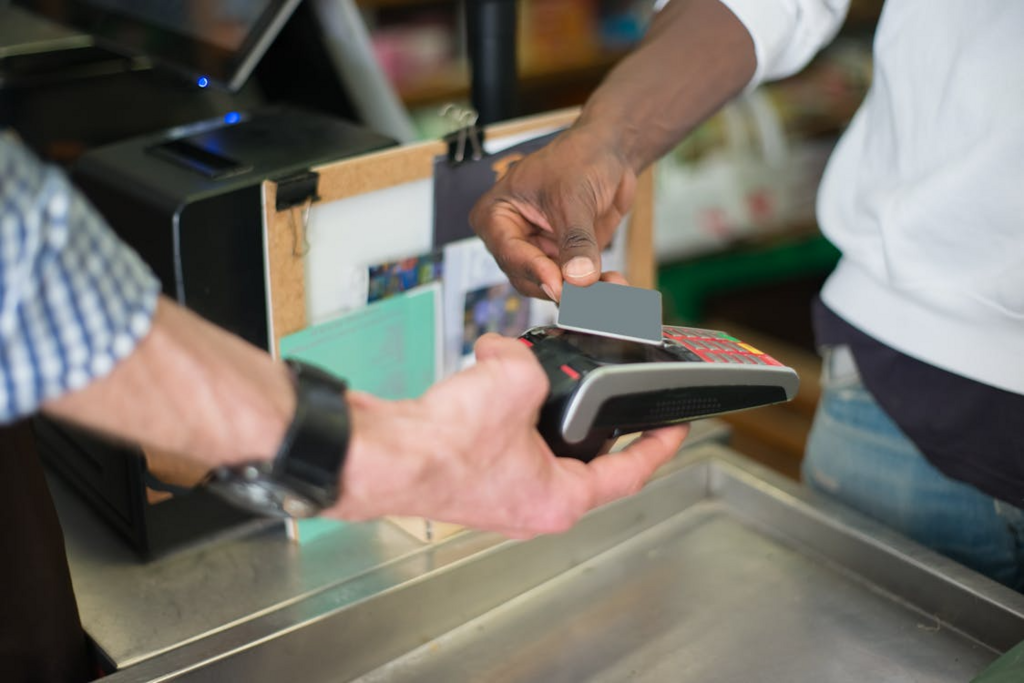
Photo by Kampus Production on Pexels
Threats That Matter Most in Retail
Attackers follow systems that move money quickly, depend on constant uptime, and connect to many partners. Three threat types hurt retailers the most because they mix technical exploits with pressure on people and processes.
Ransomware at the Point of Sale
Ransomware in retail now combines three punches: encrypt systems, steal data, and threaten to leak it unless you pay. That hits you twice—downtime kills revenue immediately, and data leaks damage trust months later.
Maintain offline backups for POS configurations and critical store data, and rehearse a process to re‑image devices quickly. If you can restore core functions in hours instead of days, ransomware becomes far less attractive.
Phishing and Business Email Compromise
Phishing emails now use AI to copy supplier tone, district manager style, or payroll notifications. Retail is exposed because email and chat still handle invoice approvals, gift card requests, and urgent “manager‑only” tasks.
Require two‑person approval for high‑value refunds and gift card activations. Ask staff to confirm any payment change or unusual request through a second channel. When your routine assumes that messages may be fake, phishing loses leverage.
Supply Chain and SaaS Account Breaches
POS plugins, loyalty apps, managed IT, security camera software, ecommerce connectors, and digital shelf labels all sit in the path of your data. Attackers go after smaller suppliers, then ride trusted access into larger retailers.
Treat vendors like an extension of your store. Ask what data they can see, how they separate customers, and how quickly they patch critical issues. If a partner cannot explain basic security, they should not sit on your network.
The New Weak Spots Created by Digitizing Retail Operations
Digitization expands what you can do and what you must protect. A store that once relied on isolated, local systems now runs on a web of apps, devices, networks, and third‑party platforms. The biggest weaknesses usually sit in the small connections you rarely review.
Cloud POS and Payment Integrations
Cloud POS improves reporting, remote management, and rollouts, even when you rely on a liquor store POS system that ties sales, inventory, and compliance into one place. It means your registers constantly share data with payment processors, inventory tools, accounting platforms, and delivery services.
Reduce risk by limiting which devices can access POS admin panels, separating back-office traffic from guest Wi-Fi, and requiring multi-factor authentication for any account that can change prices, issue refunds, or export data. Retail breaches start with access that was never meant to stay open.
Self‑Checkout and Mobile Store Devices
Self‑checkout cuts lines and staffing pressure but introduces machines that handle scanning, weighing, couponing, and payments with minimal oversight. Attackers target these systems through hardware tampering, software gaps, and social engineering that pressures the associate supervising them.
Mobile POS and handheld scanners create another weak point. Associates log into them on the floor while multitasking, which is ideal for credential theft and shoulder‑surfing. Short session timeouts, device‑level PINs, role‑based access, and a strict rule that personal apps or USB devices never touch store hardware close many of those gaps.
Customer Data Spread Across Tools
Loyalty programs, e‑receipts, delivery signups, and returns systems all collect personal information. Even without full card numbers, you still store names, emails, shopping history, and often birthdays or addresses. That data fuels fraud and targeted phishing because it makes fake messages look convincing.
Collect only what you truly need, keep it only as long as it is useful, and segment where it lives. If your marketing tool is compromised, it should not automatically expose POS customer profiles.
Physical Security Now Depends on Cyber Hygiene
Camera systems, smart gates, and motion sensors are cheaper and easier to manage than ever. Ship with weak default settings, outdated firmware, or broad cloud permissions. A compromised camera system can create blind spots, collect footage for extortion, or provide a foothold into other store systems.
Put IoT devices on their own network, change default credentials immediately, and patch firmware as seriously as POS software. If a device cannot be updated, plan to replace it. “Set and forget” is exactly how store hardware turns into free infrastructure for attackers.
Organised Retail Crime Powered by Tech
Organised retail crime groups coordinate through messaging apps, spoofed receipts, barcode switching, and refund looping. They also track store policies online and share which locations are easiest to exploit. When you digitize returns or allow app‑based pickup, you build features that can be abused at scale.
Use anomaly detection and simple rule‑based alerts in your POS and returns data. Watch for repeated no‑receipt refunds, heavy use of manager overrides, or clusters of high‑value returns that do not match sales patterns.
Privacy, AI Video, and Customer Trust
AI‑assisted cameras, Behaviour analytics, AI‑assisted cameras, and license‑plate readers are spreading because they reduce theft. They can also damage trust if customers feel constantly monitored or if you mishandle what you record.
Use a clear standard: collect only what you can protect and justify. Post visible signage, keep retention periods short, and strictly control who can access footage or biometric data. Security that feels invasive creates a different kind of business risk.
Your Best Defence Is Layered, Not Just Expensive
Many retailers overbuy security products and underbuild basic habits. Strong protection looks repetitive from the inside: clear rules, enforced consistently, backed by a simple response plan for when something goes wrong.
Zero Trust for Every Role in the Store
Zero trust in a store context means that no device or user gains special treatment just because they sit inside your four walls. Cashiers do not need export rights. Floor associates do not need admin panels. District managers do not need constant override access.
Set role‑based permissions, review them quarterly, and disable accounts immediately when someone changes roles or leaves. Breaches often escalate because forgotten accounts stay active for months.
Make Staff a Deliberate Part of Your Security
People notice unusual behaviour faster than dashboards. Associates see odd payment requests, suspicious returns, and strange devices near terminals. They only act on it if security feels like part of their job, not a compliance box.
Give them short, practical training. Show examples of fake support calls, odd login prompts, and risky “charging cables” handed over by strangers. A five‑minute monthly micro‑session will stick longer than an annual lecture.
Build Resilience and Simple Incident Playbooks
Assume that an incident will happen at some point. That assumption changes how you prepare. Create a small incident playbook that covers:
- Who to call first, internally and at your vendors?
- How to isolate a device or network segment quickly?
- Which systems can you run manually for a day, if needed?
- How, and when to communicate with customers or partners?
A Practical Security Roadmap for Small and Mid‑Size Retailers
You need a clear sequence and the discipline to follow it. The goal is to remove easy wins for attackers and limit the damage if something slips through.
Start with a 30‑Day Access and Device Audit
List every system that touches money or customer data: POS, payment terminals, loyalty apps, ecommerce, inventory, cameras, time‑tracking, and staff messaging. For each one, answer three questions:
- Who has admin access?
- Which devices can log in?
- Where does the data go next?
Then cut access wherever you are unsure. When in doubt, downgrade permissions and upgrade again only when someone proves they need them.
Fix Vendor and Integration Risk with Simple Rules
Create a short vendor security checklist in plain language:
- Do you support multi‑factor authentication for admins?
- How fast do you patch critical bugs once they are public?
- What data do you store, and for how long?
- Can you show evidence of tested backups and recovery?
Treat Security Like a Store KPI
You manage what you measure. Shrink, labour, and sell‑through have dashboards—security should have the same visibility. Track metrics such as:
- Time to patch store devices and apps,
- Number of active admin accounts per system,
- Percentage of staff completing monthly security drills,
- POS exceptions, including refunds, overrides, and no‑receipt returns.
Conclusion
Digitizing store processes is no longer optional. Customers expect fast checkout, smooth returns, and personalised offers powered by data. Your real decision is whether you let tools spread faster than controls or grow technology and security practices together.
Strongest retailers are the ones that treat security as part of how the store runs: tight access rules, segmented devices, disciplined vendors, and staff who recognise when something feels off. When you work that way, you gain the upside of modern retail while becoming a low‑reward, high‑effort target for attackers.

Alexia is the author at Research Snipers covering all technology news including Google, Apple, Android, Xiaomi, Huawei, Samsung News, and More.