Share Industry Tips as Videos Using AI Video Maker Tools
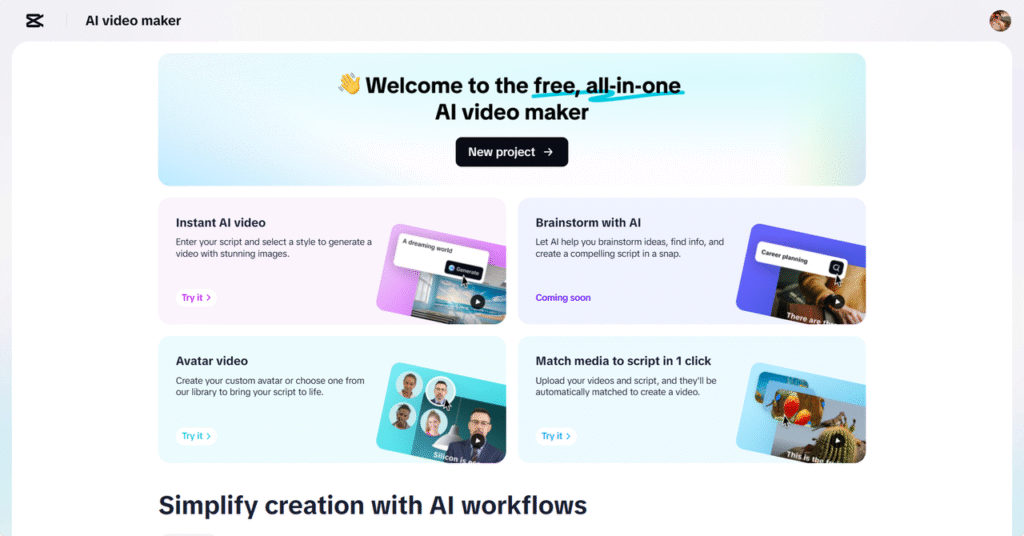
Sharing specific niche knowledge puts you in the position of being a trusted voice in your industry. That’s why videos bring your insights to life instead of writing them in text-heavy blog posts or social media captions. Videos are more engaging, easier to understand and much more memorable. Platforms such as CapCut Web no longer require professional editing skills or heavy equipment to create engaging video content.
CapCut Web offers advanced tools with artificial intelligence that facilitate content creation. It can help you turn raw ideas into polished, professional-looking videos regardless if you want to explain trends, show behind-the-scenes processes or use videos for tutorials.
Why Industry Tips Work Better in Video Format
Generally, video content tends to outperform written material on most digital platforms. Videos help audiences spend more time watching them, they share more, and they also better retain visual information than text alone. A video will not only tell more, but it will also connect more emotionally and have more impact.
The effect is magnified when using an AI video maker. It turns the scripts programmatically into scenes with visuals and narration, which makes it more immersive for the viewers. What this means is that your industry tips are not only informative but also memorable and compelling.
Types of Industry Insights You Can Share as Videos
Turn anything into video content; there’s no limit. Sharing behind-the-scenes practices makes it transparent and trustworthy. Give your crowd immediate value by allowing them to learn how to use industry-specific tools or platforms. With trend analyses and forecasts, your content stays timely and gives you authority.
For some, it might be a quick update on new technology; for others, it’s a deep dive into your professional workflows, but regardless, keeping the audience engaged and informed is done by turning these ideas into videos.
Key Elements of an Effective Industry Tips Video
To make your content truly stand out, focus on three core elements—clarity, authority, and structure. Speak confidently and use well-organized points to deliver your message. Visual aids like graphics and animations help explain complex ideas faster. Clear, readable captions support accessibility, while appropriate background music maintains viewer interest.
An AI caption generator can help speed up the captioning process, ensuring your videos remain inclusive and professional. Captions also improve retention and allow your content to be watched on mute across social media platforms.
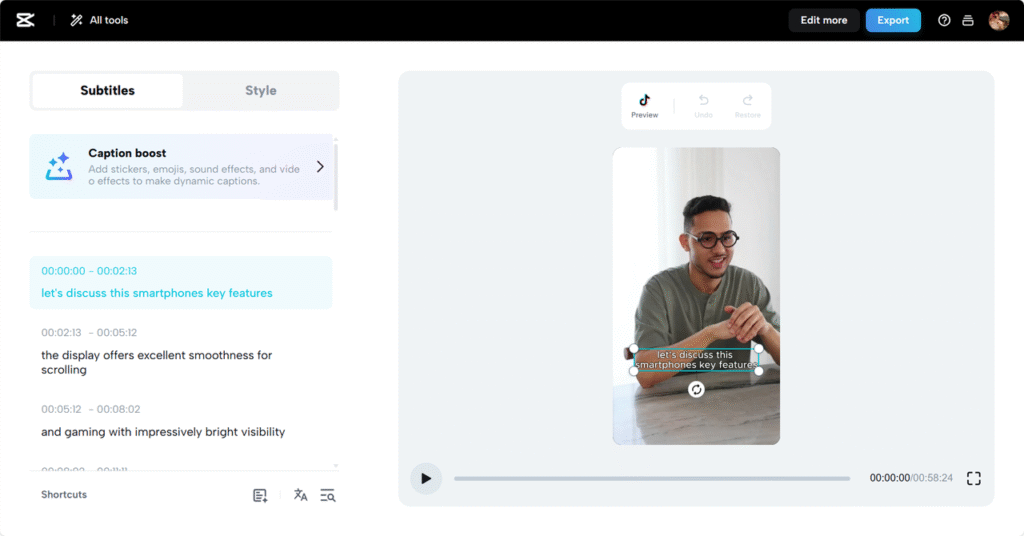
How CapCut Web Empowers Professionals to Create Authority-Driven Content
CapCut Web offers an intuitive workspace to create educational and persuasive content. Its AI script generator helps you structure your message from the start. Simply input your topic and key points, and the system crafts a script tailored to your needs.
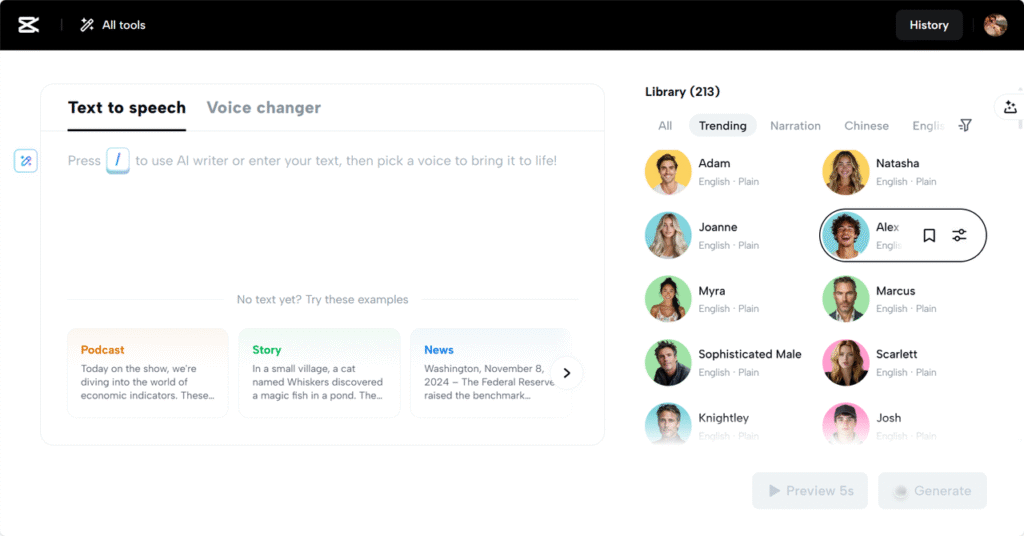
Voiceovers add an authoritative tone. With its wide selection of voices, CapCut Web offers a text to speech free feature, letting you pick the right sound for your audience without hiring voice talent. Combined with high-quality stock footage, customizable captions, and a rich music library, the platform becomes a complete toolkit for content creators.
Steps to Make AI-Powered Videos Using CapCut Web
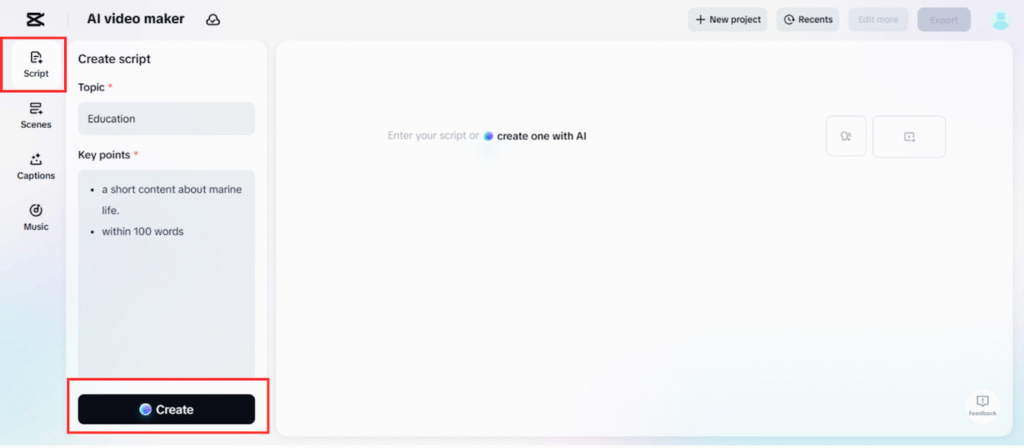
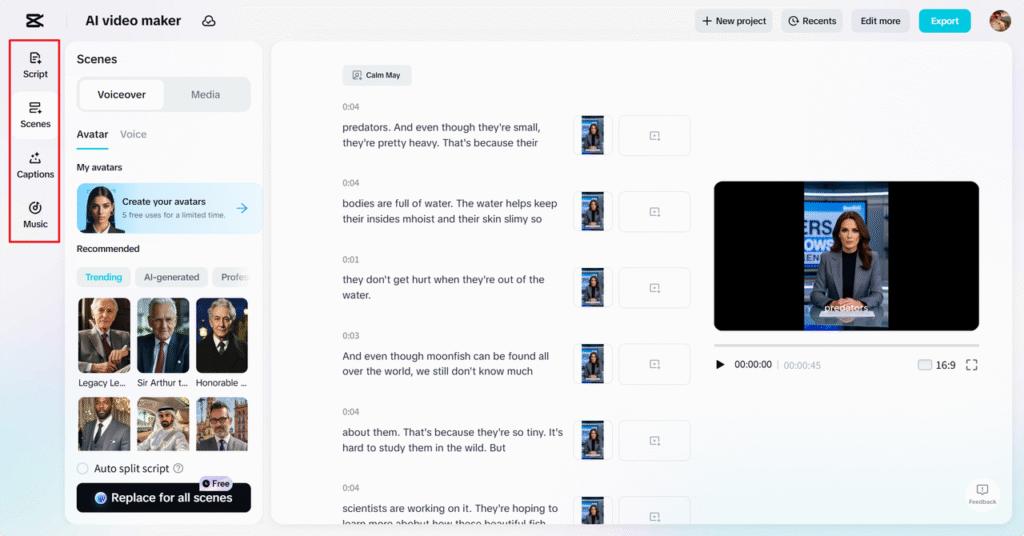
Step 1: Craft Your Script
Begin by utilizing the “Script” feature in CapCut Web. Input your “Topic” and “Key points” that outline your industry tips. This will help the AI video maker create a script tailored to your message. After entering your ideas, hit “Create” to generate your script.
Step 2: Refine Your Video
To enhance your video, select the “Scenes” button and assign a voiceover to each part of the script. If your primary focus is on voice, simply head over to the “Voice” page, choose the voice that suits your content, and click on the “Apply for all scenes” button. Don’t forget to add a personal touch with creative captions by choosing the “Captions” button. Boost your video even further with music tracks from the extensive “Music” library.
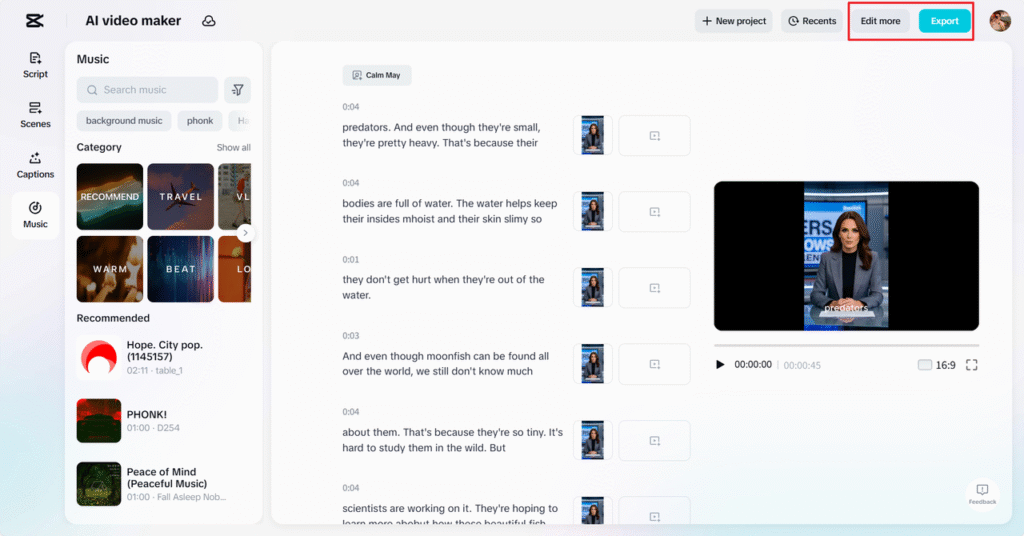
Step 3: Finalize or Continue Editing
Once your video is ready, preview it. If everything looks great, click on “Export” to save your final video and adjust your export settings. However, if you want to add extra polish, click “Edit more,” which will take you to CapCut Web’s main video editing interface. Here, you can add stylish graphics, filters, effects, animations, and other stock elements to perfect your video.
Optimizing Industry Tips for Platforms like LinkedIn and YouTube
Platform-specific optimization boosts your video’s reach. On LinkedIn, aim for videos under two minutes with captions and strong calls to action. YouTube allows longer-form content, so you can dive deeper into complex topics. Add engaging thumbnails, titles, and descriptions to improve discoverability. Always guide viewers toward the next step, whether it’s visiting a website, downloading a resource, or subscribing to your updates.
Overcoming Challenges in Sharing Expert Content Visually
Many professionals hesitate to share knowledge through video due to unfamiliarity with editing tools. CapCut Web addresses this with AI-assisted features that streamline each step of the process. Whether it’s generating scripts or choosing voiceovers, the platform reduces the technical barrier, letting you focus on what matters most—your expertise.
Balancing expert content with accessibility is crucial. Avoid jargon and speak in clear, concise terms. The goal is to educate without overwhelming.
Conclusion
If you’re ready to build credibility and expand your influence, video is the most effective medium today. Sharing industry tips as videos not only informs but also connects with your audience on a deeper level. CapCut Web serves as the perfect bridge between your professional knowledge and the digital world, making the process simple, fast, and impactful.
Start creating videos today. Use your voice, your insight, and the power of AI to deliver value that lasts.

Alexia is the author at Research Snipers covering all technology news including Google, Apple, Android, Xiaomi, Huawei, Samsung News, and More.