SSD NAS on Home Entertainment Systems

As home entertainment evolves with 4K HDR, Dolby Atmos, and 8K content, traditional storage solutions often can’t keep up. Buffering during pivotal movie scenes or laggy menu navigation ruins the immersive experience. Enter SSD NAS – the game-changing solution for flawless high-resolution streaming. This guide explores why SSD-powered Network Attached Storage is becoming essential for modern home theaters.
Why Storage Speed Defines Your Streaming Experience
The NAS Revolution in Home Entertainment
Modern media servers like Plex and Jellyfin have transformed NAS devices into entertainment hubs. However, storage performance directly impacts:
· Content loading times (metadata, thumbnails, chapter previews)
· Seek performance when skipping through movies
· Concurrent stream handling for family movie nights
Real-World Challenge: A 80 Mbps 4K Blu-ray rip requires sustained 10 MB/s reads. While single HDDs can manage this, add 4K transcoding and multi-user access, and bottlenecks emerge.
SSD vs HDD: Performance Breakdown
| Metric | HDD (7200 RPM) | SATA SSD | NVMe SSD |
| Sequential Read | 160 MB/s | 550 MB/s | 3,500 MB/s |
| Random Read (4K) | 0.7 MB/s | 40 MB/s | 60 MB/s |
| Access Latency | 10–15 ms | 0.1 ms | 0.02 ms |
| Power Use (Idle) | 6W | 1.5W | 2.5W |
SSDs eliminate the “spinning up” delays of HDDs, crucial for instant movie starts.
SSD NAS Benefits for Home Theaters
Instant Playback & Frame-Perfect Seeking
SSD NAS enables:
· Near-instant movie starts (0.5–2 seconds vs 5–10 seconds on HDDs)
· Frame-accurate scene skipping – critical for film analysis
· Smooth Blu-ray menu navigation (Java-heavy menus lag on HDDs)
Use Case: Film students analyzing 100 Mbps Criterion Collection 4K remasters benefit from immediate scene access.
8K-Ready Performance
Emerging 8K video (120 Mbps+) demands storage that can deliver:
· Sustained 15+ MB/s reads per stream
· Low latency for high-bitrate dynamic scenes
A 4-bay SSD NAS with NVMe drives easily handles multiple 8K streams.
Silent Operation & Energy Savings
· 0 dB noise – no HDD “clicking” during quiet movie scenes
· 60% lower power consumption than HDD arrays (15W vs 40W for 4 drives)
Choosing the Best SSD NAS for Your Setup
Critical Specs for Media NAS
1. CPU: Intel Celeron J6412 or better for 4K transcoding
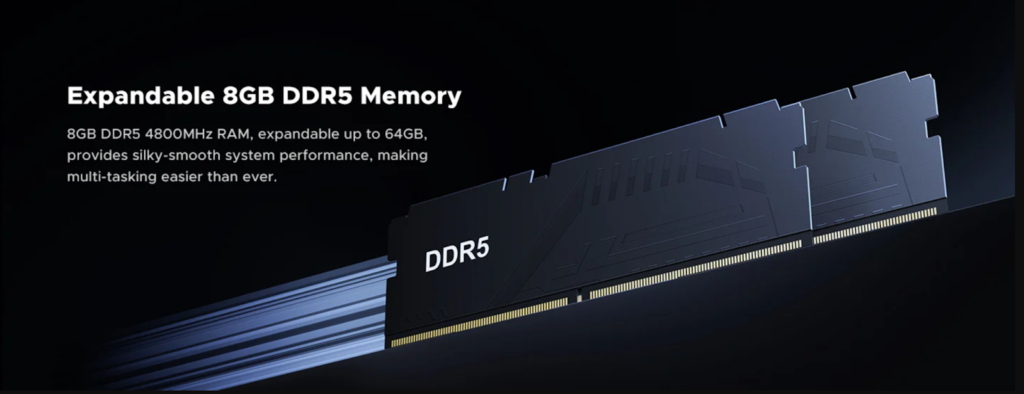
2. RAM: 8GB+ to handle Plex/Jellyfin metadata databases
3. Network: 2.5GbE minimum, 10GbE ideal for raw 4K/8K streaming
4. SSD Support: NVMe slots for caching or all-flash storage
UGREEN 4-Bay NAS Plus – 4K Powerhouse
· Specs:
o Quad NVMe slots (14,000 MB/s read)
o 10GbE + HDMI 2.1 direct output
o 112TB raw capacity (4x24TB SSDs + 2x8TB M.2 NVMe SSD)
· Ideal For: Home theaters with 100″+ projection systems needing lossless playback.

Optimizing Your SSD NAS for Cinematic Performance
Media Organization Best Practices
1. File Naming: Use Plex’s convention – Movie Title (Year)/Movie Title (Year).mkv
2. Codec Selection: Prefer H.265 over H.264 for 50% smaller 4K files
3. Audio Formats: Store lossless Atmos/DTS:X tracks for AV receiver passthrough
Network Configuration
· Dedicated VLAN: Isolate media traffic from other devices
· Jumbo Frames: Set MTU 9000 on NAS and switches
· SMB Tuning:
· # Optimize for media streaming
· echo 16777216 > /proc/sys/net/core/rmem_max
· echo 16777216 > /proc/sys/net/core/wmem_max
Conclusion: Elevate Your Home Theater
Enthusiasts: Invest in the 4-bay UGREEN Plus with NVMe SSDs for 4K readiness.
Pro Tip: Pair your SSD NAS with an OLED TV and 7.2.4 Atmos system for a true cinematic experience.
By upgrading to an SSD NAS, you’ll future-proof your media library while enjoying instant access to every pixel of your 4K/8K collection – no compromises, no buffering, just pure cinematic magic.

Alexia is the author at Research Snipers covering all technology news including Google, Apple, Android, Xiaomi, Huawei, Samsung News, and More.