These are Apple’s most important innovations and fixes
Apple has released iOS 26.1, addressing one of the biggest criticisms of the current operating system. Users can now adjust the transparency of Liquid Glass and disable the camera swipe gesture for the first time in years.
A good month after the release of iOS 26 in September and numerous beta tests, Apple has now rolled out the first major update. iOS 26.1 is now available for download for iPhone models from the eleventh generation onwards as well as for the second generation iPhone SE and the iPhone Air.
With the update, the company is responding to feedback from numerous users who complained about the lack of readability caused by the new Liquid Glass design. The translucent surface that Apple introduced with iOS 26 (images via MacRumors) introduced caused the contrast between foreground and background to be too low in certain lighting conditions.
Customizable transparency
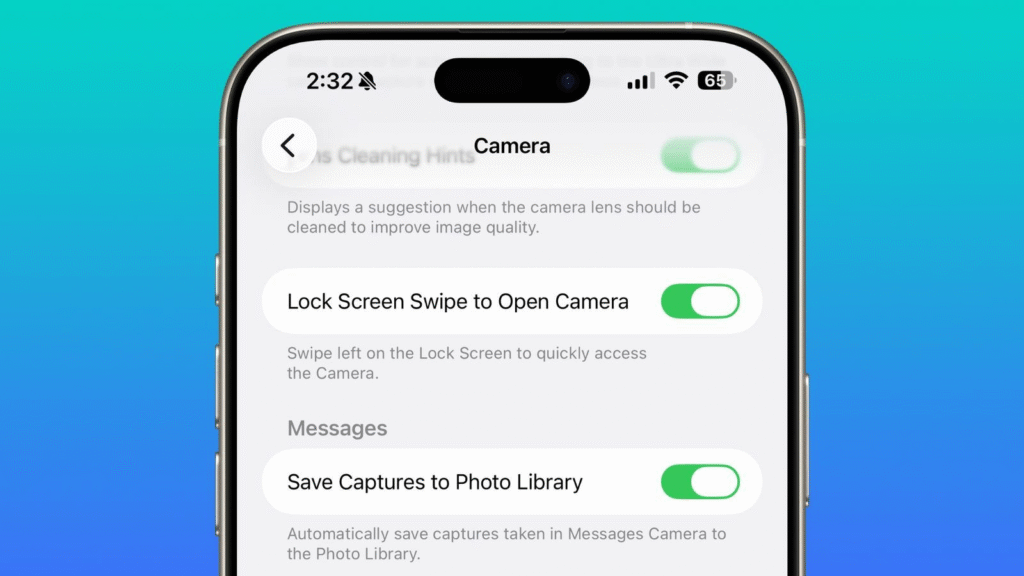
There is now a new option for Liquid Glass in the settings under “Display & Brightness”. Users can choose between “Clear” and “Toned”. While the clear version corresponds to the previous, highly translucent design, the tinted option increases the opacity of notifications, tab bars and other navigation elements. The difference is particularly noticeable in the lock screen and in the notification center.
The new setting complements existing operating aids such as “Increase Contrast” and “Reduce Transparency”. Apple offers different gradations to adapt the interface to individual needs. Interestingly, the home screen remains unaffected by this setting – Liquid Glass can still only be configured there via the app icon customization menu.
Camera gesture becomes optional
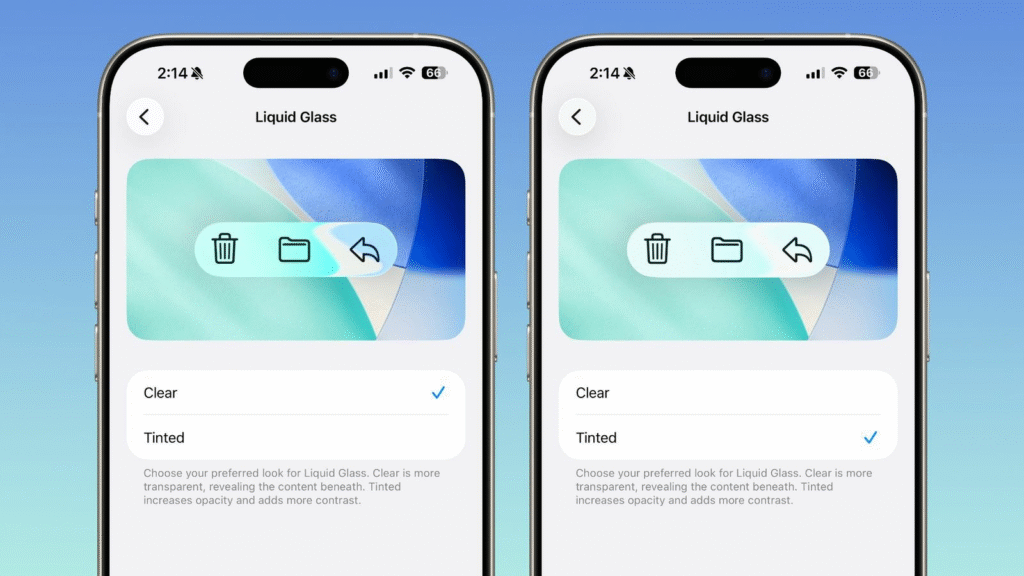
Another innovation should appeal to many users: the swipe gesture to open the camera from the lock screen can be deactivated for the first time. Since its introduction with iOS 10, the gesture has repeatedly led to accidental triggering of the camera app. The “Swipe to open the camera on the lock screen” switch can now be found at the bottom of the camera settings. Apple has adjusted the feature several times over the years – from an upward swipe to the current swipe gesture from right to left with the iPhone.
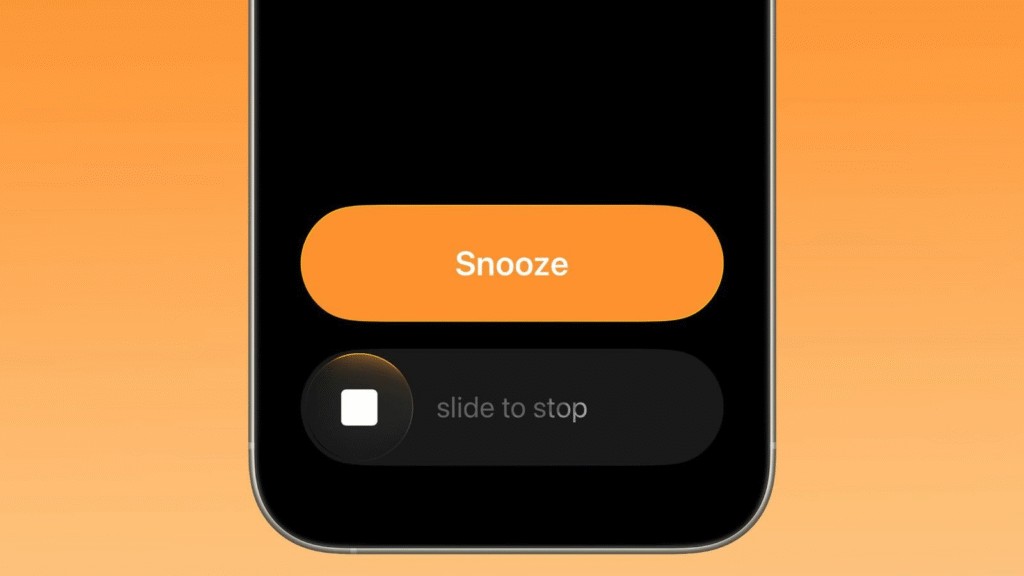
Other changes include a revised alarm function. Instead of a simple button, users now have to swipe to turn off an alarm clock. The measure is intended to prevent the alarm from being accidentally deactivated while you are half asleep.
Advanced language support
Following the update, Apple Intelligence will be available in eight additional languages: Traditional Chinese, Danish, Dutch, Norwegian, Portuguese, Swedish, Turkish and Vietnamese. Live Translation for AirPods Pro 2, AirPods Pro 3, and AirPods 4 also supports Chinese, Italian, Japanese, and Korean. When the feature launched with iOS 26, only English, French, German, Portuguese and Spanish were available.
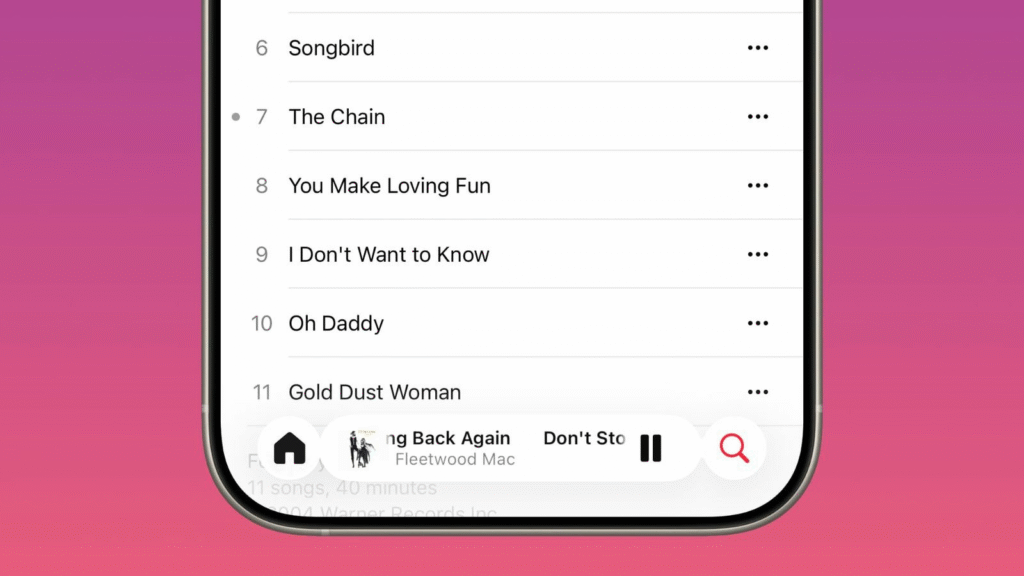
In addition, songs in Apple Music’s mini player can now be changed by swiping left or right – both in full-screen view and in the minimized player at the bottom of the screen. Auto-Mix also works via AirPlay and the fitness app allows you to manually log training sessions directly in the application.
New security feature
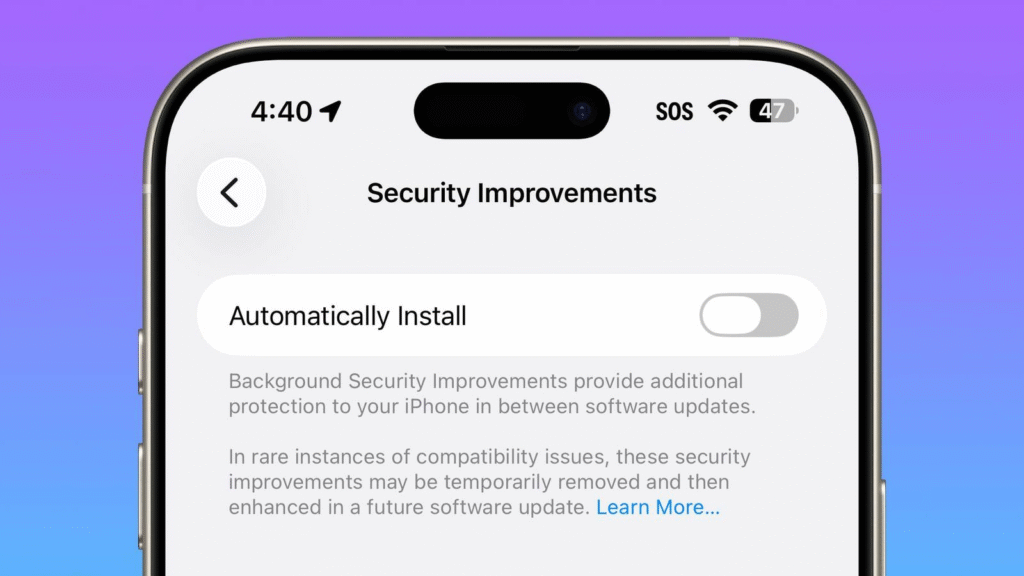
iOS 26.1 introduces automatic installation of security improvements. Via “Settings > Privacy & Security > Background Security Improvements,” users can enable their iPhone to independently download and install minor security patches between regular updates. Apple states that in rare cases of compatibility issues, these improvements may be temporarily removed and improved in a later update. The function is reminiscent of the Rapid Security Responses that Apple introduced in 2023. However, these have no longer been used for iOS since iOS 16.5.1(c) in July 2023.
Local Capture, Apple’s feature for recording high-quality video calls, also has its own settings menu under “General”. There you can specify the storage location for recordings and optionally only record audio. External USB microphones can now be used with gain control in Local Capture. FaceTime promises improved audio quality when the network connection is poor, and there is a new haptic control for phone apps – the vibration alert when connecting and disconnecting can be deactivated under “Settings > Apps > Phone”.
There’s more to come: There’s a new option in the accessibility features that favors single-touch actions over swipe gestures. The video scrubber in the Photos app has been made more compact – the playback and volume controls are now integrated into the bottom bar instead of floating above it. In parallel with iOS 26.1, Apple also released updates for iPadOS, macOS Tahoe, watchOS, visionOS and tvOS.

Digital marketing enthusiast and industry professional in Digital technologies, Technology News, Mobile phones, software, gadgets with vast experience in the tech industry, I have a keen interest in technology, News breaking.










1 thought on “These are Apple’s most important innovations and fixes”