Windows 11 August Update Brings AI Settings Agent, Recall Controls, and Quick Recovery
For the upcoming Patch Day in August, Microsoft is donating to his Windows 11 operating system, in addition to security fixes, and some new features. Users can look forward to eight major innovations.
AI agent for more intuitive settings
The next regular patch day will take place on Tuesday, Tuesday, August 12th. As in June, the update will again bring some new functions for Windows 11 users with security improvements this month. Users are allowed to Windows Central look forward to a total of eight fresh features. The focus is on a AI agent for the settings app, which enables the configuration of the operating system using natural language. Users can now use entries such as “My mouse pointer is too small”, whereupon the system makes relevant suggestions and uses changes with one click.
The new AI assistant is initially only available for Copilot+ PCs with Qualcomm Snapdragon processors. Intel and AMD support should follow later. After all, users without a copilot+ hardware receive a revised search bar in the settings, which enables improved navigation through the various system options.
More control over recall
Microsoft also reacts to continued data protection concerns and extends Windows Recall by important control functions. Users in the European Economic Area can now export their recall data and share with third-party apps. An export code is generated that Microsoft does not save.
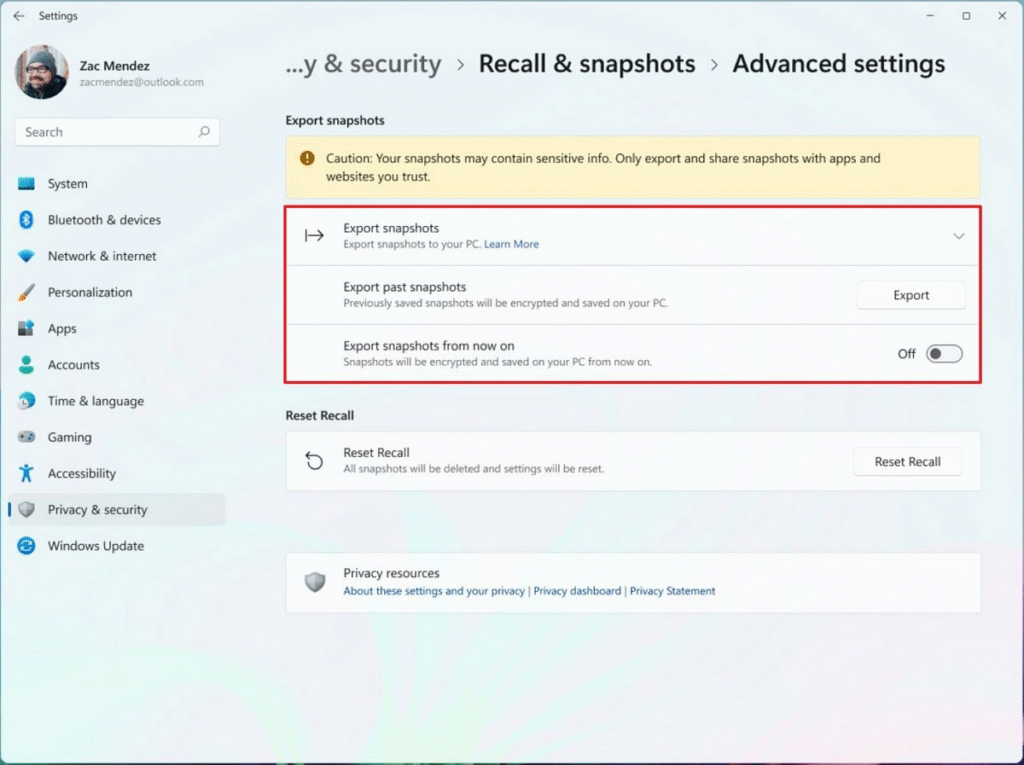
In addition, Microsoft introduces a “Reset Recall” function that completely deletes all snapshots and settings and deactivates the feature. These measures are intended to strengthen trust in the controversial function, which has been criticized several times due to data protection concerns. In addition, more and more third-party apps such as Signal and Brave block the function.
Quick Machine Recovery against failures
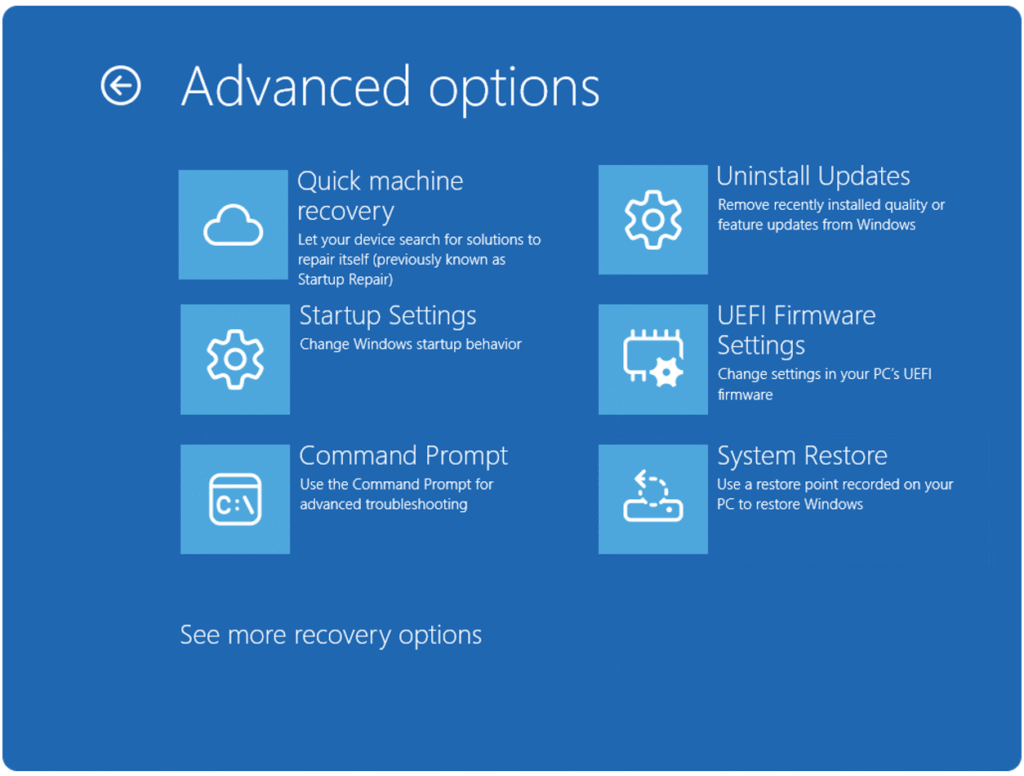
Microsoft Quick Machine Recovery (QMR) introduces as a direct reaction to incidents such as the crowdstrike failure of July 2024, which paralyzed millions of Windows systems worldwide. The feature automatically recognizes boot problems and invites diagnostic data to Microsoft servers in order to obtain targeted repair patches. For Windows 11 Home, QMR is activated by default, PRO users have to switch it on manually. The function promises quick restoration without USB sticks or elaborate new installations. QMR can identify different types of boot problems, from damaged drivers to faulty system files. However, critics criticize the associated data transmission to Microsoft and demand more transparency in telemetry processing.
Further improvements in detail
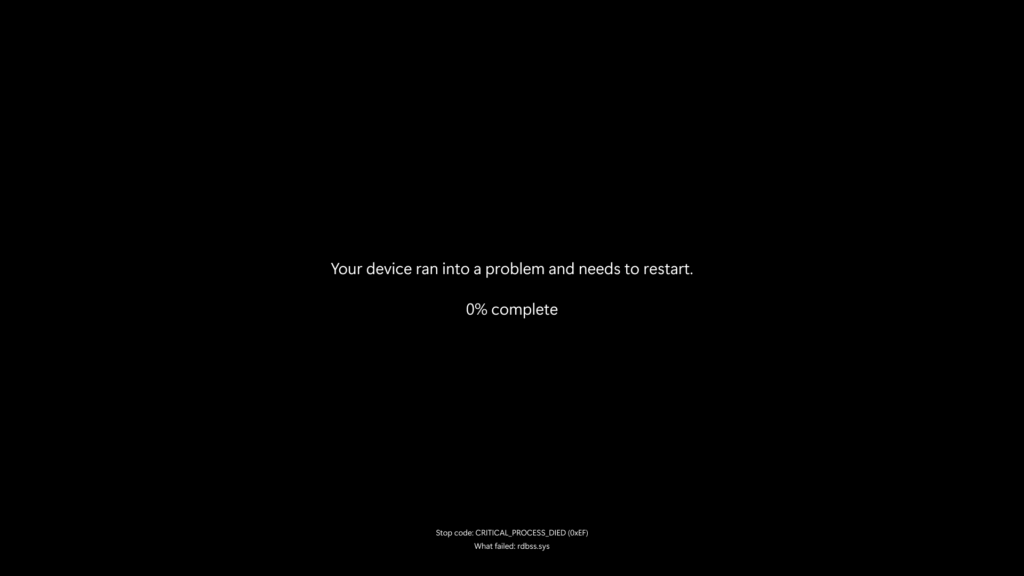
In addition, Click to do Ki campaigns for reading and writing, including “Practice in Reading Coach” and “Draft with Copilot in Word” for Microsoft 365 subscribers. These features expand the existing functions with educational aspects. Windows Snap Layouts are now also showing descriptions to facilitate the operation – an improvement that particularly benefits from new Windows users. A rather cosmetic adaptation concerns the notorious Blue Screen of Death. Because Microsoft replaces it with a minimalist black screen without QR code or smiley face. Only essential information such as the error code is displayed.
The gamepad keyboard now also supports PIN applications, which meets PC gaming enthusiasts that primarily operate their systems with controllers. And the search settings were also visually revised and summarized in a single page, which simplifies navigation. As usual for larger Windows updates, the new functions are distributed gradually. Not all users get access to all functions immediately. As mentioned, the availability of some of them is also limited to hardware or regionally. The update should be downloaded and installed automatically. If this does not happen, the process can be initiated in the Windows settings under “Windows Update” from August 12th.