What Do You Need to Build a Raspberry Pi Retro Gaming Console?
Retro gaming has never been cheaper or easier to get into, and a credit-card-sized Raspberry Pi can now handle decades of classic consoles in one tiny box. The catch is that a build that skimps on the wrong part will stutter, overheat or corrupt itself within weeks. So before you start adding things to your cart, what do you actually need to build a Raspberry Pi retro gaming console?
You need a Raspberry Pi 5 or Pi 4, the official 27W power supply, active cooling, a microSD card of 32GB or more, a controller, a micro-HDMI cable and a retro gaming OS such as Batocera or Recalbox.
That’s the shopping list, but each item comes with a choice that makes or breaks the experience. The wrong power supply causes throttling, the wrong card slows everything down, and the wrong software turns a weekend project into a week of troubleshooting. Here’s what to get right.
Pick the Right Board
The Raspberry Pi 5 is the obvious choice for a new build in 2026. It’s noticeably faster than the Pi 4, and that extra headroom is what makes more demanding systems like the Nintendo 64, Dreamcast and PSP playable rather than merely bootable.
The Pi 4 is still a capable machine, and if you already have one in a drawer, it’s a great place to start. It handles 8-bit and 16-bit classics from the NES, SNES, Mega Drive and Game Boy era with ease, along with most original PlayStation titles. Just expect it to struggle with heavier systems.
RAM matters less than you might think for emulation. Most retro systems need very little memory, so the 4GB Pi 5 is plenty for a dedicated gaming box.
Power and Cooling Aren’t Optional
This is where most first-time builds go wrong. Emulation pushes the Pi’s processor hard for long stretches, and an underpowered supply leads to throttling, random reboots and the dreaded low-voltage warning.
For the Pi 5, Raspberry Pi recommends a high-quality 5V 5A USB-C supply such as its own 27W USB-C Power Supply. A phone charger that happens to have the right connector is not the same thing.
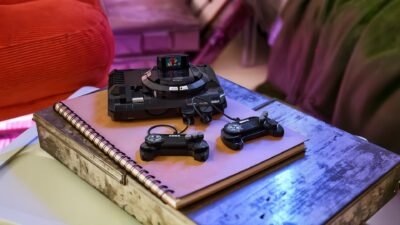
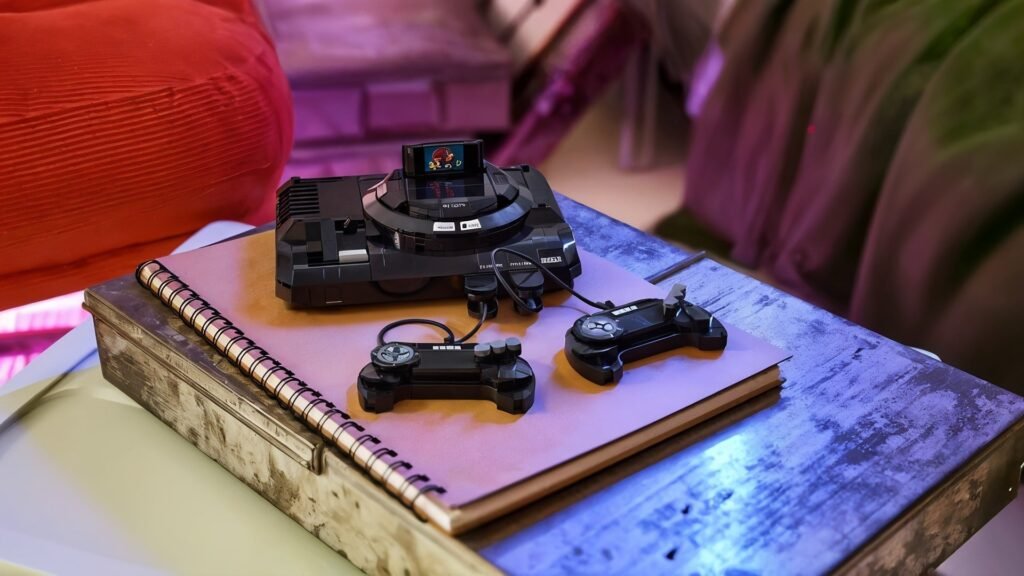
Cooling is the other half of the equation. Raspberry Pi says the Pi 5 performs best with active cooling, and the official Active Cooler is an inexpensive clip-on fan and heatsink. Many retro-styled cases, including designs modeled on classic consoles, also come with fans built in. Either way, a passively cooled Pi running Dreamcast games for an hour will slow itself down to stay safe.
Storage: Where Your OS and Games Live
On most builds, a microSD card holds the operating system, emulators, save files and the games themselves. The official Raspberry Pi documentation recommends at least 32GB for the desktop version of Raspberry Pi OS, and that’s a sensible floor for a gaming build too. A 32GB card comfortably holds the OS plus a large library of 8-bit and 16-bit games, which are tiny by modern standards.
Speed matters as much as capacity, because the card works as the system’s hard drive. Look for an A1 or A2 application performance rating, which improves load times and menu responsiveness. Cheap unbranded cards are a false economy here. They’re the most common cause of corrupted installs, and some counterfeit cards report more capacity than they actually have.
If you’re setting up several builds or keeping spares for different game libraries, buying 32GB microSD cards in bulk saves money compared to grabbing single cards on open marketplaces. Keeping one card per system, such as one for arcade games and another for handheld classics, also makes it easy to swap setups without reinstalling anything.
For huge disc-based libraries, many builders move games to a USB SSD and keep the OS on the card.
Choose a Retro Gaming OS
Three operating systems dominate the Raspberry Pi retro scene, and the right one depends on how hands-on you want to be.
Batocera is the most popular pick for Pi 5 builds. It ships an official Pi 5 image, supports a wide range of systems out of the box and needs very little configuration. Recalbox is the most beginner-friendly, with a polished interface and its own official Pi 5 image. RetroPie is the veteran of the group and the most customizable, but it has no ready-made Pi 5 image. Instead, you install it on top of Raspberry Pi OS with a setup script, which suits tinkerers more than newcomers.
Whichever you choose, flashing it to the card takes a few minutes with Raspberry Pi Imager or a similar tool.
Controllers, Cases and the Legal Bit
Almost any modern USB or Bluetooth controller works, including Xbox and PlayStation pads, and dedicated retro-style controllers recreate the feel of the originals. Arcade fans can go further with a USB fight stick or a full DIY cabinet.
Don’t forget the small stuff. Both the Pi 4 and Pi 5 use micro-HDMI ports rather than full-size HDMI, so you’ll need a micro-HDMI to HDMI cable or adapter to connect to a TV. A wired Ethernet connection also makes the first setup smoother, since many retro OSes download updates and game artwork when they first boot.
Then there are the games themselves. Emulators are generally legal, but downloading ROMs of copyrighted games is where the legal risk sits, even if you own the original cartridge. As Tom’s Hardware has explained, most ROM download sites are distributing copyrighted material without permission. Safer routes include dumping games you own with dedicated hardware, playing homebrew titles made for retro systems, and buying officially licensed retro collections.
Start With One Console
Build a single setup first. A Pi 5, the official power supply, a cooler and one fast 32GB card will do. Once it runs smoothly with your favorite system, you’ll know exactly what to change before building a second one for the living room or a friend.

Alexia is the author at Research Snipers covering all technology news including Google, Apple, Android, Xiaomi, Huawei, Samsung News, and More.