WiFi Mouse is a very utilitarian app for the Android users which is easily available on Google Play Store for free. With the help of this app, you can fully control your PC’s mouse through your Android device.
Sometimes you must have to come close to your PC for just one or a couple of clicks, which is very hectic. This app will help you to use PC’s mouse through the mobile device.
Read Also: QMobile E3 Dual, S15 & S9 Launched
To avail the service you have to follow the steps;
Step 1: Go to Google’s Play Store and install the app on the mobile device
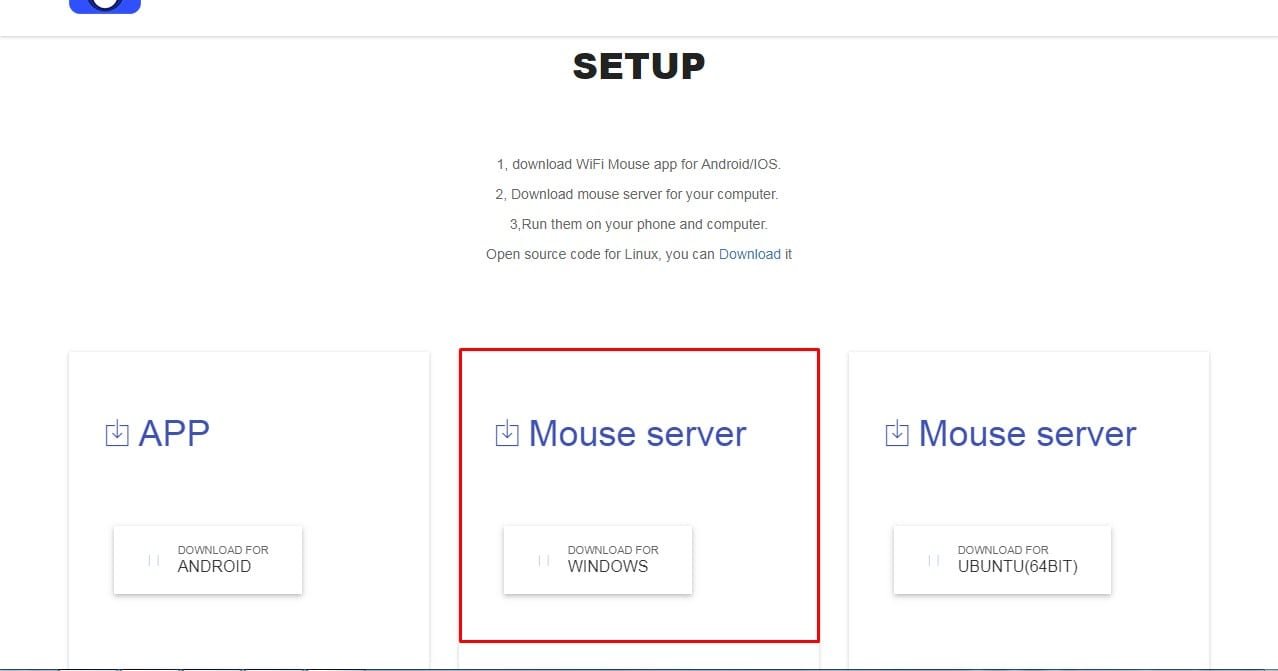
Step 2: Grab your PC’s keyboard and navigate to this link (http://wifimouse.necta.us) and click on download this app
Step 3: Download the mouse server for windows
Step 4: After completion of download open the downloaded program and install it on your PC
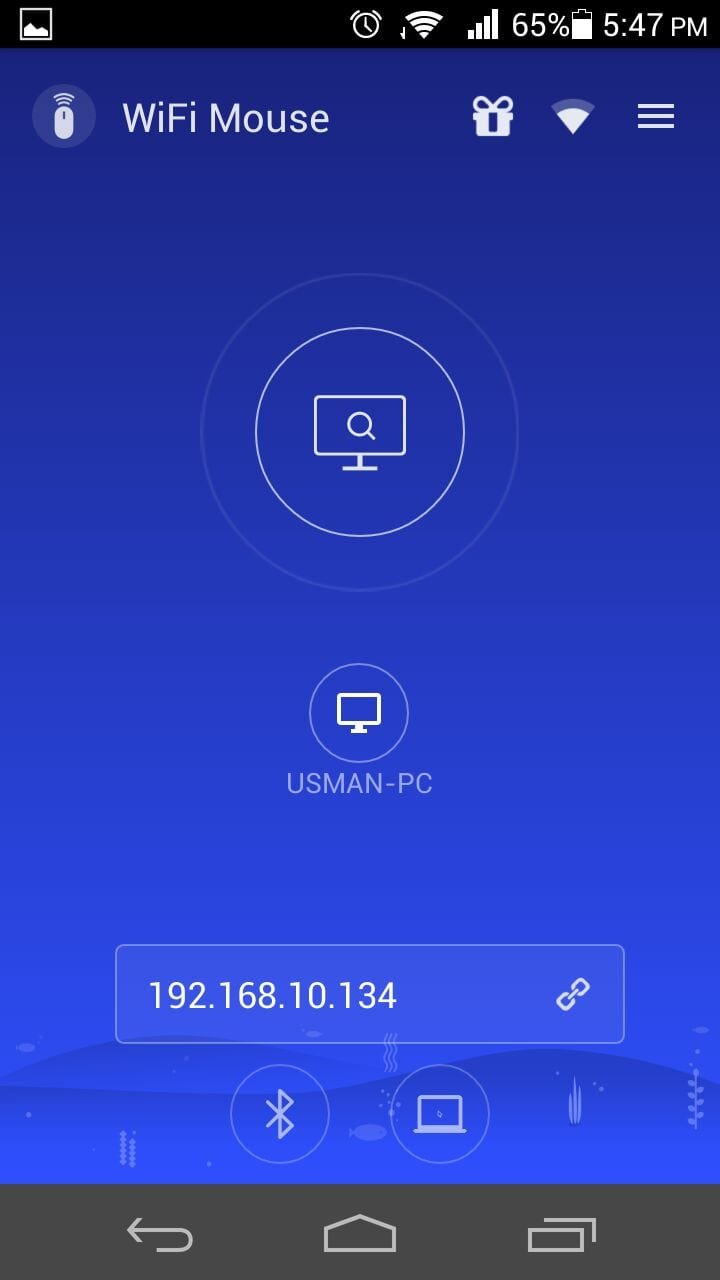
Step 5: After the installation, click the Mouse Server icon and open it, and note down the IP address mentioned in the program’s windows
Step 6: Enter the IP address into the bar available on the mobile device or directly click on the system [having mouse server installed] shown in the application
Now use the mouse and enjoy.
NOTE: To use WiFi Mouse your mobile and PC should be connected to the same network (WiFi). Suppose, you don’t have a WiFi connection available at the time and you want to use the WiFi Mouse. You have to turn on your mobile WiFi hotspot connect your PC with your mobile network and enjoy the app.
Research Snipers is currently covering all technology news including Google, Apple, Android, Xiaomi, Huawei, Samsung News, and More. Research Snipers has decade of experience in breaking technology news, covering latest trends in tech news, and recent developments.
Multikernel Technologies has a public version of its multikernel Linux for the first time with…
The world's PC manufacturers are in a bind when it comes to memory. DDR4 RAM…
How safe are the protected halls of Gamescom 2026 really? After the night-time theft of…
Google has apparently made changes to the security features of the Pixel 11 series, which…
Bagging a bargain online has never been easier - or riskier. Between dodgy "influencer" deals…
Google is expanding its AI overviews and is now displaying even more information and details…