Windows 11: LG monitors install bloatware
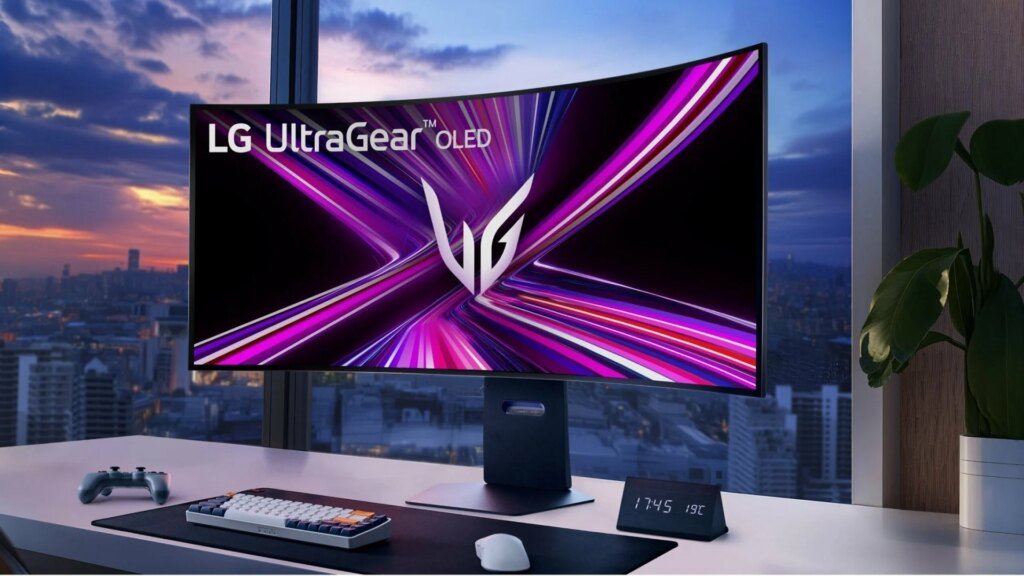
Anyone who connects an LG monitor to a Windows PC will sometimes receive advertising for antivirus software without asking. After massive criticism and interference from Microsoft, LG is now giving in. But the real problem with bloatware remains.
End of unwanted monitor advertising
After massive complaints from users about unwanted software installations and advertising, Microsoft has intervened. LG monitor owners had noticed that Windows 11 automatically downloads the LG Monitor App Installer when the hardware is connected. The accompanying software then presented users with intrusive advertisements for a trial version of the McAfee antivirus software. The unsolicited installation of the LG app occurs via the device metadata pipeline in Windows. The function is actually intended to enable hardware manufacturers to seamlessly set up peripheral devices. However, the advertising displayed on gaming screens from the UltraGear series, some of which cost well over 1000 euros, caused great dissatisfaction among customers. Since the operating system has integrated protection, an additional antivirus program is usually unnecessary anyway.
Microsoft is getting involved
Public pressure finally led Microsoft to intervene. Like Windows boss Pavan Davuluri on X Microsoft has contacted the LG team. As an immediate measure, the South Korean electronics manufacturer agreed to completely disable advertisements for McAfee software. However, LG is not the only company that uses the Windows interface for its own purposes. In the past, other hardware manufacturers such as Razer, Asus and Gigabyte have attracted negative attention because they placed accompanying software on users’ computers without asking when connecting keyboards or mainboards. Developers criticize the approach because such programs often consume system resources.
Data protection concerns remain unresolved
Despite the rapid intervention, the fundamental problem still persists. Disabling advertising does not change the fact that the LG app is installed and receives profound permissions on the system. Once the companion software is installed, it technically has permission to access all system resources. In addition, the program can monitor user behavior in detail through automatic content recognition. Such features often collect sensitive data about online activities, personal contacts or precise location information. The fact that a purely display device can collect such amounts of data in the background poses a serious risk to privacy. However, Microsoft has not yet commented on this aspect. Users who already have the LG Monitor App Installer on their system can remove the program manually via the system settings. To prevent future installations, the automatic download of companion apps for devices can be permanently prevented via the Windows group policies under Computer Configuration > Administrative Templates > System > Device Installation and by activating the item “Prevent automatic download of applications associated with device metadata”.

Research Snipers is currently covering all technology news including Google, Apple, Android, Xiaomi, Huawei, Samsung News, and More. Research Snipers has decade of experience in breaking technology news, covering latest trends in tech news, and recent developments. Can be reached at author1@researchsnipers.com