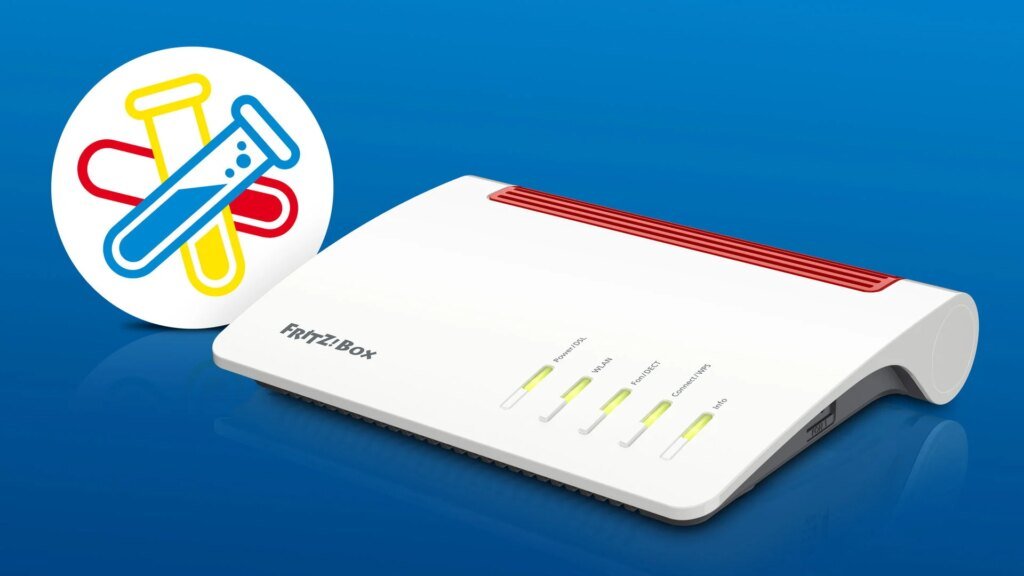
With a fresh laboratory version of FritzOS, four FritzBox models are celebrating their entry into the current beta phase. Thanks to the current update, router owners benefit from a total of 48 adjustments including seven brand new functions.
Newcomers to the lab
There was a lot going on at Fritz last week. The presentation of the Fritzbox DSL/Fiber 7-90 at the IFA in particular made headlines. The device not only ushers in a new era with tri-band Wi-Fi 7, but also comes in a fresh design. At the same time, the FritzBox 6690 Pro went on sale and there was also news from the laboratory in the form of fresh beta firmware for some of the Berlin company’s router models. Now there is a small addendum. On Friday, September 4th, additional FritzBoxes were provided with test updates and some were added to the current laboratory round. Accordingly, this means for these devices FritzOS 8.40 An extensive initial laboratory with numerous adjustments including some new functions is now available. The following routers are included:
FritzBox 5590 Fiber – Version: 8.40-136115
FritzBox 6850 5G – Version: 8.40-136254 – New
FritzBox 6850 5G V2 – Version: 8.40-136257 – New
FritzBox 6850 4G – Version: 8.40-136256 – New
FritzBox 6850 LTE – Version: 8.40-136255 – New
Lots of new things, lots of improvements
While the update to the FritzBox 5590 Fiber only provides improved system stability, things are different for the four new laboratory newcomers. The list of adjustments to the firmware includes a number of entries. This also includes the following seven completely new functions.
Internet
Internet connection via the LAN-1 port
Failure protection via the integrated cellular modem for an Internet connection via LAN or WLAN
DECT
The SOS call is part of the simple mode and allows you to store up to four emergency contacts, which will automatically be called one after the other in an emergency. The duration and repetition of the call sequence can be set individually
The new “Simple Mode” for the FritzFon focuses menus and functions on telephony and simplifies operation considerably. The adjustments primarily address the limitations of older people (accessibility) and pay particular attention to the needs of less technology-savvy users
To make operation easier for restricted users, the following functions are available: After activation, the softkeys can be used as speed dialing keys, whereby each key can be assigned a phone number or a function
Smart home
If the “Switch off on overload” function is activated, sockets are switched off after a set period of time if a specified power is exceeded
The if-then link of a routine can be created with multiple triggers
A total of over 40 additional adjustments find their way to the four Fritz mobile routers in areas such as Internet, WLAN, Mesh, telephony or home network. FritzOS 8.25 (cellular router) – More patch notes
Cellular
Improvement: New software for the cellular modem with improved stability of the cellular connection
Improvement: Improve auto-detection of the mobile phone provider that matches the SIM card
Improvement: Auto-detection of the mobile phone provider that matches the SIM card is also possible after changing the SIM card
Internet
Improvement: Optimizing communication between FritzBox and app reduces the likelihood of message loss
Improvement: The online monitor displays the upstream and downstream values for the top consumers
Improvement: When manually configuring WireGuard connections, VPN connections for user dial-in can now also be created
Improvement: Parental control event reporting to block direct IP calls has been expanded to include information about the requesting device
Improvement: The Let’s Encrypt certificate for the MyFritzNet address is renewed after 2/3 of the total term of the current certificate to ensure compatibility
Improvement: The following are supported for local name resolution (via mDNS): fritzbox.local, gateway.local, box.local (FritzBox only), repeater.local, fritzrepeater.local (Repeater/MeshSet only), and generally router.local and gateway.local
Improvement: In parental controls, the function to extend online time by 45 minutes is now also supported for shared budgets
Improvement: Optimizing communication between FritzBox and app reduces the likelihood of message loss
Improvement: Revised warning messages when creating potentially dangerous port shares
Improvement: The MTU (Maximum Transmission Unit) can be set for all WireGuard VPN connections
Improvement: For VPN connections, additional “remote networks” can be added to the remote site
Improvement: If a WireGuard connection fails, the intended data is not sent via the Internet connection (kill switch)
Improvement: Port sharing is also possible for WireGuard VPN connections in company connections
Improvement: WireGuard VPN connections can be created without a MyFritzNet or DynDNS address
Fixed: Internet blocks from parental controls no longer worked when using a VPN connection
Fixed: After changing the country and time zone settings, the online monitor could no longer be opened
Fixed: Locking devices on the guest network did not work as expected in parental controls
Fixed: Internet access (remote access) to the FritzBox could only be set up while the FritzBox was connected to the Internet
WiFi
Fixed: After deactivating the 5 GHz band on the Mesh Master, it may not transmit in repeater mode
Fixed: Corrected display for energy consumption when transmitting power is reduced
Telephony
Improvement: Voice messages can be automatically deleted after an adjustable waiting time or when an adjustable number is exceeded
Fixed: Anonymous incoming calls to the mobile number may not have been signaled
Mesh
Improvement: One or more Fritz products for Mesh can be activated via the FritzBox user interface without having to press a button on the FritzBox
DECT
Improvement: Better support for DECT phones from other manufacturers without CAT-iq 2.0 support
Improvement: Phone numbers within a telephone book entry can now also be sorted subsequently in the FritzFon
Improvement: Faster audio connection from DECT phones with the “HD preferred” setting to other HD phones
Home network
Improvement: Improved user guidance for changing and managing IPv4 addresses in the network device details
Change: The DNS suffix ‘fritz.box’ is no longer distributed to home network devices via DHCP in the default settings. Home network devices no longer automatically repeat failed name requests with the ending ‘fritz.box’. The previous behavior can be activated under Home Network -> Network -> Network Settings -> Advanced Network Settings -> IPv4 -> DHCP, if required
Home network
Fixed: Display of special characters in device names was sometimes incorrect
Storage/NAS
Improvement: Station lists for Internet radio preset for more countries
Improvement: Maximum allowed number of shares increased from 20 to 250
system
Improvement: Clearer display of the tariff information when the data volume is exceeded or free hours in the email from the push service “FritzBox-Info”
Improvement: The list of home network devices in the push service info email is now sorted by name
Improvement: Users can now delete individual devices from the list of known devices before transferring the settings to a new FritzBox and receive information on how to manage unreachable devices
Improvement: More flexibility when choosing the FritzBox name (UTF-8)
Improvement: Detailed corrections in the offline help and translations
Improvement: When sending support data to Fritz, the shipping ID is sent by email to the standard recipient if the push service is activated
Fixed: The FritzBox itself was listed as a connected network device in the push service info email
installation
All users who already operate their router with a beta version of FritzOS can have the new update automatically searched for via the user interface. Anyone who switches from a stable firmware version to the test program will, as always, find the files required for installation for their model on the Laboratory website from Fritz for download. After downloading, the update is installed via the router interface under “System” > “Update” and the “FritzOS file” tab. If you are installing a beta for the first time, you should also make sure that the latest stable version of FritzOS is running on the device. It also makes sense to create a backup copy of the device settings. If problems arise, this makes it easier to restore the FritzBoxes to their previous state in an emergency.
RS News or Research Snipers focuses on technology news with a special focus on mobile technology, tech companies, and the latest trends in the technology industry. RS news has vast experience in covering the latest stories in technology. Can be reached at author2@researchsnipers.com