Firefox Containers: This browser extension is a real insider tip

Seal off websites, limit tracking or use two accounts at the same time? Incognito tabs are too cumbersome for that. A free Firefox extension can help. We’ll show you how to set it up and use the “containers” in minutes.
Lots of accounts, annoying browser changes?
Large platforms such as Google, Facebook or Microsoft try to track the surfing behavior of their users across different websites. At the same time, it quickly becomes confusing if multiple accounts are used for the same service, such as a private and a professional account. Anyone who then has to log out and log in again in the browser loses time and nerves. Mozilla offers an elegant solution to these problems with the free Firefox Multi-Account Containers extension. This separates websites from each other by creating separate containers for different areas of the Internet. Each container has its own cookies, credentials, and website storage. Table of contents:
Install Firefox Multi-Account Containers
First, open Firefox and open the add-on manager. The quickest way to do this is to use the “Hamburger” menu with the three lines at the top right and then the menu items Add-ons and Themes. Alternatively, you can enter “about:addons” in the address bar.
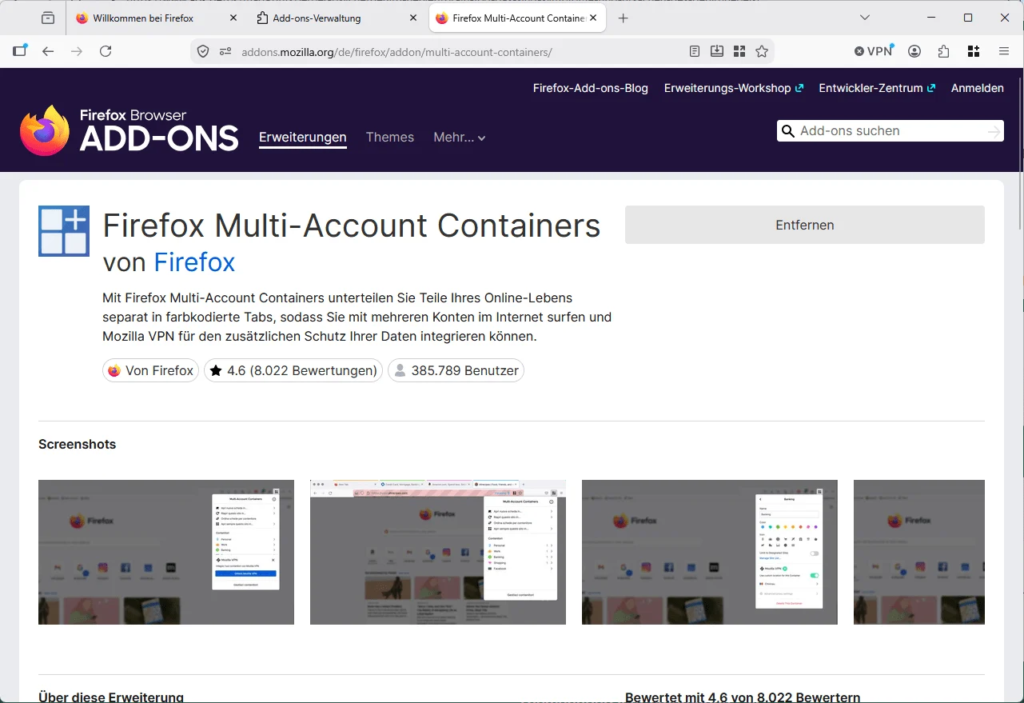
Now you’re looking for “Firefox Multi-Account Containers” and installs the Mozilla extension. After a few seconds, a new icon will appear in the toolbar that shows several colored boxes.
Create the first containers
After installation, some standard containers are already available, including private, work, banking and shopping. These can be used directly or renamed according to your own needs. Colors and symbols allow you to see at a glance which container you are currently in.
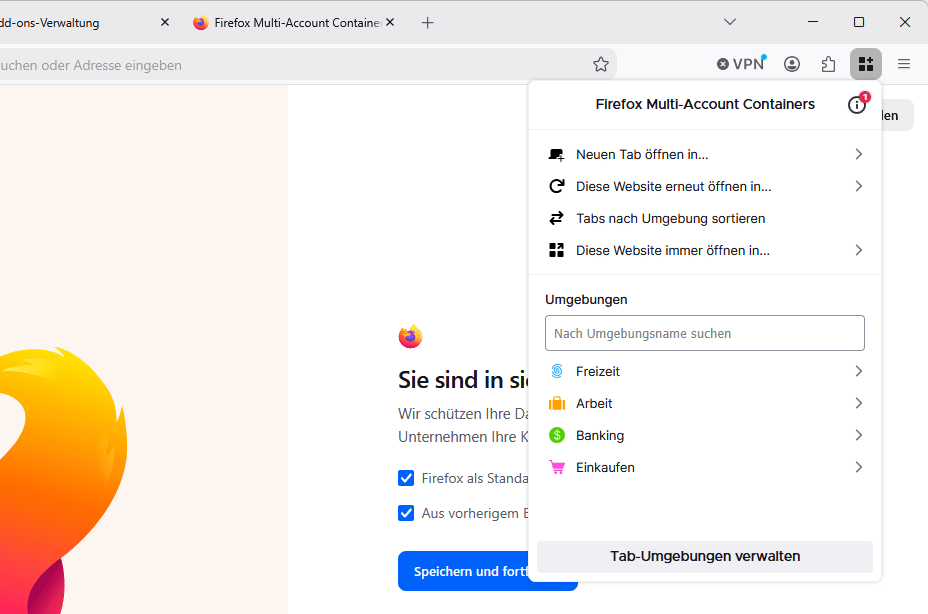
To do this, click on the container symbol and then click on Manage Containers. New containers can also be created here, named with a desired name and assigned a color and symbol. Useful examples would also be social media or the (virtual) separation between friends, family or couples.
Permanently assign websites to a container
The Firefox extension becomes particularly practical when certain websites are automatically opened in the correct container. For example, you open Gmail or Outlook in a new tab within the desired container. Then click on the container symbol again and select the option to always open this website in this container. The next time you visit, the page automatically starts in the appropriate area. WinFuture.de is assigned to the ‘Work’ container. For example, all Google services can run exclusively in the “Work” container, while Facebook and Instagram are opened in a separate “Social Networks” container.
Use multiple accounts at the same time
The greatest advantage is seen in services that have many users with multiple accounts. This can be the case, for example, if you use Instagram privately and also manage your own account for a small business or club.
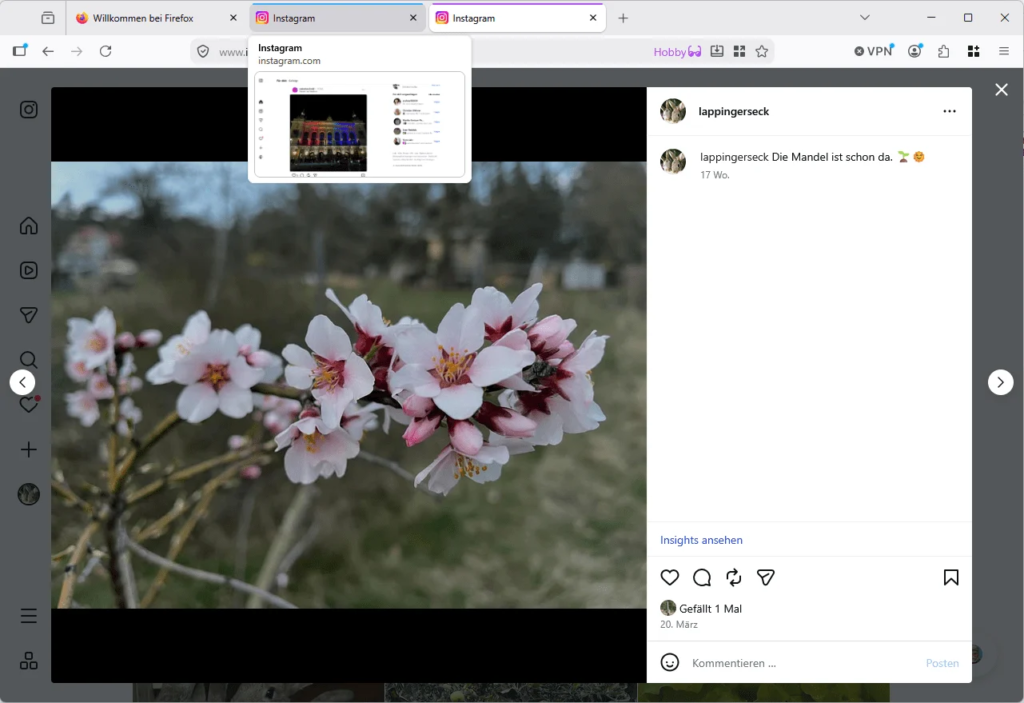
To do this, for example, open Instagram once in the “Private” container and also in the “Work” container. Since both containers have their own cookies, both accounts remain logged in at the same time – even the next time the page is opened. However, when using incognito tabs, you would have to manually enter your login details each time you access the service.
Significantly limit website tracking
In addition to convenience, the extension also improves data protection. Cookies and other website data remain limited to their respective container. If you only visit Facebook in the “Social Media” container, Meta cannot easily use its cookies on websites in other containers. Although this does not replace complete tracking protection, it still makes it much more difficult to combine surfing behavior. In combination with Firefox’s integrated protection functions, there is a noticeable increase in privacy.
Our conclusion about the Firefox containers
Firefox Multi-Account Containers is one of those extensions that, after a short period of getting used to, is hard to imagine without. It makes it easier to deal with multiple user accounts, ensures more order in the browser and at the same time improves data protection. Users who want to separate professional and private online accounts in particular benefit from the addon.