The Myths Slowing Down AI Scheduling and Digital Twins on the Jobsite

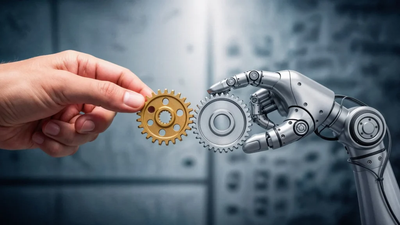
Every AI scheduling demo ends the same way: fewer surprises, a cleaner critical path, sharper focus on the risks that matter. A handful of polished case studies have now convinced plenty of builders that the software does the thinking for them.
Reality on the ground is messier. AI-assisted schedules and digital twins can meaningfully reduce risk, but only if the people rolling them out understand what these tools do and where they fall short. Below are the assumptions that most often derail a rollout, and the corrections worth making before you spend the money.
Myth 1: AI Will Build the Schedule for You
The marketing suggests you hand the software a scope and get a critical path back. In practice, AI scheduling tools work best as a second set of eyes on a schedule a human planner has already built. They flag sequencing conflicts, predict slippage from historical patterns, and surface tasks with a high probability of going late. They don’t know that your framing sub is short two crews next month, or that the inspector in your jurisdiction takes three weeks to return calls.
Adoption reflects the gap. Industry surveys consistently show that only a small share of contractors have put AI or automation to work on scheduling, and a majority report no near-term plans to adopt it. Read that as builders concluding they still need a scheduler in the seat, not as pure inertia. Use AI as an accelerant for a competent planner, not a replacement.
Myth 2: A Digital Twin Is Just a 3D Model
A BIM model is a design representation; a digital twin is a live one. The distinction matters because insurers, owners, and safety officers keep asking about “the twin” as if it’s an off-the-shelf deliverable, when what they actually need is a model wired into real-world data feeds.
The NIST definition is useful here: a computer model of a physical system, updated with data from that system, used to forecast behavior and support decisions. On a jobsite, that means pulling from drone flyovers, laser scans, IoT sensors, and schedule updates. Strip those feeds out and you have a nice rendering. Feed it live data and you have something that can catch a wall going up out of tolerance before the drywall crew shows up to hide it.
Myth 3: Standards and Interoperability Will Sort Themselves Out
This is the assumption that wrecks multi-year rollouts. Every vendor has its own data model, file formats, and idea of what a “twin” contains. Buy scheduling AI from one company, a twin platform from another, and reality-capture tools from a third, and you can end up with three systems that don’t talk to each other.
NIST’s own standardization work has warned that without common standards, implementations stay fragmented, expensive, and slow to scale. Before you sign, ask three questions:
- Data ownership. Who owns the model, sensor data, and issue logs when the contract ends? Get it in writing.
- Export formats. Can you pull your data out in an open format, or is it locked in the vendor’s cloud?
- Integration points. Does the platform support the standards your designers and owners already use, or will every handoff need a custom connector?
Myth 4: New Tech Means Less Insurance Risk
Digital tools shift risk around; they don’t remove it. A schedule that predicts delays won’t stop a trench collapse, and a twin that models a building won’t make the ladder any shorter. Every sensor, drone, and cloud platform you add is another surface for cyber incidents, data disputes, and coverage questions your carrier will want to talk about.
Builders getting real value here use these tools as inputs to their safety and claims programs, not substitutes for them. Loop in your carrier or broker early. A construction-focused partner like Builders Mutual can tell you how AI-generated risk data plays with your existing coverage, what your policy expects you to document, and where new exposures actually sit. The tech is only useful if the paperwork keeps up with it.
What to Do Before You Roll Anything Out
None of this is a case against the technology. It’s a case for going in with clear eyes. A few practical moves before you spend the money:
- Pick one problem. Schedule slippage, safety observations, or as-built accuracy. Start with one and measure it. Rollouts that chase everything at once measure nothing.
- Audit your data. AI is only as good as the issue logs, daily reports, and drawings you feed it. Clean up the inputs before you blame the outputs.
- Train the humans. Superintendents and project managers need to read AI risk scores skeptically, not obey them. Build that into your onboarding.
- Write it into contracts. If subcontractors are contributing data to your twin, say so in the subcontract, along with who owns it and how it can be used.
AI scheduling and digital twins are worth the attention builders are giving them. They’re not magic, they’re not plug-and-play, and they won’t stand in for the judgment of the people running the job.
Use them as sharper instruments in a hand that already knows how to build, and they’ll earn their keep.

Alexia is the author at Research Snipers covering all technology news including Google, Apple, Android, Xiaomi, Huawei, Samsung News, and More.