Can You Travel Abroad on Free Wi-Fi Alone? What Stops Working Between Hotspots

fAirports, hotels, cafés, shopping centers, and even some public transport hubs offer free Wi-Fi, so it is reasonable to wonder whether paying for mobile data abroad is necessary at all.
For some trips, Wi-Fi can cover a surprising amount. The problem is that travel rarely happens only inside places where a network is waiting for you. Directions, ride-hailing, changed train times, accommodation messages, and last-minute searches often become important while you are already moving.
That is why a Travel eSIM and free Wi-Fi do not necessarily compete with each other. One can handle the moments between fixed connections, while the other takes care of heavier tasks that can wait.
What Free Wi-Fi Handles Well—and Where It Starts to Struggle
A useful way to think about the problem is by task rather than by asking whether a destination has “good Wi-Fi.”
| Travel task | Free Wi-Fi may be enough | Mobile data is more useful |
| Downloading films or podcasts | Yes, especially at the hotel | Usually unnecessary |
| Uploading large photo backups | Yes | Better postponed to Wi-Fi |
| Checking email at breakfast | Yes | Optional |
| Walking navigation | Only if maps were downloaded | Useful throughout the route |
| Calling a rideshare after landing | Only if airport Wi-Fi works outside | Much more reliable |
| Receiving a changed train platform | Only while connected | Useful immediately |
| Messaging a host while approaching the property | Depends on nearby Wi-Fi | Much easier with mobile data |
| Looking up a restaurant while already outside | Inconvenient | Useful |
The pattern is simple: Wi-Fi works very well for activities you can choose to do in a certain place. Mobile data becomes more valuable when the information is tied to where you are right now.
The Gaps Usually Appear During the Most Mobile Parts of the Day
A traveler can spend the evening on excellent hotel Wi-Fi and still have a frustrating afternoon without internet.
Right After You Land
The first hour abroad can involve more live information than almost any other part of the trip. You may need to find the correct train, open a booking, message the accommodation, order a car, or check whether a late arrival changed the check-in procedure.
Airport Wi-Fi may solve all of that. But if it requires another login, stops working outside the terminal, or is simply unreliable that day, there may be no convenient backup.
While You Are Moving Around
Once sightseeing begins, connectivity becomes less predictable. A café may have Wi-Fi, but it might not be the café you want to visit. A railway station may offer a network inside the building, but not while you are walking ten minutes toward the hotel.
This is where relatively small amounts of mobile data can be more useful than large amounts used indoors. Maps, transport, messaging, translation, and searches do not necessarily consume much data, but they are valuable because they work while the traveler is between fixed locations.
When Plans Change
Offline preparation works best when the itinerary stays as expected. A delayed train, closed restaurant, cancelled tour, or changed meeting point creates a different situation.
The information you downloaded in the morning may no longer be enough. At that point, the problem is not entertainment or convenience; it is access to new information.
A Wi-Fi-Only Trip Can Work If You Prepare for Offline Time
There are trips where paying for mobile data may genuinely be unnecessary. A short stay at one resort, an organized tour with a guide, or a trip where another person already provides connectivity can make free Wi-Fi sufficient.
The key is preparing for the periods when the phone will be offline.
Before leaving accommodation each day, download the relevant map area, save booking references and tickets locally, keep the hotel address available offline, and download any translation resources you may need. Agree on meeting points with companions rather than assuming everyone will always be reachable by message.
The more carefully this is done, the less important constant mobile data becomes.
However, offline preparation has limits. It can preserve known information, but it cannot download a transport update that did not exist when you left the hotel.
A Smaller Mobile Plan Can Complement Wi-Fi Instead of Replacing It
Travelers sometimes assume that buying mobile data means paying for enough gigabytes to handle every part of the trip. That is not necessary if hotel and café Wi-Fi will still be used for heavy activities.
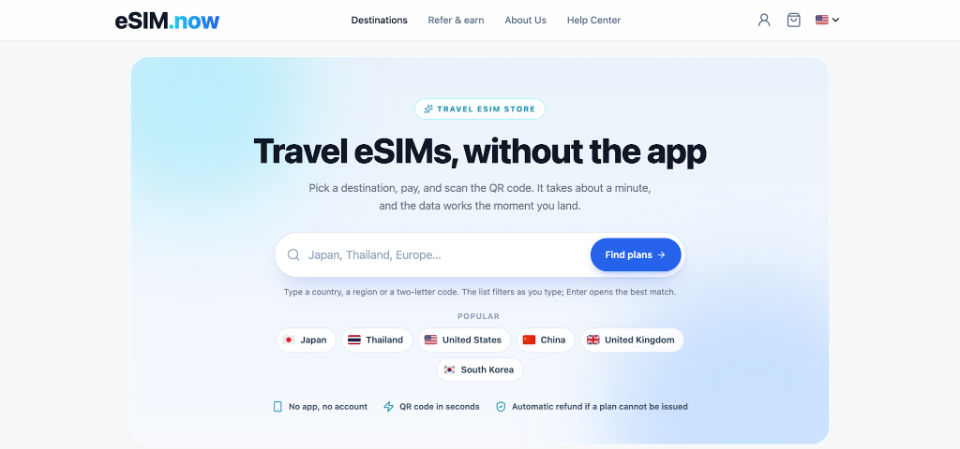
On esimnow, travelers can compare country-specific, regional, and global plans with different data allowances and validity periods. That makes it possible to choose a plan mainly for navigation, transport, messages, bookings, and other on-the-move tasks rather than using cellular data for every video or cloud backup.
The eSIM is delivered digitally through the order page and email, and there is no mandatory app or account required simply to receive it. Travelers can install it over Wi-Fi before departure, so the connection can already be prepared before the first airport transfer or unfamiliar train ride.
For someone who expects to use accommodation Wi-Fi every evening, this can make a modest data allowance more practical. Wi-Fi handles the large transfers; the eSIM fills the unpredictable gaps.
Three Questions Can Tell You Whether Wi-Fi Alone Is Realistic
Instead of deciding based on how many hotspots a city advertises, ask:
- Will I need navigation while walking or driving? If yes, either download maps carefully or keep mobile data available.
- Will I be making plans while already outside? Ride-hailing, restaurant searches, ticket changes, and accommodation messages are harder to postpone until the next hotspot.
- What happens if the Wi-Fi I expected is unavailable? If the answer is simply “I wait until later,” Wi-Fi-only may be fine. If it means being unable to find transport or reach accommodation, a backup connection becomes more valuable.
These questions describe the actual trip better than a generic statement that a destination has plenty of free Wi-Fi.
Free Wi-Fi Is Best as a Resource, Not a Schedule
Free Wi-Fi can reduce mobile-data use dramatically. It is ideal for downloads, updates, streaming, photo backups, and other tasks that can wait until the traveler reaches a fixed location.
The limitation appears when access to information starts controlling the itinerary itself.
If you are comfortable planning offline and waiting until the next hotspot for anything new, a Wi-Fi-only trip can work. If you want maps, transport information, messages, and bookings to remain available while moving around, even a relatively small mobile allowance can remove a lot of friction.
The useful goal is not to stay connected every minute. It is to make sure the trip does not have to stop simply because the nearest Wi-Fi network is somewhere else.

Alexia is the author at Research Snipers covering all technology news including Google, Apple, Android, Xiaomi, Huawei, Samsung News, and More.