Fritz distributes fresh laboratory updates to his two newest repeaters
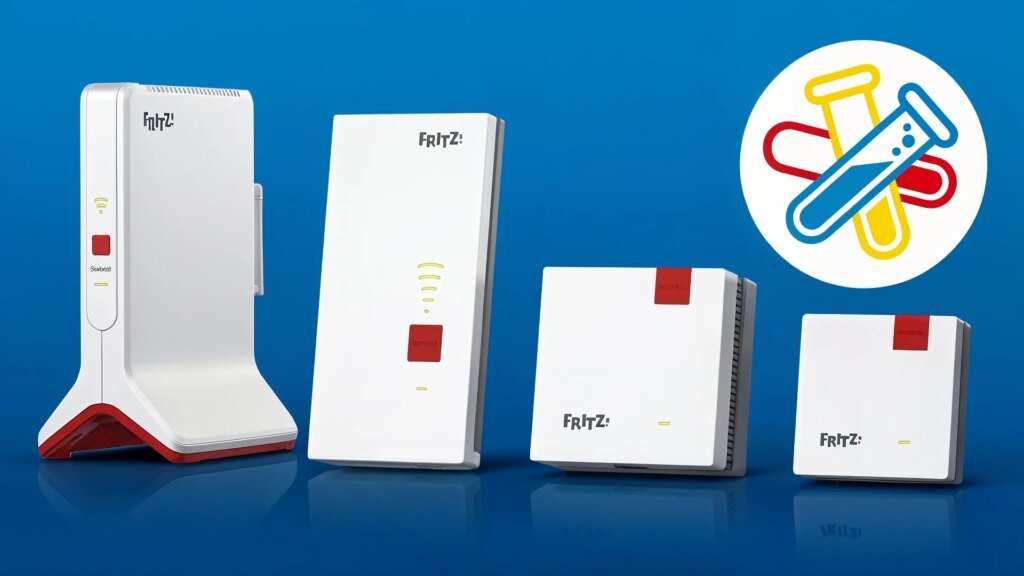
Two FritzRepeaters are now being prepared with another laboratory for the upcoming major update to FritzOS 8.24. The new beta version of the firmware only includes a single bug fix for data transfer.
Fresh lab for repeaters
Last week there was a lot going on at Fritz with stable firmware updates for FritzBox routers as well as updates for smart home devices. This Tuesday we continued with FritzOS 8.25 for the FritzBox 7632. Now there is a laboratory update for two repeaters from the Berlin network specialists. The two models that are the only ones still represented in the corresponding laboratory round are now receiving another small beta update to a new version of FritzOS 8.24. The devices are the following:
A single adjustment
All other Fritz repeaters have already left the laboratory and have been updated to FritzOS 8.25. This will soon also be the case with the FritzRepeater 2700 and 1700. For this reason, it is not surprising that the current update is very small. The new beta only makes a single adjustment. This fixes a problem with both repeaters that resulted in data sporadically no longer being able to be transmitted via the uplink connection to the mesh master. But anyone who installs the new FritzLabor shouldn’t have any problems with it in the future.
Download and install
If you would like to equip your FritzRepeater with the new test firmware, you will, as always, find the necessary installation files on the Laboratory website from Fritz for download. The beta version of FritzOS 8.24 is then installed via the user interface of the respective device or via that of the FritzBox used. If you are switching to a laboratory version for the first time, you should make sure that the latest stable firmware version is running on the repeater before installation. It is also advisable to make a backup of the device settings so that the previous state of the device can be restored more easily in an emergency.

Priti Rajpoot is a technology journalist and contributor at ResearchSnipers, covering the latest in tech news, innovation, and digital trends across the world. From startups and AI to cybersecurity and consumer gadgets. She can be reached here: priti.r@researchsnipers.com