How distributed teams build a talking photo video for onboarding at scale

Using a talking photo video for onboarding lets distributed people-operations teams give every new hire a consistent, human-led welcome across time zones without forcing department managers to re-record webcam sessions every time an internal tool or security rule changes. Instead of booking live calendar slots or editing long video timelines, teams pair an approved headshot with a version-controlled script that can be updated and re-exported in minutes.
Sponsored article prepared for Leadde.ai.
Onboarding breaks down quietly when a company hires across three or four time zones at once. The first two cohorts usually get a live welcome session with a department lead, a walkthrough of internal tools, and a chance to hear how the team actually works. By the fifth cohort, calendar fatigue sets in. Live sessions get shortened or pushed to the second week, and new hires spend their first three days reading twenty-page wiki documents alone. Research highlighted by the Society for Human Resource Management (SHRM) shows that structured, human-guided orientation during the first week significantly improves remote employee retention and role clarity compared with self-service document portals alone.
Why a talking photo video for onboarding beats static docs and one-take webcams
Text documentation is essential for reference, yet it performs poorly as a first-day orientation format. When a new hire opens a massive onboarding portal on Monday morning, every policy and setup instruction looks equally urgent. Without a human voice to explain what matters in week one versus month one, new employees either rush through checklists or get stuck on minor configuration steps. According to Gallup workplace onboarding research, employees who experience clear role context and manager communication early in their tenure reach full productivity noticeably faster than peers left to navigate static intranets alone.
Recording a standard webcam welcome video solves the scheduling problem, but it introduces a maintenance trap. Onboarding details change constantly: security policies get updated, reporting lines shift, and internal tool names evolve. When a people operations lead has to set up a camera and re-record a ten-minute video every time a single step changes, the video quickly falls out of date.
Turning approved portraits and scripts into modular onboarding clips
Instead of scheduling studio time or asking managers to record themselves on laptop webcams, distributed operations teams increasingly make a photo speak with AI using a verified portrait and a structured onboarding script. Starting from a clean headshot and a written walkthrough changes onboarding video from a one-off recording event into an editable document workflow.
| Onboarding task | Live call or webcam recording | Portrait-driven talking video |
|---|---|---|
| Time-zone coverage | Requires repeated live sessions or awkward hours | Available on demand in every region on day one |
| Policy or tool update | Requires a full re-shoot and manual re-edit | Update the affected script lines and re-export |
| Visual consistency | Varies by home office lighting and microphone | Uniform framing and clear audio across all modules |
| Localization for global hubs | Requires bilingual speakers to record separate takes | Generate localized versions from translated scripts |
A four-step workflow for a repeatable talking photo video for onboarding
Treating onboarding videos as modular assets keeps production fast and predictable. Teams that maintain high completion rates across remote cohorts usually follow a four-step structure.
1. Split orientation into two-minute single-topic clips
Nobody wants to scrub through a forty-minute orientation recording to find the two minutes that explain VPN setup or expense reimbursement. Break the onboarding journey into short, single-purpose clips: a ninety-second culture welcome, a two-minute security overview, a two-minute guide to engineering or sales rituals, and a short checklist for week-one deliverables.
When each topic lives in its own clip, updating a single policy never touches the rest of the onboarding library.
2. Standardize presenter portraits and script tone
Choose a well-lit, front-facing portrait of the actual onboarding owner or department lead. A neutral background and natural eye-level framing work best because they look like a clean internal briefing rather than a marketing commercial.
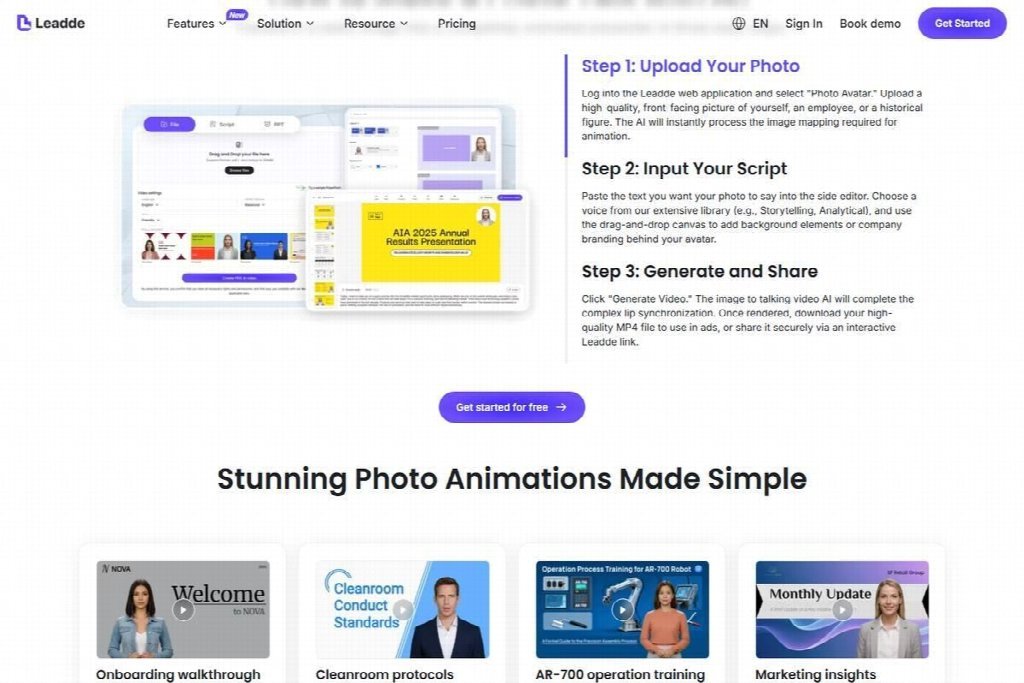
Selecting a clean portrait and editing short script segments inside the Leadde AI Talking Photo Generator workspace.
Write the script in the exact conversational phrasing the team uses in daily meetings. Keep sentences between twelve and eighteen words so the lip-sync cadence and breathing pauses feel unhurried. Spell out internal acronyms on first mention so new hires do not have to guess what a team shorthand means.
3. Pair the talking presenter with clear action checklists
A talking portrait holds attention and builds familiarity, while on-screen checklists or adjacent portal links give the new hire concrete next steps. Place each two-minute video directly above the three or four checklist items it covers inside your onboarding workspace. New hires watch the brief explanation and immediately complete the setup tasks below it.
4. Run a quarterly script audit across all modules
At the end of every quarter, review the text scripts stored alongside each onboarding module. If a tool name, security requirement, or team contact has changed, edit the paragraph in the script, regenerate the clip using the same portrait and voice profile, and replace the file in the onboarding portal. The entire update takes fifteen minutes instead of waiting weeks for a manager’s calendar to clear.
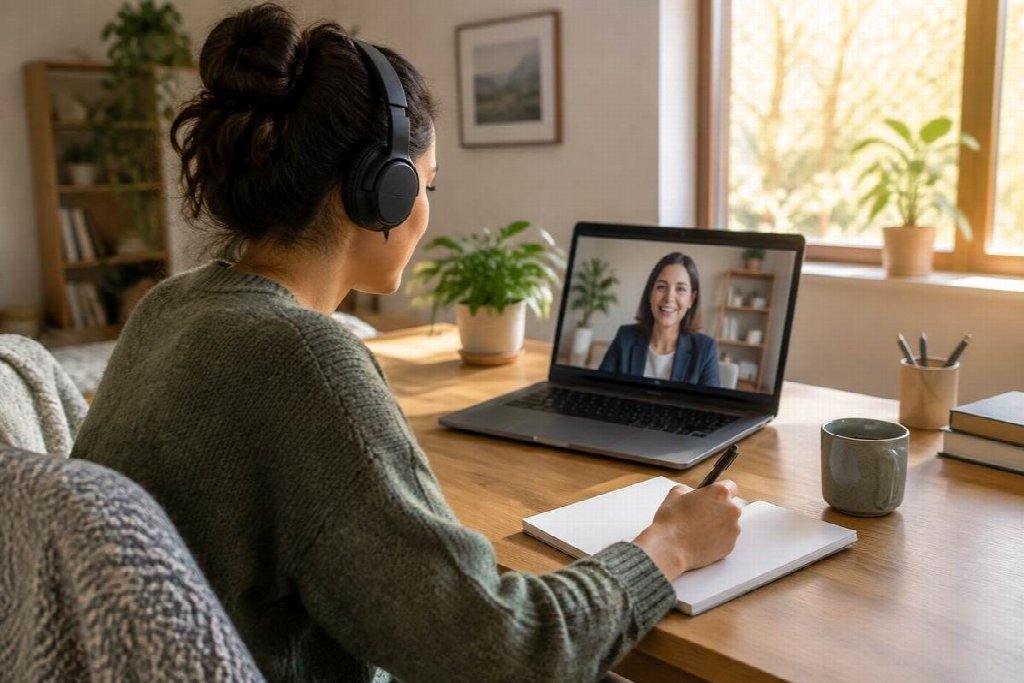
Pairing a two-minute presenter video with a written day-one checklist helps remote hires finish setup tasks without confusion.
Measuring whether onboarding videos actually help
You do not need complex analytics to see whether modular talking photo videos are working. Track three practical signals across two or three hiring cohorts:
- First-week setup completion time: Measure how many days it takes new hires to finish core environment and compliance tasks without filing a support ticket.
- Repeated questions in onboarding channels: Count how often new hires ask basic procedural questions that were already covered in the orientation materials.
- Manager prep hours saved: Track how many hours department leads reclaim when routine introductory explanations move to asynchronous modules, freeing live one-on-one calls for deeper role coaching.
When new hires arrive at their first live team meeting already knowing how the company operates, live conversations become far more valuable for everyone involved.

Alexia is the author at Research Snipers covering all technology news including Google, Apple, Android, Xiaomi, Huawei, Samsung News, and More.