Why Well-Protected Devices Last Longer and Perform Better
If you use a variety of tech devices, like a smartphone, laptop, tablet, or gaming console, it’s important to keep them protected to maximize their lifespan. These devices aren’t cheap, and neither are the consequences when they break or malfunction.
For example, if you depend on your laptop for communication and productivity, and that laptop breaks or becomes infected with malware, you’ll be out more than the cost of a replacement.
Understanding the value of protecting your devices from both physical and cybersecurity threats is more important than ever. Proper protection will not only keep your devices in good physical shape, but it can help maintain optimal performance, extend their lifespan, and save you a lot of money and frustration.
Your tech devices need drop and impact protection
Accidental drops are one of the most common causes of damage, whether a device slips out of your hands, gets knocked off a shelf, or gets dropped down the stairs. Impacts can cause screens to crack, but there’s also a possibility for internal damage. Here’s what you can do for protection:
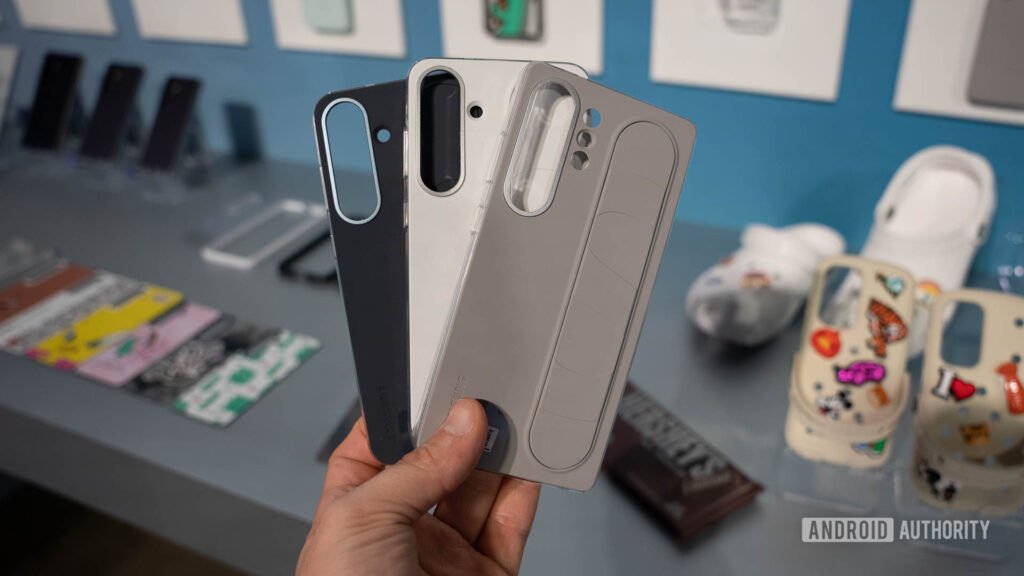
· Use a shock-absorbing case. Today, you can get protective cases for just about every device. Whether you need a case for your smartphone or a Nintendo Switch 2 case, you’ll be able to find an exact match for your device. A rugged case with shock-absorbing corners and a screen protector can mean the difference between a close call and a costly repair (or replacement).
· Be intentional when handling your devices. A little care can go a long way in protecting your devices. Don’t leave them lying around on countertops or window sills, never toss them to another person, and if you’re going to carry them, keep your awareness focused on what’s in your hand.
Prevent dust and debris build-up
Most people forget about the problems associated with dust build-up, but dust isn’t harmless. Over time, dust will block air vents, which will negatively affect performance, and can even prevent the device from cooling off. The result can be damaged internal components from either the dust making its way inside, or from overheating.
Hopefully, your device comes with dust covers for the ports. If so, use them when you don’t have something plugged in. Regularly dusting your device is a good idea, provided you don’t use chemicals that can damage the screen or keyboard/button components. Compressed air and a gentle wipe down with a dry microfiber cloth is usually all it takes.
Another tip is to keep your devices off soft surfaces, like blankets, pillows, beds, and couches. This not only traps heat, but it allows fibers to get inside the vents and ports. Instead, put your devices on a hard, flat surface when in use.
Protection against moisture is a must
You never know when a glass of water or can of soda might get tipped over and spill onto your device. Exposure to liquid can cause corrosion, which can cause a short circuit and permanently damage your device. It’s best to use water-resistant cases when possible. Even a simple silicone keyboard cover for your laptop can prevent a total disaster.
Another thing to consider is not using your devices in damp environments. This includes bathrooms, kitchens, and poolside lounging. Moist environments are risky for electronics. If you don’t have a choice, make sure your device is at least protected by a water-resistant case.
Your battery life is determined by the condition of your device
Batteries naturally degrade over time by losing capacity, but mishandling your device can accelerate the process. Heat, impacts, and exposure to moisture can all reduce the lifespan of a battery. To preserve your battery life as much as possible, always use chargers created or certified by the manufacturer, and never use aftermarket battery replacements. Cheap chargers can damage your battery and other internal components.
Take cybersecurity seriously
Where laptops are concerned, take cybersecurity seriously. Never download suspicious files, and be cautious about emails asking you to sign into an account to resolve a problem. If you download a virus or ransomware, you could lose access to your entire device. Always keep your antivirus software running and up to date, and back up your files regularly.
Protect your digital life
Well-protected tech devices perform better and last longer. To avoid costly repairs and replacements, whether it’s your Nintendo Switch 2, a laptop, or your smartphone, keep your devices in the best condition possible.
Good habits combined with regular cleanings will keep your tech devices in good working order.

Alexia is the author at Research Snipers covering all technology news including Google, Apple, Android, Xiaomi, Huawei, Samsung News, and More.