Google Earth: Flight Simulator can now be used for free in the browser
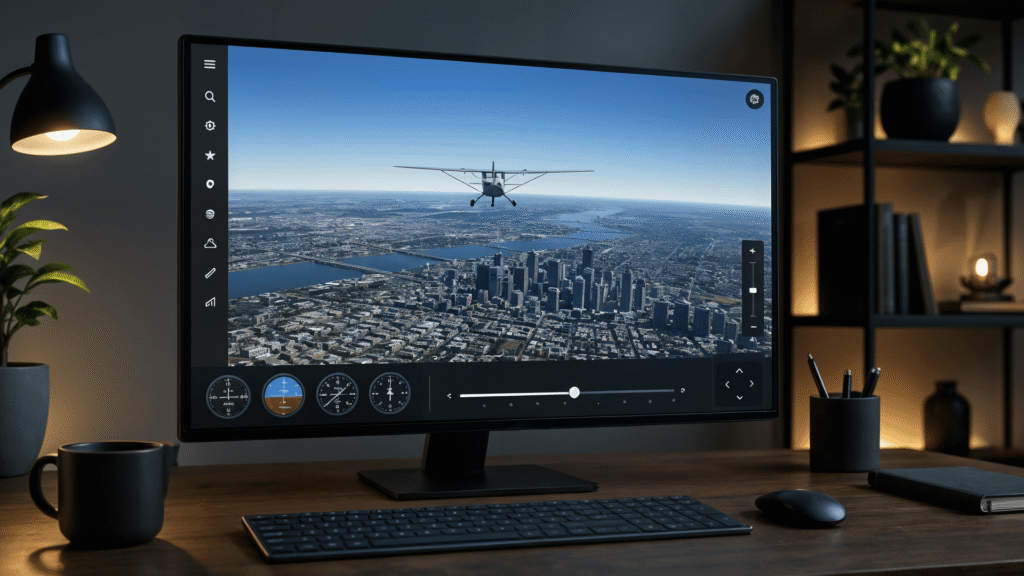
How well does the Google Earth Flight Simulator perform as a pure browser application? The new web version lets users fly over three-dimensional cities without downloading and proves the enormous power of current web technologies.
Google Earth flight simulator in the browser
Anyone who wants to fly virtually around the globe can now do so directly in the browser. Google has released the flight simulator, previously hidden in Google Earth, as an experimental web function. The free tool has been available worldwide since mid-June 2026; a software download is no longer necessary. Back in 2007, Google integrated the simulation as a hidden Easter egg in the desktop version of Google Earth. While this has been expanded to include complex height profiles over the years, the playful component has so far been missing from the web version. The tool can now be accessed across platforms, for example on a Mac, Windows PC or iPad. Like Google via X says the web version was created primarily out of fun for the project. The offer is aimed at occasional pilots and requires no previous knowledge. Users can take off using common browsers such as Chrome or Safari and fly over three-dimensional buildings and high-resolution landscapes.
Control and flight on the web
To start the flight simulator, users call the Google Earth website and navigate to Explore Earth. Access to the simulator can be found under the Tools menu item. It is controlled via touch input on the tablet, with the mouse or with the keyboard. A slider at the edge of the screen controls the flight speed.
How to start the flight simulator:
An overview of all key commands is available on the official site ready. It explains how the machine can be rolled and accelerated. There are two aircraft to choose from at the start: the agile F-16 and the more comfortable SR22.
History of Google Earth
2001 2001 Start of development of “Earth Viewer” by Keyhole, which forms the basis for Google Earth
2004 2004 Google takes over Keyhole Inc. and with it the “Earth Viewer” software
2005 June 28 Official launch of Google Earth as freely available software
2006 2006 Introduction of Street View, which integrates street views into Google Earth for the first time
2017 2017 Google Earth Timelapse is comprehensively updated, offering 24 million satellite images spanning 35 years as an interactive time-lapse view
Pitfalls of virtual flying
Despite being simple to use, the flight physics can be challenging. Especially during fast maneuvers, it can be difficult to keep the machine on course or to keep an eye on the horizon. Crashes have no consequences: the flight stops and a restart is possible immediately. The web porting shows how powerful current browser technologies have become.

Research Snipers is currently covering all technology news including Google, Apple, Android, Xiaomi, Huawei, Samsung News, and More. Research Snipers has decade of experience in breaking technology news, covering latest trends in tech news, and recent developments. Can be reached at author1@researchsnipers.com